You can make money with Pinterest without a blog by pointing pins at a destination that earns directly: an affiliate product page (Pinterest permits affiliate links on pins, with disclosure), a marketplace listing or checkout page for a digital or physical product, a booking or enquiry page for a service, or by
JN
Joe Nyambura
Founder & operator, Pinners Haven · August 9, 2026
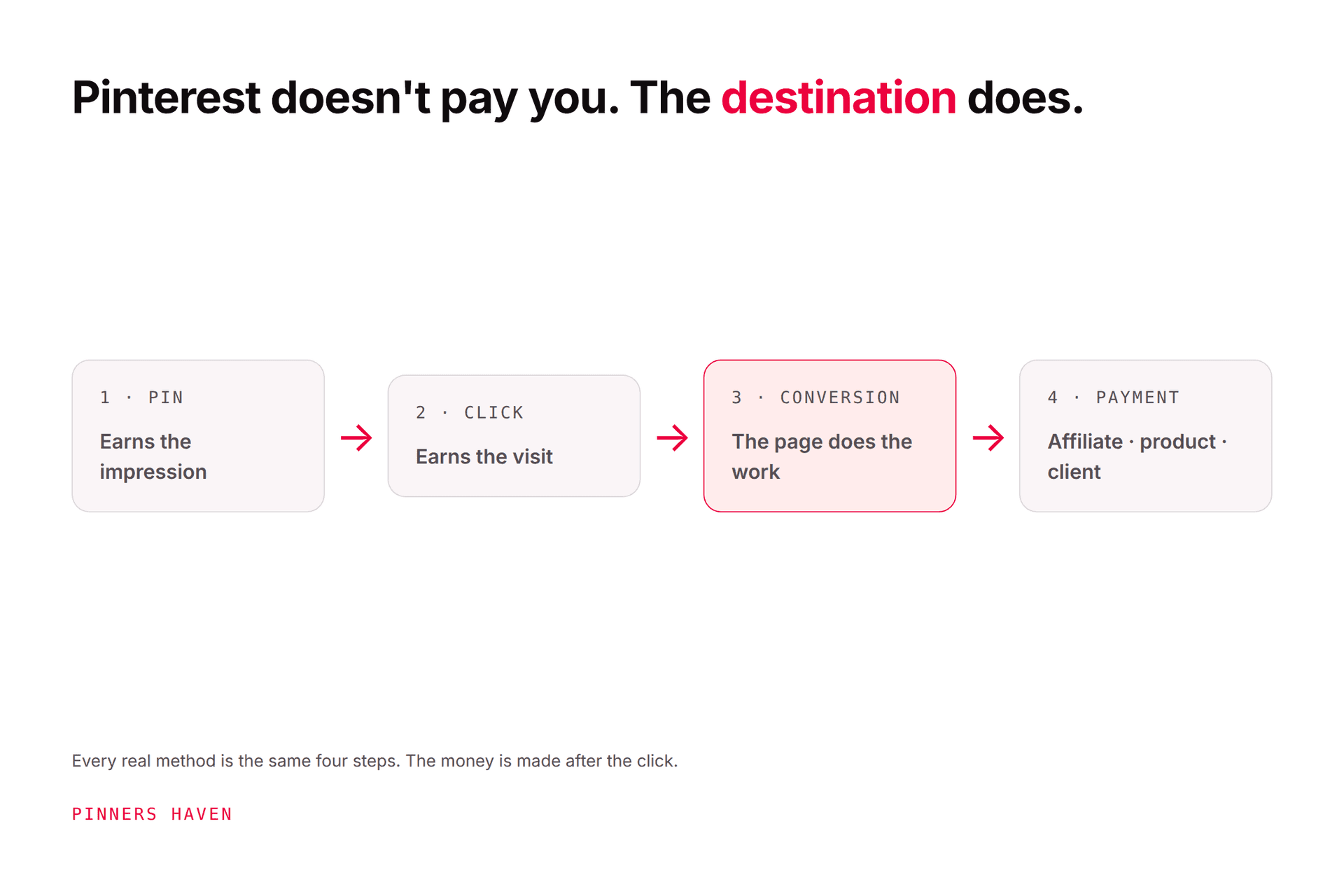
Every "make money on Pinterest" guide you've read eventually says "drive traffic to your blog," and you don't have one, don't want one, or tried one and hated it. Fair. Here's the thing nobody tells you: Pinterest doesn't care whether your link goes to a blog. It cares that the link goes somewhere that delivers what the pin promised. A blog is one kind of destination. It's not the only kind, and for several money paths it isn't even the best one.
You can make money with Pinterest without a blog by pointing pins at a destination that earns directly: an affiliate product page (Pinterest permits affiliate links on pins, with disclosure), a marketplace listing or checkout page for a digital or physical product, a booking or enquiry page for a service, or by getting paid for the pins themselves through paid partnerships and Pinterest services. What you give up without a blog is display-ad income and some conversion control, and you take on more platform risk. Below: what replaces the blog for each path, what it costs, the rules that bite when you link straight from the pin, and a 30-day start.
Disclosure: we make Pinners Haven, Pinterest publishing software. This article doesn't promise income and isn't financial, tax, or legal advice. We're not affiliated with Pinterest.
First, why "no blog" is a smaller problem than it sounds
A blog does three jobs in Pinterest monetisation: it's the destination the pin links to, it's the trust layer that turns a cold click into a buyer, and it's a revenue surface for display ads. You can replace the first two without a blog. You can't replace the third.
So the honest version of this article is: five of the seven money paths in our full guide to making money on Pinterest work fine without a blog; one (display-ad income from content) doesn't exist without one; and one (sponsored content) actually gets easier, because the pin itself is the product.
Here's what replaces the blog, path by path.
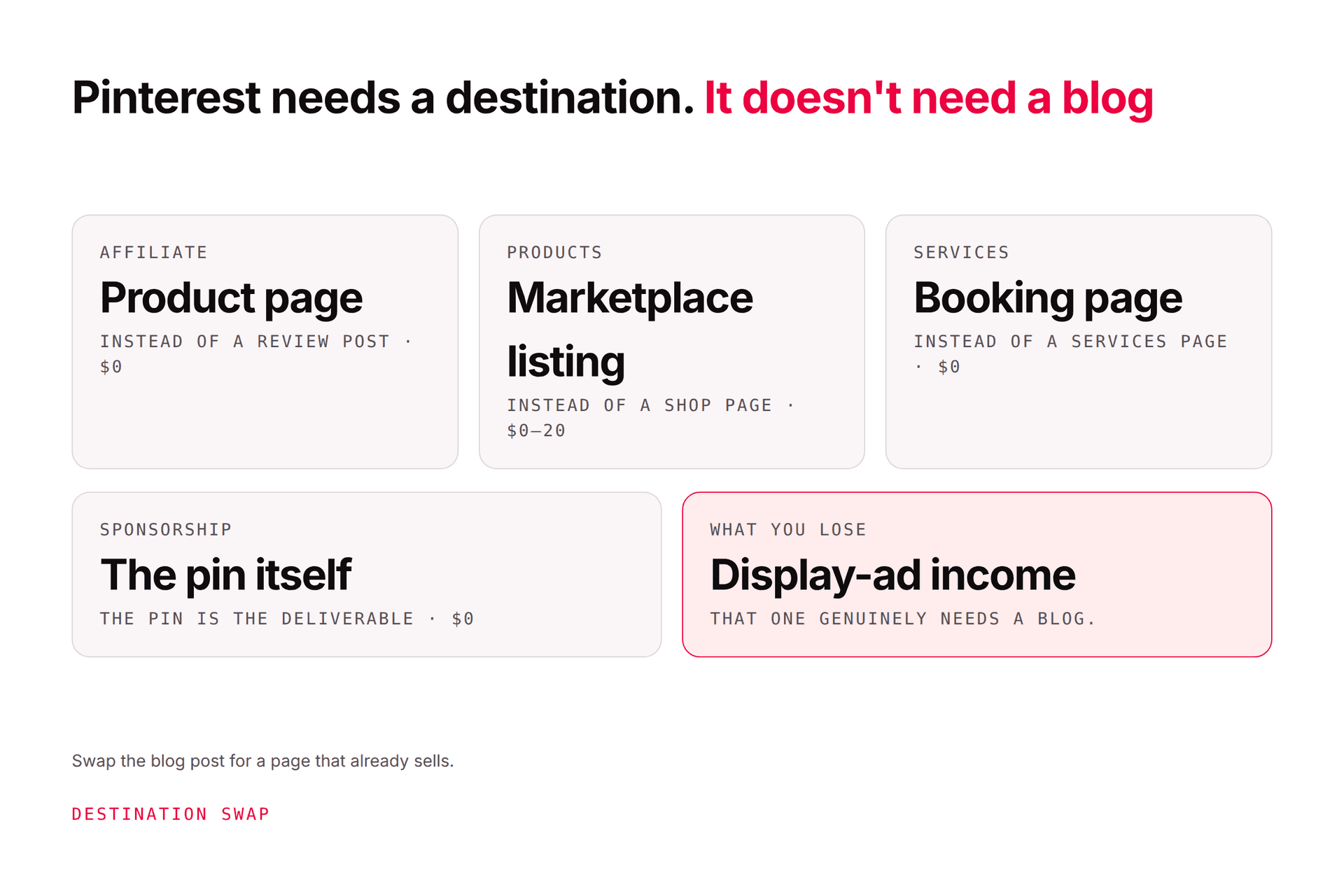
The destination swap: what you use instead of a blog
Money path
What a blogger links to
What you link to instead
Setup cost / time
Affiliate commissions
A review or roundup post
The merchant's product page, direct from the pin, or a one-page "my picks" page
$0 / an afternoon
Digital products
A sales page on their site
An Etsy, Gumroad, Payhip, or similar listing; or a one-page checkout
$0–$30 listing fees / a weekend
Physical products
A shop page on their domain
Your Etsy, Shopify, or marketplace listing
Platform fees / existing
Services and leads
A services page plus a lead magnet
A booking page (Calendly-style) or a one-page enquiry form
$0–$15/mo / an hour
Paid partnerships
Sponsored posts
The pin is the deliverable; link to the brand
$0
Pinterest services
A portfolio site
A profile that is the portfolio, plus a one-page rate sheet
$0
Display ads
Their own content pages
Nothing replaces this
Requires a site
Each row has its own mechanics. Let's take them in the order most people should try them.
1. Affiliate links straight from the pin
Pinterest explicitly permits affiliate links: join a program, generate your unique URL, use it as the pin's destination, and send people directly to the relevant product page. Its commercial content guidelines add the conditions that matter: original content, disclosed commercial intent, authentic account use, and no repetitive high-volume posting.
Three rules bite harder when there's no blog in between:
Disclose on the pin. The FTC wants disclosures placed with the endorsement in plain language; without a landing page, the pin description is the endorsement. "Affiliate link" or "I earn a commission if you buy" in the description. Every pin.
Follow the merchant's rules, not just Pinterest's. Amazon Associates, for example, never names Pinterest, forbids putting a price in your image, and requires its own disclosure wording. Our Amazon affiliates guide has the full list.
Add something. A pin that's the merchant's own photo and the merchant's own claim is the thinnest possible affiliate content, and it's what Pinterest's originality rules target. A comparison ("the three dehumidifiers that fit under a sink"), a use case, a result, or an honest caveat is what earns the click and the commission.
Direct-from-pin affiliate works. It's also the most fragile version: you're one policy change, on either side, from a dead link. The affiliate marketing guide covers the longer-lived structure.
2. Digital products via a listing or checkout page
This is the cleanest no-blog path, and the one we'd point most people at. Printables, planners, templates, presets, patterns, spreadsheets, mini-courses. No inventory, no shipping, margins you set, and the destination is a single listing on Etsy or a checkout page on Gumroad, Payhip, Lemon Squeezy, or similar.
The pin shows the result of the product (the filled-in planner, the finished pattern, the before/after of the preset), and the listing does the selling. What kills this path is over-promising previews and launching a product nobody searches for; Pinterest for digital products works through both, including the seasonality that decides more than your creative does.
One caveat for Etsy sellers: Pinterest says most marketplace shops can't be claimed as your website, which changes a few things about analytics and attribution. Pinterest for Etsy sellers explains what to do instead.
3. Physical products via your store or marketplace
If you already sell on Etsy, Shopify, or a marketplace, you have the destination. The job is pins that show the product in use, aimed at the searches people type when they're planning the purchase, pointing at the exact listing. How to sell on Pinterest without ads is the full playbook, and Pinterest for Shopify covers connecting the catalogue so your product pins carry live prices.
4. Services and leads via a booking page
Coaches, photographers, designers, consultants, tutors. Pinterest shows what you know; the pin links to a booking or enquiry page that takes ten minutes to set up. The trap is skipping the trust step: nobody books a stranger from a pin, so the destination usually needs one page of proof (three results, three testimonials, one clear offer) before the calendar. Pinterest for coaches draws that funnel honestly.
5. Paid partnerships: the pin is the product
Pinterest's creator FAQ lists brand partnerships alongside product tags and affiliate links as its monetisation routes, and its paid-partnership tool lets you tag a brand when you create a pin from a business profile. No blog involved: the brand pays you for the pin and its distribution.
What brands pay varies wildly and the published "rate cards" are third-party estimates, not a market survey. Ranges floating around in 2026 run from roughly $50–300 per pin for accounts under 10k followers to a few thousand for large accounts, typically benchmarked on monthly views rather than follower count. Treat any figure you read, including those, as a starting point for a negotiation, not a salary. Can you actually make money on Pinterest? goes through what's real and what's estimated.
6. Get paid for Pinterest itself
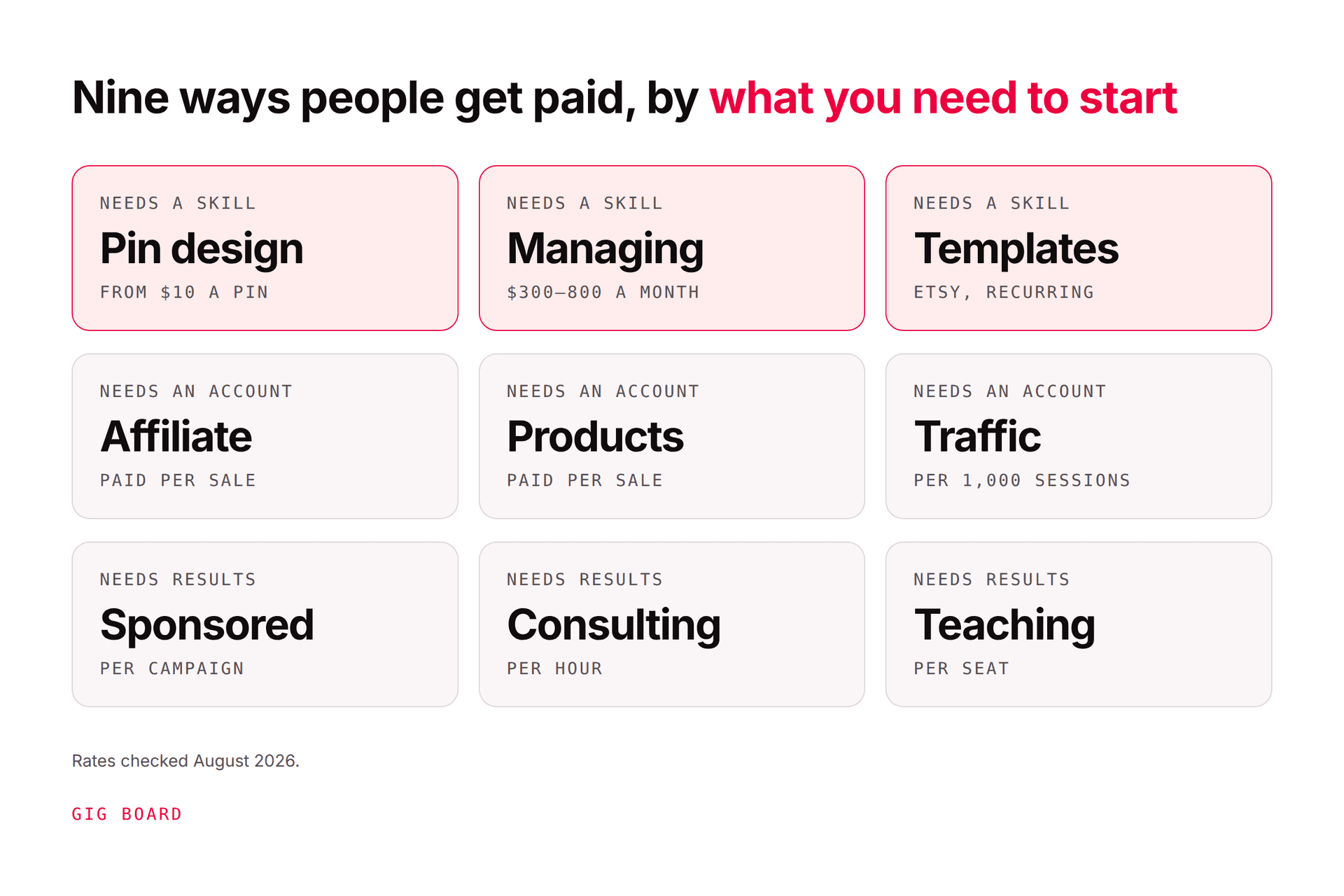
If you'd rather be paid for the skill than for the traffic, there's a whole gig economy here: Pinterest VA work, pin design, managing accounts for shops and bloggers, selling pin templates. Your own profile is the portfolio. We list the nine ways people get paid for Pinterest work, with rates, in how to make money off Pinterest, and what a Pinterest manager does covers the most common one.
What you actually lose without a blog
Let me be honest about the trade, because the "no blog needed" articles never are.
No display-ad income. Ad revenue is the only Pinterest model that pays per visit rather than per action, and it needs pages you own. Food and home bloggers who earn from Pinterest mostly earn this way. Without a site, every click has to convert to something.
Thinner conversion. A review page warms the reader up; a direct link asks for the sale cold. Expect a lower conversion rate and plan your pin volume accordingly.
Platform risk, doubled. Your traffic depends on Pinterest and your revenue depends on a marketplace or an affiliate program. Either can change terms overnight.
You can't claim the destination. Most marketplaces can't be claimed as your website on Pinterest, so you lose some analytics and the attribution that comes with a claimed domain.
None of that means "get a blog first." It means: prove a path earns, then build the one page that protects it. A single owned page (your picks, your products, your booking form) is not a blog, takes a weekend, and fixes two of the four problems above.
The work that doesn't go away
Whatever the destination, the thing that earns is the same: a steady supply of original pins, each aimed at a real search, each pointing at the right page. Pinterest's guidance asks for original content weekly, its descriptions can run to 800 characters, and one product or listing can honestly carry five to twenty different pin angles. That's the job, and it's the same job with or without a blog.
You might be thinking, "that's exactly the part I can't sustain." That's the part we built Pinners Haven for. Give it a listing URL or a topic and it writes a keyword-led title and three to five distinct descriptions per pin, designs an original image on a human-designed template, and publishes on a paced, account-safe cadence, with you approving each pin. It works the same whether the URL is a blog post, an Etsy listing, a Gumroad page, or a booking form. It won't pick your product or write your disclosure, and it won't make a bad offer convert.
Week 1: Pick one path from the table and one destination. Set the destination up properly: clear offer, clear price, one action, loads fast on a phone. Business account, five boards named like searches.
Week 2: Research ten searches your buyer types. Make five original pins, each to the destination, each with a different angle. If affiliate, disclosure in every description.
Week 3: Five more pins. Check every link on a phone. Don't look at Analytics yet.
Week 4: Five more. Now look: which pins earned outbound clicks? Give that angle three more pins. Note what the destination did with the clicks, and fix the weakest step.
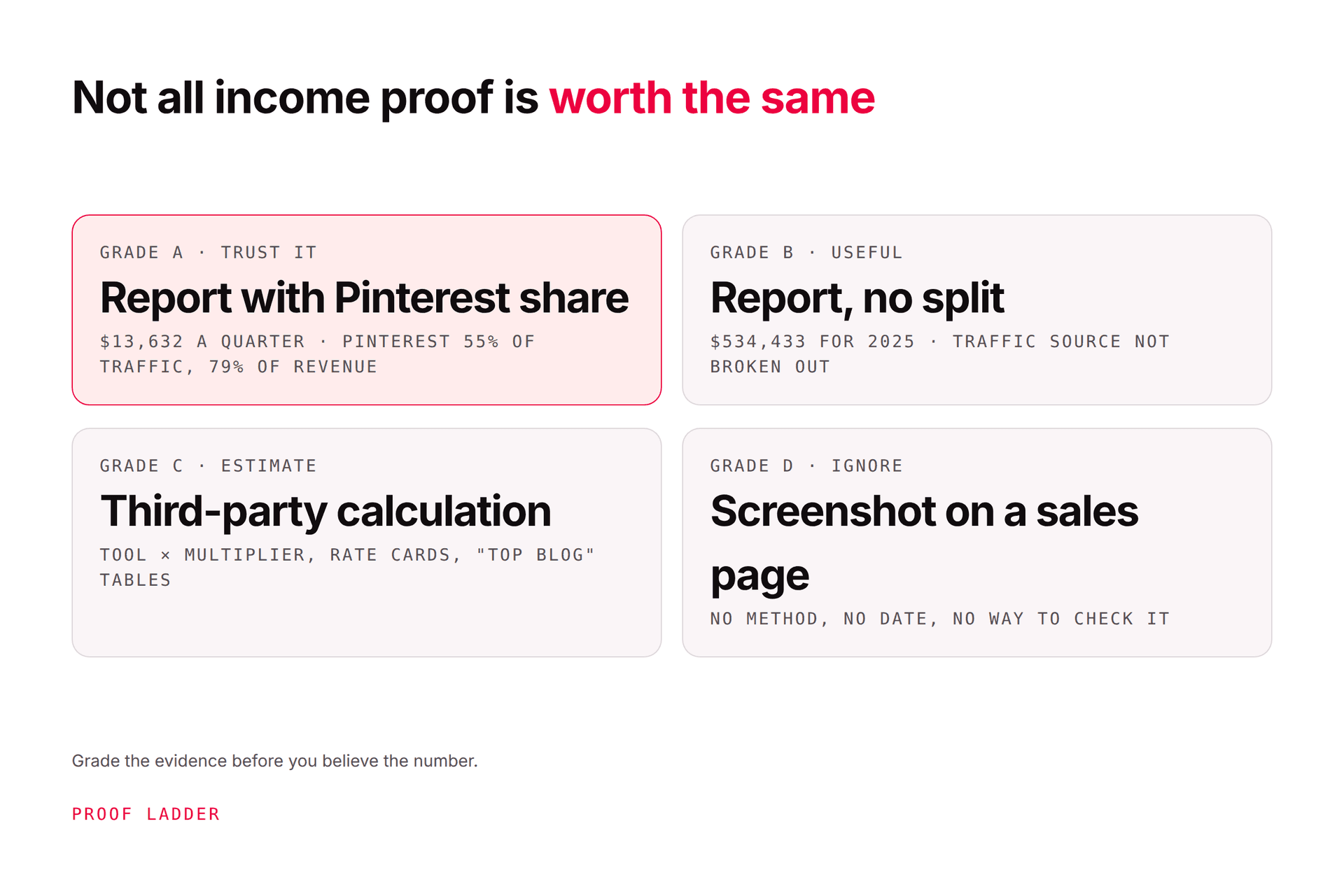
Twenty original pins, one destination, one honest read of the data. That tells you more than any income screenshot, including ours.
Frequently asked questions
Can you make money on Pinterest without a blog?
Yes. Pinterest permits affiliate links directly on pins, and pins can point at a marketplace listing, a checkout page, a booking page, or a shop. You can also be paid for the pins themselves through paid partnerships, or for Pinterest work as a service. What you can't do without a site is earn display-ad income, which is the model most blogger income reports are built on.
Can you make money on Pinterest without any website at all?
Mostly, yes: affiliate links, marketplace listings such as Etsy or Gumroad, paid partnerships, and Pinterest services all work with no site of your own. A booking-page service or a single owned landing page is technically a website, but it's a ten-minute page rather than a blog. The trade-off is less control and more platform risk, so many people add one owned page once a path proves it earns.
Can I put affiliate links directly on Pinterest pins?
Yes. Pinterest's own creator guidance says to join a program, generate your unique URL, and use it as the pin's destination, linking straight to the product page. You must disclose the commercial relationship on the pin, add original value rather than reposting the merchant's image and claim, avoid repetitive high-volume posting, and follow the affiliate program's own rules, which can be stricter than Pinterest's.
Do I need followers to make money on Pinterest?
Not for affiliate, product, or service paths: Pinterest distributes pins by search and interest, not by who follows you, and it publishes no follower minimum for linking or selling. Followers matter mainly for paid partnerships, where brands benchmark on reach and monthly views. For everything else, a new account with good pins to a good destination can earn before it has an audience.
How much can you make with Pinterest without a blog?
There's no honest universal figure; it depends on the path, the niche, your pin volume, and how well the destination converts. Without display ads, every click has to convert to a sale, commission, or booking, so earnings track conversion rather than traffic. Run one path for 30 days, measure outbound clicks and what the destination did with them, and you'll have a number that's actually yours.
Is it free to make money on Pinterest?
The Pinterest business account, pins, boards, scheduling, and analytics are free. Costs come from the destination (marketplace or listing fees, a checkout platform's cut, a booking tool), any tools you use to make pins at volume, and your time. Affiliate programs are free to join. Ads are optional and not needed for the paths in this article.
Destination first, blog never (or later)
Pick one path. Build the one page it needs. Publish original pins at it for a month and read what happened. If it earns, protect it with a single owned page. If it doesn't, change the offer or the destination before you change anything else. That's the whole method, and at no point does it require you to start a blog.
You've got the paths and the swaps. If the pin volume is the part you can't sustain, Pinners Haven makes the pins from whatever destination you choose.