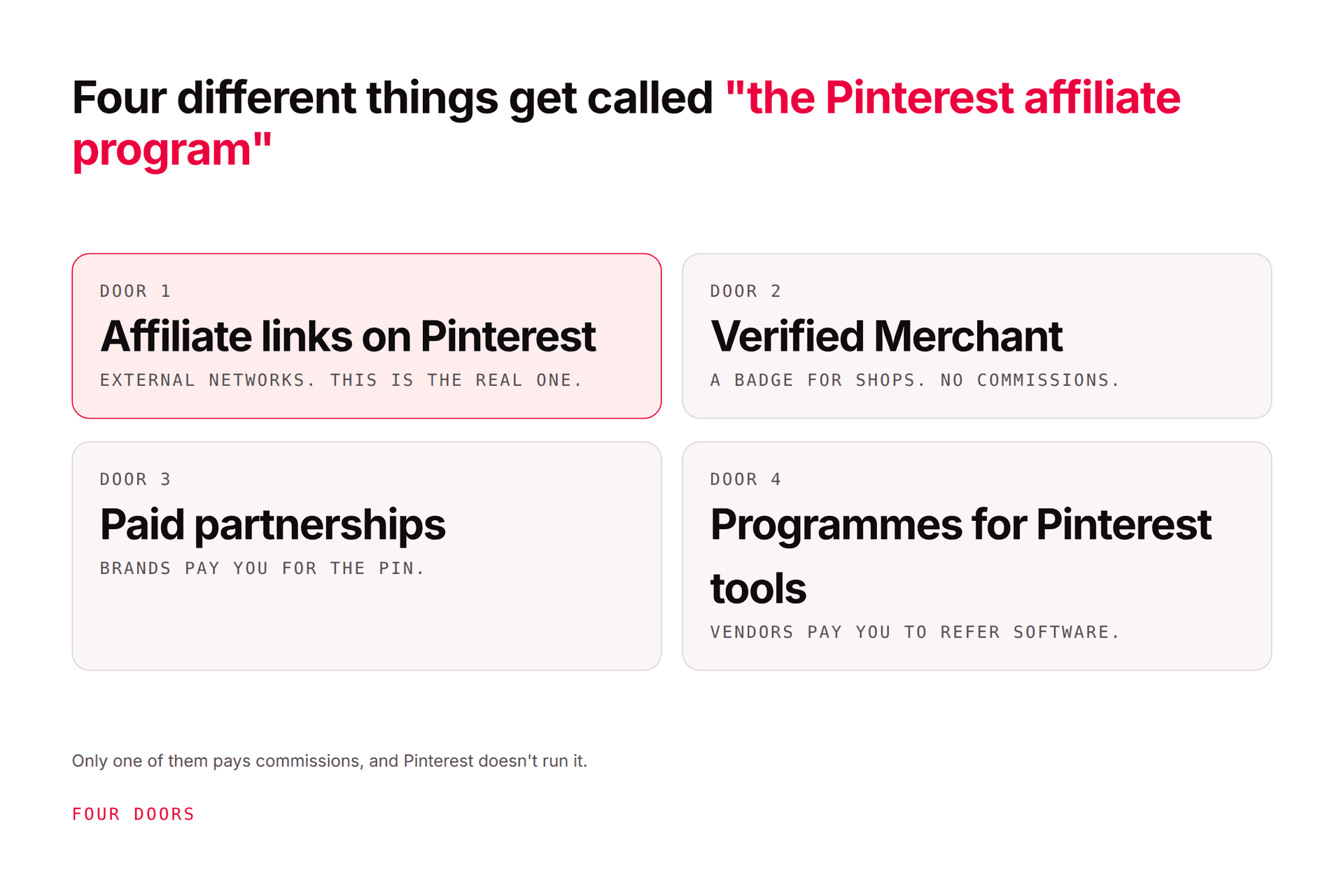
Pinterest affiliate marketing means publishing useful pins that connect people to products, and earning a commission when an eligible action happens. Depending on the program, a pin can link straight to the merchant or to your own review, comparison, or tutorial first.
The model is simple. The execution isn't, and there's one thing that catches nearly everyone:
You have two rulebooks, not one. Pinterest permits affiliate links. Your affiliate program may separately prohibit social traffic, direct linking, certain images, specific claims, or URL shorteners. Pinterest's permission does not override your program's terms, and it's the program that pays you.
Get that straight and the rest is craft.
Disclosure: Pinners Haven makes Pinterest publishing software. This guide is educational, doesn't promise earnings, and isn't legal or tax advice.
Direct link, or your own page first?
A direct link isn't automatically better for removing a click. If the shopper needs sizing advice, a demonstration, alternatives, or a reason to trust you, your own page does real work, and it's an asset you keep if the program terminates.
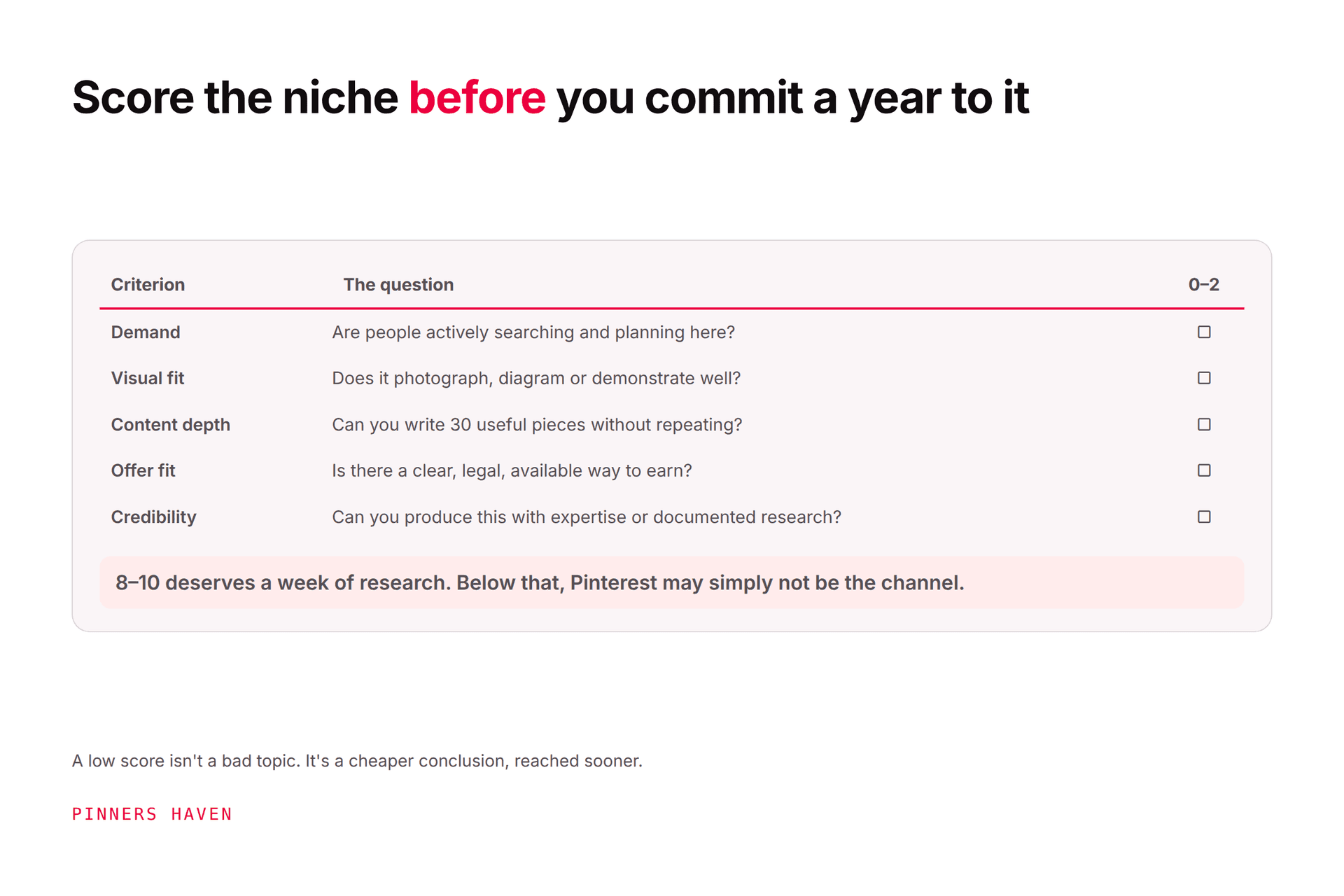
Start narrower than "home," "beauty," or "fitness." Aim for "storage ideas for small rental kitchens" or "beginner watercolour supplies."
Write down three answers:
Who is searching?
What are they trying to decide or complete?
Which product genuinely helps?
If you can't answer all three, the offer is driving the content instead of the reader's need, and that shows in the conversion rate.
Evaluate the product before the headline commission rate. Check relevance, merchant reputation, return policy, conversion path, cookie window, payment threshold, prohibited traffic sources, and disclosure requirements.
Read the current agreement yourself. Not an old creator video, not a screenshot from a Facebook group. Terms change, and you're the one bound by them.
Free, and it provides Analytics. You can create one or convert a personal account while keeping pins and followers — see the business account guide and Pinterest's instructions.
Complete the profile around what you actually cover, and claim an eligible website via Pinterest's claim process.
Enter a seed topic in Pinterest search and record relevant autocomplete phrases. Study the language in strong results — don't copy their creative. Use Pinterest Trends for seasonality, remembering its values are normalised, not search volumes.
Choose one primary phrase per destination. A review page for compact air fryers needs different pins from a beginner recipe page, even though both say "air fryer." Full method in our keyword guide.
Use imagery you have permission to publish. Make the benefit legible on a phone. Pinterest recommends 2:3, commonly 1000×1500; titles up to 100 characters, descriptions up to 800, with descriptions helping Pinterest judge relevance even when not shown — see the creative specs.
A workable pin package:
a specific promise — "7 Compact Air Fryers for Tiny Kitchens"
a truthful image of the product or outcome
a title using the natural search phrase
a description explaining who it helps
the exact destination URL
a clear affiliate disclosure
Avoid manufactured urgency, guaranteed outcomes, fabricated before-and-afters, or a product image leading somewhere unrelated.
This is where people get into genuine trouble, and it's the cheapest thing on the list to get right.
The FTC says disclosures should be hard to miss and placed with the endorsement. Hiding one on an About page, behind "more," at the foot of a long page, or inside a hashtag cluster is not sufficient. Plain language works: "Ad," "Sponsored," or "I may earn a commission if you buy through this link." See FTC Disclosures 101.
Follow the rules for your location and your audience's, plus your program's required wording. If a platform label exists and is required, use it, but a label doesn't repair an otherwise unclear disclosure.
Create distinct pins for distinct angles rather than recolouring one and flooding the same link. Pinterest's policy specifically warns against repetitive affiliate pins at high volume — this is the single most common way affiliate accounts get actioned, and our flagged-as-spam guide covers the aftermath.
A modest schedule of genuinely different creative is more defensible and far easier to learn from.
Combine Pinterest's outbound clicks with your site analytics and your affiliate dashboard. Track:
impressions and saves — discovery context only
outbound clicks and outbound click rate
landing-page engagement
affiliate-link clicks
eligible conversions and reversals
commission per affiliate click, and per Pinterest outbound click
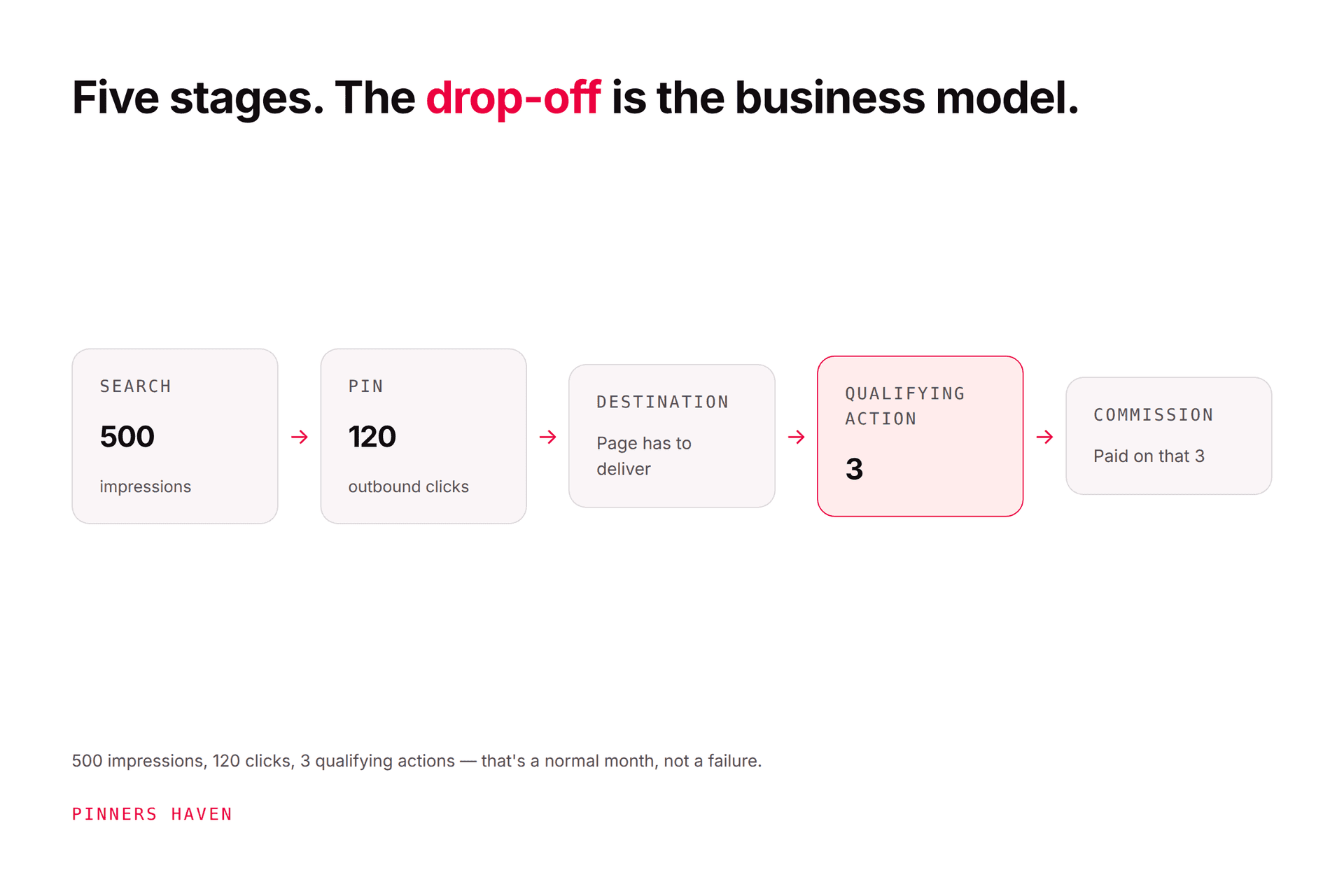
Worked example: 500 Pinterest visitors produce 120 affiliate clicks and 3 approved sales. The useful questions are where visitors dropped out and which pin-search combinations brought qualified people.
The answer is not automatically "post ten times more." That instinct is why so many affiliate accounts scale their way into a spam flag rather than into revenue.
Notice the tension in steps 5 and 7. You need many genuinely different pins, because one angle reaches one slice of searchers, while never producing the repetitive volume Pinterest's policy prohibits.
That's a narrow path, and it's the reason affiliate publishers get flagged more often than any other group. Doing it properly means new creative, new copy, and a distinct angle every time, indefinitely.
Pinners Haven is built for that constraint: twenty angles per topic so one destination yields genuinely different pins rather than recolours, an SEO title and three to five unique descriptions each, original designs, and a Freshness Meter retiring each template after roughly 5–10 uses. Publishing runs on a paced cadence via official OAuth, and nothing goes out without your approval.
What it does not do: choose a compliant program, write your disclosure, or guarantee commissions. Steps 1, 2, and 6 are yours, and step 6 in particular should never be automated.
→ See how it works
(Disclosure: we make Pinners Haven. We're not affiliated with Pinterest.)
Posting offers without original value
A product photo plus "buy now" gives a searcher no reason to pick your pin over the merchant's. Add a use case, comparison, checklist, demonstration, or an honest selection criterion.
It isn't decorative fine print. Put it where a reasonable person sees it before acting.
Some merchants permit social links, some don't. Some require approved images or specific phrasing. Verify per program — one universal template will eventually breach one of them.
Test every destination on mobile. Pinterest warns some link shorteners may not work, and a broken redirect wastes the traffic and the trust.
A broad inspirational pin earns reach and few qualified clicks. Judge each pin against its actual job — discovery, comparison, or conversion.