Skip to content

How to Sell on Pinterest Without Running Ads

You can sell through Pinterest without buying ads, and the reason is simple: Product Pins receive organic distribution. Catalog-created Product Pins are also eligible for shopping ads, but promoting them is optional — see Pinterest's shopping guide.

JN

Joe Nyambura

Founder & operator, Pinners Haven · August 18, 2026

Monetization
How to Sell on Pinterest Without Running Ads
On this page14 sections
  1. What "selling on Pinterest" actually means
  2. The organic setup
  3. 1. Make the destination ready to convert
  4. 2. Use a business account
  5. 3. Claim your website
  6. 4. Choose the right product setup
  7. 5. Research buyer searches
  8. 6. Create pins that earn the next click
  9. 7. Publish to focused boards
  10. 8. Track orders, not reach
  11. The bottleneck for sellers
  12. A 30-day organic launch
  13. Seven common mistakes
  14. Build the store-to-pin connection

You can sell through Pinterest without buying ads, and the reason is simple: Product Pins receive organic distribution. Catalog-created Product Pins are also eligible for shopping ads, but promoting them is optional — see Pinterest's shopping guide.

That's worth stating plainly because a lot of advice implies Pinterest commerce requires an ad budget. It doesn't. What it requires is a trustworthy product page, a business account, a claimed website, product data where you're eligible, search-focused pins, and measurement that reaches actual orders.

What Pinterest will not do is compensate for a bad product page. It handles discovery; your store handles the transaction. Every failure below traces back to one of those two doing the other's job.

What "selling on Pinterest" actually means

Pinterest sits near the start and middle of a shopping decision. People search for an idea, compare options, save candidates, then click for detail. Your store closes it.

That framing prevents two expensive mistakes: assuming impressions are sales, and assuming Pinterest substitutes for a clear product page with accurate price, availability, delivery information, a returns policy, and a working checkout.

This approach works for physical products in your own store, permitted marketplace listings, digital products with a focused sales page, made-to-order goods, and services with a package or booking page.

Check the destination platform's social-traffic rules and Pinterest's merchant and prohibited-product policies first.

Online shopping on a phone

The organic setup

1. Make the destination ready to convert

Open your product page on a phone before you make a single pin. Confirm it loads fast, names the product clearly, shows accurate photos, explains variants, states price and availability, covers delivery, links the returns policy, and makes checkout easy.

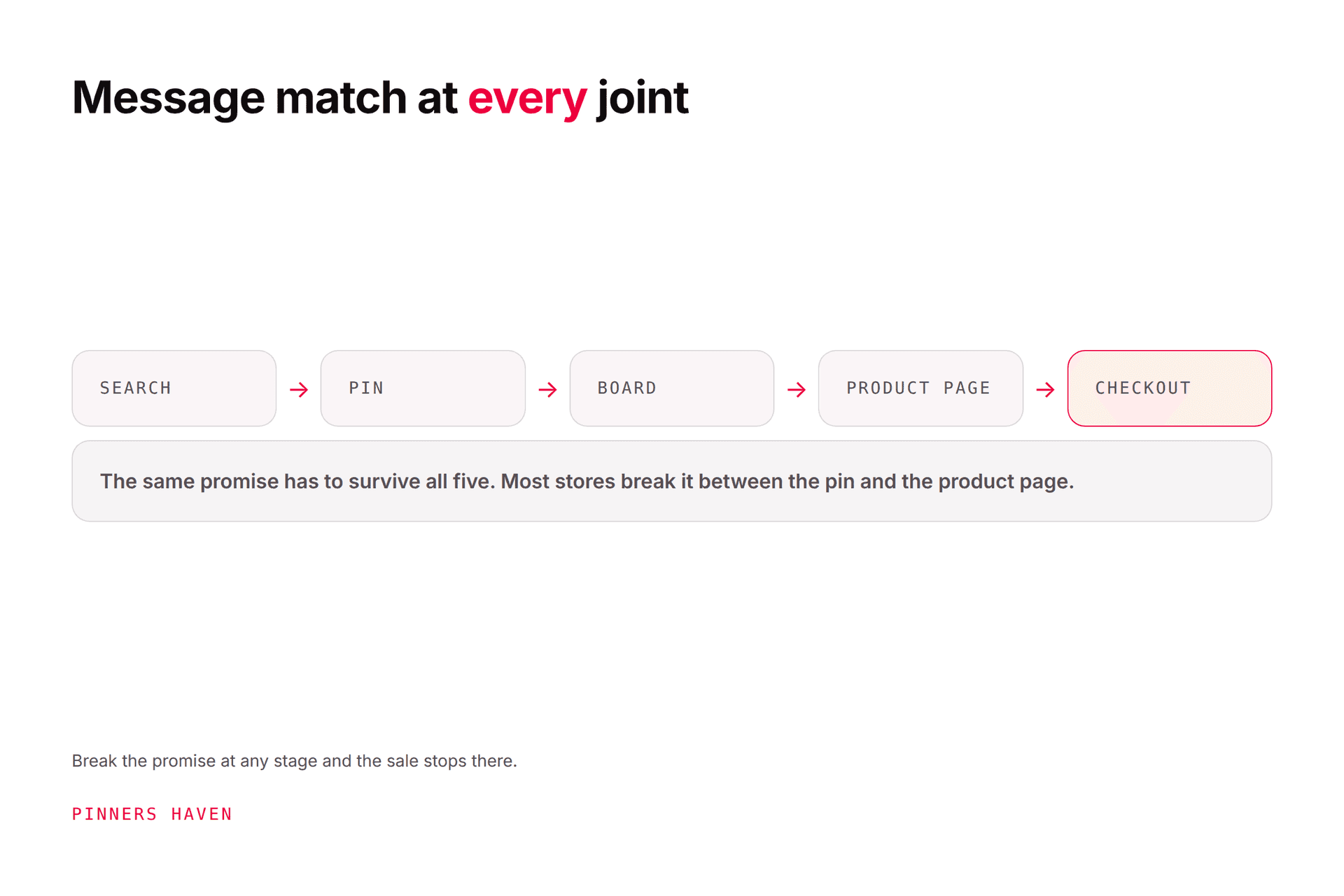
Then check message match. A pin for "Blue Linen Table Runner, 72 Inch" should not land on your homepage or a search page with 200 results. Send the visitor to that product, or to a tightly relevant collection if choice is genuinely the promise.

This step is boring and it is the highest-return work here. More traffic to a page that doesn't convert is a cost, not a win.

2. Use a business account

Free, and it provides Analytics plus merchant tools where eligible. Create one or convert a personal account while keeping pins and followers — see our business account guide.

Build the profile around the customer and product category, not a keyword list.

3. Claim your website

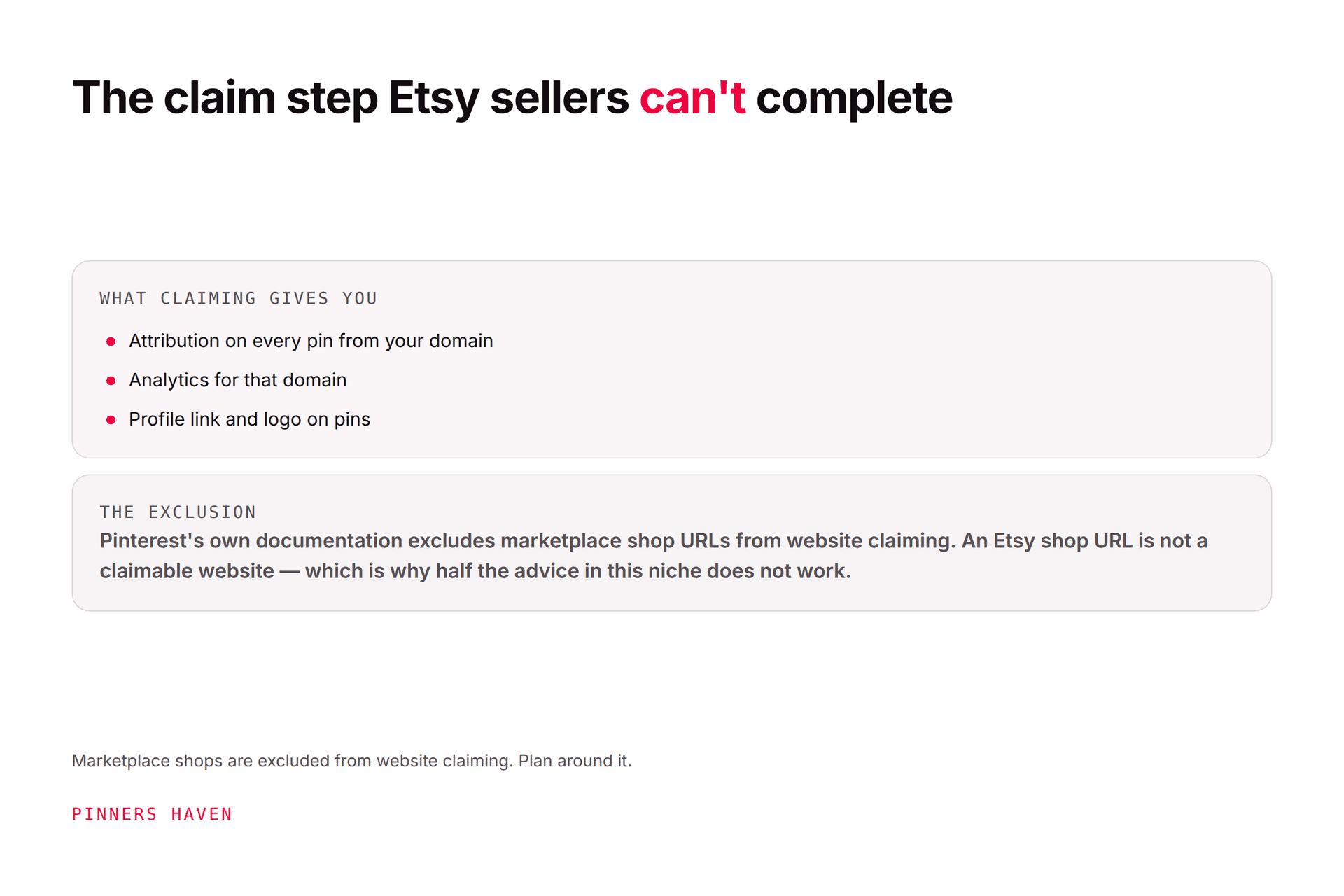
Claiming verifies your relationship with an eligible domain, provides analytics for pins linking to it, and is a prerequisite for retail catalogs. HTML tag, HTML file, or DNS TXT — Pinterest's claiming instructions.

Marketplace storefronts often can't be claimed because you don't control the code or DNS. You can still link to permitted listings; you just won't get every claimed-domain benefit. Etsy specifics are in our Pinterest for Etsy guide.

4. Choose the right product setup

Setup

Best for

What it does

Standard organic pins

Any seller with a permitted destination

Links original creative to a product or collection

Product Rich Pins

Stores that can add product metadata

Syncs product info from your site

Retail catalog

Eligible merchants with a structured feed

Creates Product Pins at scale, keeps data fresh

Catalog setup currently requires a business account, claimed website, Pinterest tag, compliant merchant site, and a correctly formatted data source — see catalog prerequisites. Availability varies by country.

Don't delay all publishing while you build a catalog. A small set of carefully made organic pins tests demand in a fortnight; a catalog integration can take considerably longer and tells you nothing about whether anyone wants the product.

5. Research buyer searches

Start with the product, then expand around material, recipient, room, style, occasion, problem, and season.

"Planner" is vague. "Undated weekly planner for teachers" describes a shopper and a use case.

Map searches to destinations:

Search type

Example

Destination

Idea

entryway storage ideas

Useful collection or guide

Comparison

wood vs metal shoe rack

Comparison page

Product

narrow black shoe rack

The exact product page

Seasonal

college dorm shoe storage

Relevant seasonal collection

Use autocomplete and Pinterest Trends for language and timing — Trends gives directional interest, not absolute volume. Full method in our keyword guide.

6. Create pins that earn the next click

The pin should help a shopper understand the outcome before you ask for a click. Original or licensed images, scale and context shown, readable text, no clutter. Pinterest recommends 2:3, commonly 1000×1500.

Genuinely different angles from one product:

  • the product in context

  • a close-up of a useful detail

  • a size or fit guide

  • a truthful before-and-after result

  • a gift or seasonal use case

  • a comparison or care guide

Each needs its own natural title and description. Pinterest says complete metadata and relevant boards help distribution.

7. Publish to focused boards

Board names should reflect what a shopper understands — "Small Entryway Storage," not "Collection 4." Save each pin first to its closest board.

Don't create dozens of near-empty boards, and don't save one identical pin across every board at once — that's the duplicate pattern that draws flags.

8. Track orders, not reach

Pinterest Analytics for outbound clicks; store analytics for product-page sessions, add-to-carts, checkout starts, and orders. Add campaign parameters to distinguish creative angles where you can.

Diagnostic patterns:

Symptom

Where to look

Impressions, few outbound clicks

The promise, visual, or search match

Clicks, few add-to-carts

Page match, price context, trust, mobile speed

Carts, few purchases

Delivery cost, checkout friction, payment options, returns clarity

Sales from one angle

Make more originals around that need — not duplicates

That last row is the one that compounds, and it's the one people turn into duplicates instead of new concepts.

The bottleneck for sellers

Step 6, across a full product range.

Three genuinely different angles per product, each with its own copy, checked against live price and stock, refreshed each season — for forty SKUs. That's where organic Pinterest selling stalls, and the symptom is a shop account where the five hero products have good pins and everything else has one photo.

Pinners Haven handles that layer: twenty angles per topic, an SEO title and three to five unique descriptions per pin, original designs on human-designed templates, and a Freshness Meter retiring each design after roughly 5–10 uses. Everything waits for approval before publishing on a paced cadence.

Keep product facts under human review. Price, availability, variants, and claims change constantly in commerce, and an approval gate matters more here than in almost any other niche: a pin advertising a sold-out item is worse than no pin at all.

It also doesn't manage your catalog, sync inventory, or install your tag. Steps 1, 3, and 4 stay yours.

Start a 14-day trial — from $39/mo billed annually. A card is held; cancel before day 14 and you're not charged.

(Disclosure: we make Pinners Haven. We're not affiliated with Pinterest.)

A 30-day organic launch

Week 1 — prepare. Fix mobile product pages, create the business profile, claim the site, choose three focused boards. Select five products with clear demand or distinctive use cases.

Week 2 — build. Research searches, create two or three genuinely different pins per product, test every URL. Add product metadata or start catalog setup if it fits.

Week 3 — publish. Steady schedule, closest board, no duplicate bursts. Record the search angle, creative, destination, and date.

Week 4 — diagnose. Review early distribution and clicks, but don't call it on impressions alone. Fix mismatched pins or pages first, then continue the strongest themes.

Small business owner packing an order

Seven common mistakes

  • linking every pin to the homepage

  • using supplier images without permission or differentiation

  • showing an outcome the product can't deliver

  • letting catalog price or availability go stale

  • publishing only product shots, with no idea, context, or comparison

  • chasing broad traffic that doesn't match the product

  • assuming Verified Merchant status is instant — Pinterest lists account, website, catalog, and recent conversion-event requirements

Frequently asked questions

Does it cost money to sell on Pinterest?

Organic publishing and a business account need no ad spend. You'll still have normal store, payment-processing, product, shipping, creative, and software costs. Ads are a separate optional channel, not an entry fee.

Can I sell without a website?

You can link eligible pins to permitted marketplace listings. A site you own gives more control and enables claiming plus certain merchant features. Always confirm the marketplace permits the traffic.

Can I sell digital products?

Yes, where the product and destination comply with Pinterest policy. Show the practical outcome in the pin, then link to a focused page covering format, compatibility, licence, delivery, and refunds.

How many pins should I post?

No trustworthy universal number. Publish at a pace that preserves originality, relevance, link accuracy, and review. Measure by search angle and destination, then expand what's proven.

Are Product Pins the same as ads?

No. Pinterest states Product Pins can be distributed organically. Catalog-created Product Pins may also be promoted as shopping ads, but promotion is optional, which is the entire basis for this article.

How long before organic Pinterest selling works?

No guaranteed window, and seasonality dominates most product categories. Judge over a full demand cycle rather than a month, and fix message-match problems before adding volume.

Build the store-to-pin connection

Organic selling works when every step agrees: the search, the pin, the board, the product page, and the checkout. Break any one and the rest stops paying.

Start with a small group of products, make those paths precise, and learn from behaviour closer to purchase than impressions. Ads can amplify a system that already works — they were never the price of entry.

Your Pinterest, off your plate by this time next week.

Connect an account, pick your niches, set your approval rules. Then review and approve your queue in minutes.

Free trial · cancel anytime · not affiliated with Pinterest

Start free