Best AI Pinterest Tools for Reviewed, Useful Content
The right AI Pinterest tool depends entirely on which job you're handing over. Canva and Adobe Express for visual creation. Tailwind for Pinterest copy plus scheduling. BlogToPin for turning a large website into queued pins. Pinterest Performance+ for eligible paid campaigns. Pinners Haven for a create-approve-publi
Joe Nyambura
Founder & operator, Pinners Haven · August 18, 2026
On this page17 sections
- The tools, priced
- The AI slop problem
- Canva
- Adobe Express
- Tailwind
- BlogToPin
- Pinners Haven
- Pinterest Performance+
- The seven-point safety test
- Choose a stack by job
- Frequently asked questions
- Can AI tools get my Pinterest account flagged?
- Does AI-generated content need a label?
- Which AI Pinterest tool is free?
- Can one tool replace Pinterest Analytics?
- Does AI-generated content rank on Pinterest?
- Buy control, not output
The right AI Pinterest tool depends entirely on which job you're handing over. Canva and Adobe Express for visual creation. Tailwind for Pinterest copy plus scheduling. BlogToPin for turning a large website into queued pins. Pinterest Performance+ for eligible paid campaigns. Pinners Haven for a create-approve-publish-report loop on Pinterest specifically.
None of them should publish without review. And the most dangerous tool in this category isn't the least capable one — it's the one that makes publishing effortless while making review invisible.
Disclosure: Pinners Haven is ours. Five of the six tools here are competitors, and two are free to start.
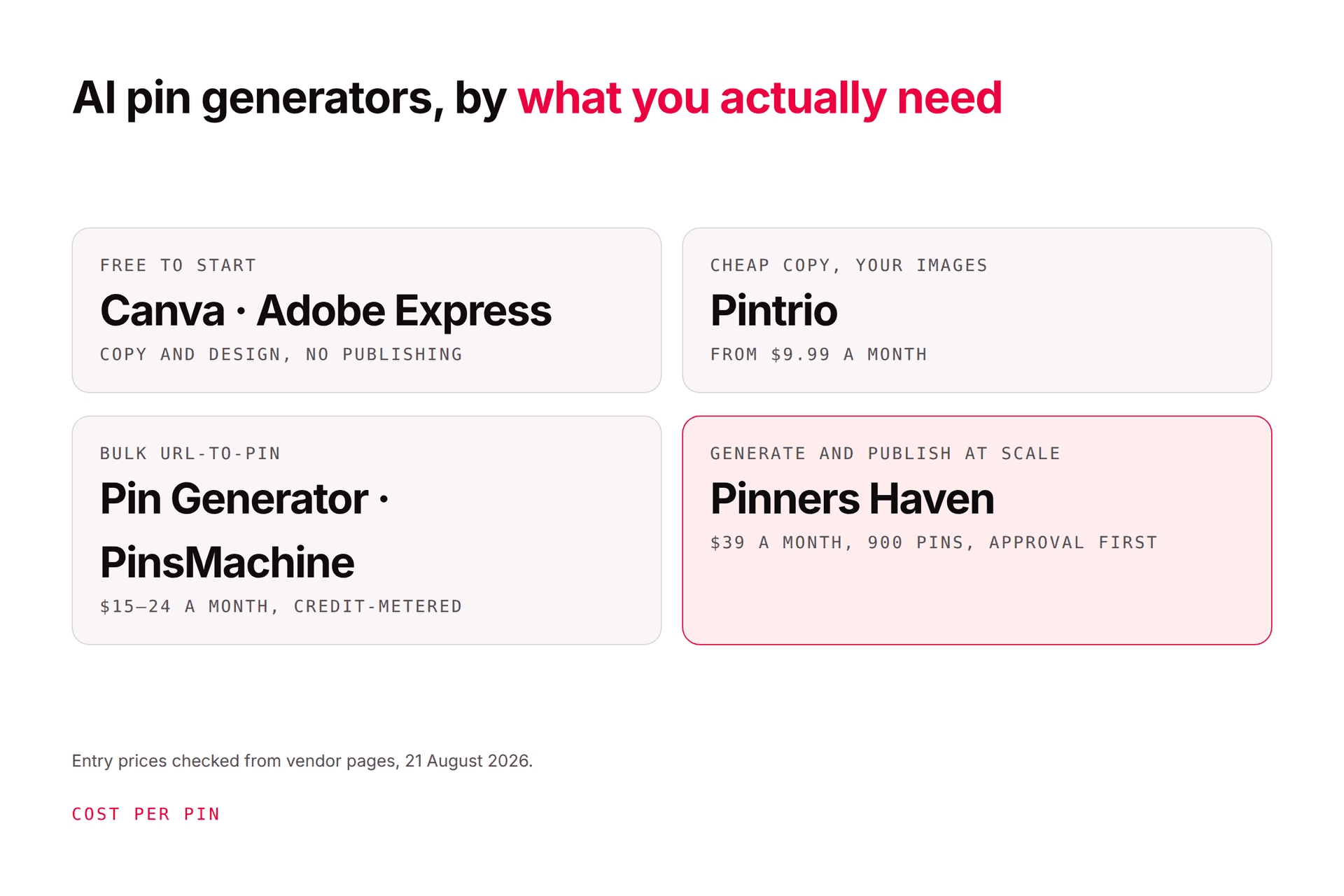
The tools, priced
Checked 7 August 2026.
Tool | Price from | Best for | The question to ask |
|---|---|---|---|
Canva | Free / paid tiers | Template-led brand design | Does the output escape template sameness? |
Adobe Express | Free / paid tiers | Visual editing, generated assets | Are the stock and generated-asset rights right for you? |
Tailwind | Free / $17.99/mo | Copy, creation, spacing, scheduling | Can you control every generated field? |
BlogToPin | $25/mo | High-volume site-to-pin | Does output stay distinct at scale? |
Pinners Haven | $19/mo | Pinterest create-to-report loop | Does approval actually gate publishing? |
Pinterest Performance+ | Ad spend | Eligible paid campaigns | Is your catalog and conversion data ready? |
This is a desk comparison of current official documentation. It is not a claim that every product was hands-on tested.

The AI slop problem
Worth naming clearly, because it's the thing that quietly ruins AI pin workflows.
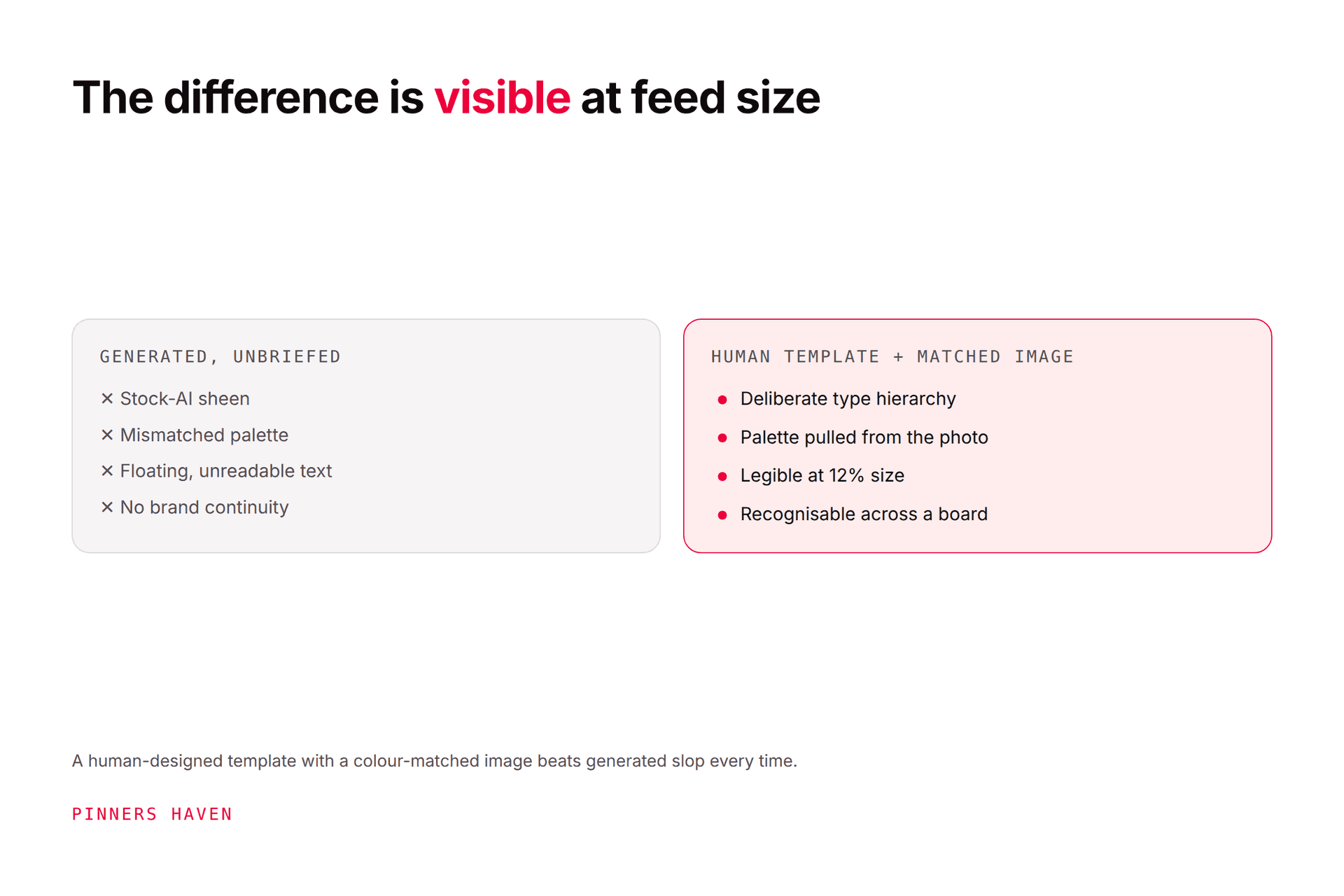
Generic generated imagery has a look — plasticky lighting, uncanny hands, text that floats without a layout, colours that don't relate to each other. Readers recognise it now, and it reads as low-effort regardless of how good your underlying content is. It also collides directly with Pinterest's guidance on original, high-quality creative in its pin distribution guidance.
The fix isn't avoiding AI. It's constraining it. The tools that produce usable pins are the ones where generation happens inside a human-designed structure (a real layout, a defined type system, a colour relationship) rather than a text prompt producing an entire image unsupervised.
Ask every vendor on this list one question: what does the AI actually generate, and what was designed by a person? The answers vary enormously and the difference shows up in the output.
Canva
Free tier plus paid plans.
Canva's Pinterest pin maker combines templates, brand assets, editing, and AI-assisted production. Ideal if your brand kit and creative library already live there.
The common failure is sameness. Canva's most popular templates are popular, which means the feed is full of them. Build several distinct communication layouts — checklist, comparison, finished result, diagram, and replace the demo imagery, text, and claims rather than publishing lightly-edited stock templates.
Adobe Express
Free tier plus paid plans.
Adobe Express offers Pinterest templates, a blank editor, stock assets, resizing, animation, and generative image and template features.
Good for visual teams wanting hands-on control. Confirm the current plan, stock licence terms, and generated-content commercial rights — this is the tool on the list where rights questions are most likely to matter to a business.
Tailwind
Free (5 posts) · Pro $17.99/mo · Advanced $29.99 · Max $49.99, annual.
Tailwind Ghostwriter generates marketing copy including pin titles, descriptions, images, and alt text, alongside scheduling, URL spacing, and website sync. It's an official Pinterest partner.
Watch the credit math: a SmartPin costs 5 credits, so Advanced's 300 credits is roughly 60 generated pins rather than 300. Our Tailwind review works it through. Also inspect whether generated keywords describe your destination naturally or just stack terms.
BlogToPin
$25/mo Starter · $50 Agency · $125 Enterprise.
BlogToPin scans website pages, writes titles and descriptions, generates or arranges images, picks boards, and schedules. Unlimited Pinterest accounts and websites on every plan, which is genuinely rare.
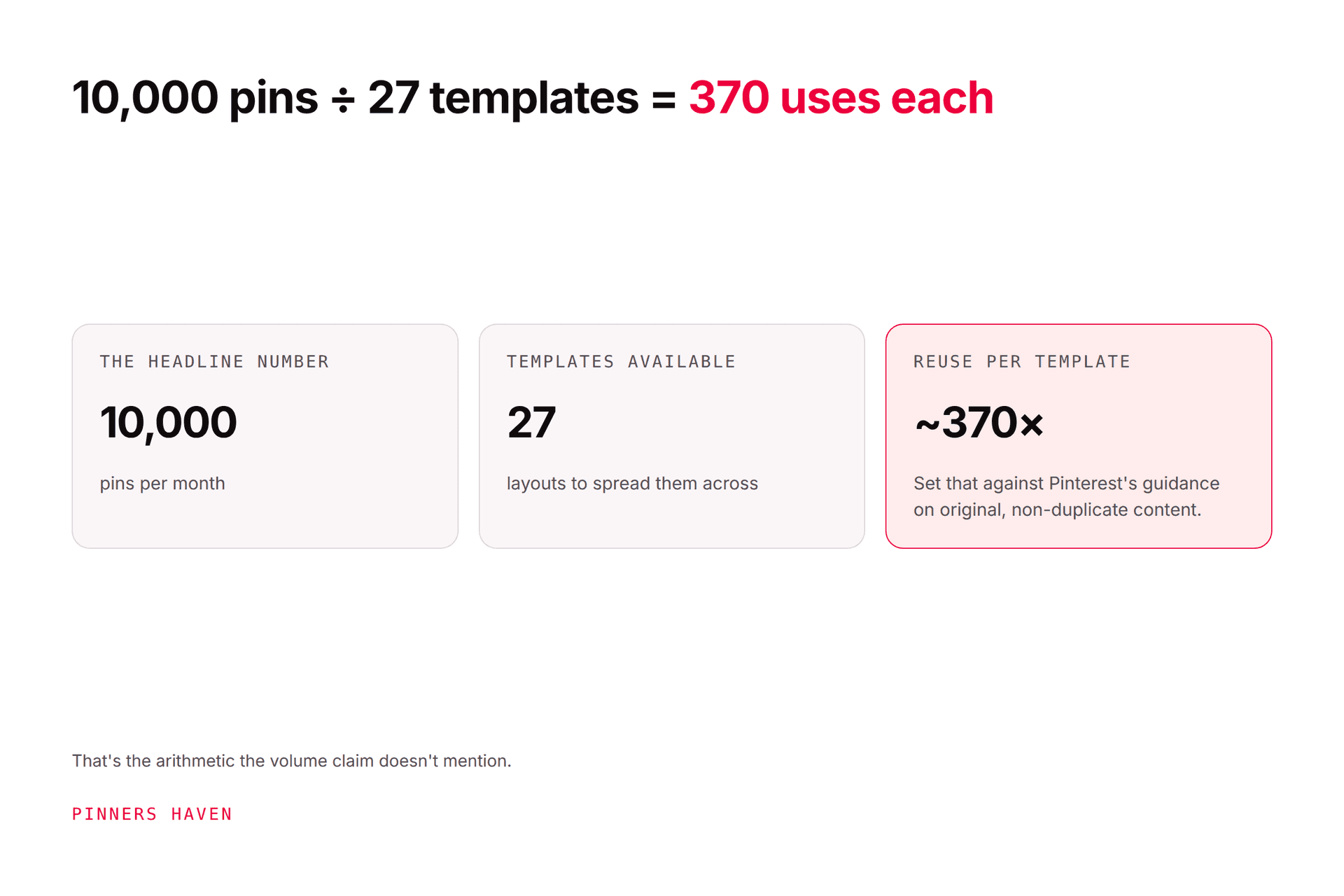
Suits large content libraries. But high output raises the review burden, and its AI pins are capped well below its total pin allowance — 1,000 AI pins inside 10,000 on Agency. Test duplicate control, board choice, factual accuracy, and especially its automated pin-deletion behaviour. Our full BlogToPin review covers the template-reuse arithmetic.
Pinners Haven
Starter $19/mo (1 site, 120 pins) · Solo $41 (3 sites, 900 pins) · Operator $124 (25 sites, 11,250 pins) · Portfolio $291 (50 sites, 30,000 pins), annual. 14-day trial, no card.
Ours, so check it yourself rather than taking our word.
On the slop question specifically: every pin starts from a human-designed template, and the generated photo underneath is auto-colour-matched to it, so the result reads as branded rather than as a random generation. A Freshness Meter then retires each template after roughly 5–10 uses so the human-designed part doesn't become the sameness problem instead.
It writes the SEO title and three to five unique descriptions per pin, adds alt text, and holds everything for your approval. Publishing runs on warm-up and paced cadence via official OAuth.
Where it loses: Pinterest only, no Instagram or Facebook. Tailwind's free tier and BlogToPin's $25 entry both undercut it. It's not a Pinterest Marketing Partner (building toward Trusted Partner status) while Tailwind and Later are. And BYOK means a small separate AI provider cost, though with no markup and a cap you set.
Pinterest Performance+
Ad spend, not a subscription.
Pinterest Performance+ uses AI and automation for eligible advertising workflows — campaign setup, catalog creative variations, image resizing, generated product backgrounds. Pinterest says advertisers can preview generated backgrounds before a campaign goes live.
This is an ads product, not an organic scheduler. It fits merchants with clean catalogs, working conversion measurement, and someone able to review generated product scenes before they run. Don't put it on a shortlist against the others; it's solving a different problem.
The seven-point safety test
Before connecting any production account, verify the tool:
shows every image, title, description, link, and board before publishing
preserves approval history so you can see who approved what
prevents stale products and broken links from entering the queue
spaces repeated destinations and flags near-duplicates
explains asset and generated-content rights in writing
reports failures and account authorisation changes — test this deliberately
lets you export your content and data
Pinterest's Community Guidelines prohibit unauthorised automation, repetitive or irrelevant content, manipulation, and deceptive destinations. AI does not move that responsibility to the vendor.
Choose a stack by job
Solo blogger: one visual editor, Pinterest Trends, Pinterest Analytics, and either native scheduling or one reviewed scheduler. Add AI only where it removes a bottleneck you've actually measured.
Content-heavy publisher — prioritise website ingestion, URL rotation, genuinely distinct concepts, approval queues, link checking, and performance by destination.
Ecommerce team — prioritise catalog accuracy, product-scene review, price and stock sync, conversion events, and market-specific landing pages.
Agency — prioritise account separation, client approval, permissions, export, audit history, and hard billing limits.
Compare the broader Pinterest marketing tools and safe automation tools before buying anything.
Frequently asked questions
Can AI tools get my Pinterest account flagged?
Any workflow can create risk when it publishes repetitive, irrelevant, deceptive, or unauthorised content — AI just lets you do it faster. Use official integrations, human review, sensible spacing, and accurate destinations. See what actually triggers a spam flag.
Does AI-generated content need a label?
Pinterest may add an AI Modified label based on embedded metadata, owner disclosure, or its own classifiers. You don't fully control whether it appears. Our AI Modified explainer covers what the label does and doesn't mean.
Which AI Pinterest tool is free?
Canva, Adobe Express, and Tailwind all have free tiers, and Tailwind's needs no card. Free allowances, export restrictions, and commercial rights change often — confirm on the vendor's live page before relying on any of them.
Can one tool replace Pinterest Analytics?
No. No third-party dashboard removes the need to understand Pinterest's own metric definitions and your actual website outcomes. Compare both — our Pinterest Analytics guide covers the definitions that matter.
Does AI-generated content rank on Pinterest?
Origin alone doesn't determine distribution. Generated content still needs accuracy, rights, relevance, quality, and correct labelling. The Pinterest algorithm guide covers what the documented signals actually are.
Buy control, not output
The dangerous AI tool isn't the least capable one. It's the one that makes publishing effortless while making review invisible.
Pick the system that lets you stop a bad pin before it scales, because at these volumes, the mistake you can't intercept is the only one that costs you anything.