Best Pinterest Marketing Tools for Every Part of the Workflow
Most people shopping for "Pinterest marketing tools" are trying to buy one dashboard that does everything. That product doesn't exist, and the ones that claim to are usually weakest at the part you need most.
Joe Nyambura
Founder & operator, Pinners Haven · August 18, 2026
On this page26 sections
- The four jobs, and what covers them
- Research tools
- Pinterest Trends — free, and the correct starting point
- Pinterest search — free, underrated
- Creation tools
- Canva — free tier, paid plans
- Adobe Express — free tier, paid plans
- Tailwind — free (5 posts), $17.99/mo Pro
- Pinners Haven — from $19/mo
- Publishing tools
- Measurement tools
- Pinterest Analytics — free
- Website analytics — free
- Stack recommendations
- Solo blogger — $0 to start
- Content-heavy publisher
- Ecommerce team
- Agency or multi-brand
- A buying checklist
- Frequently asked questions
- What's the best free Pinterest marketing tool?
- Do I need a paid Pinterest scheduler?
- Can a Pinterest tool guarantee traffic?
- How many tools should I use?
- Should I buy an all-in-one platform?
- Build around the bottleneck
Most people shopping for "Pinterest marketing tools" are trying to buy one dashboard that does everything. That product doesn't exist, and the ones that claim to are usually weakest at the part you need most.
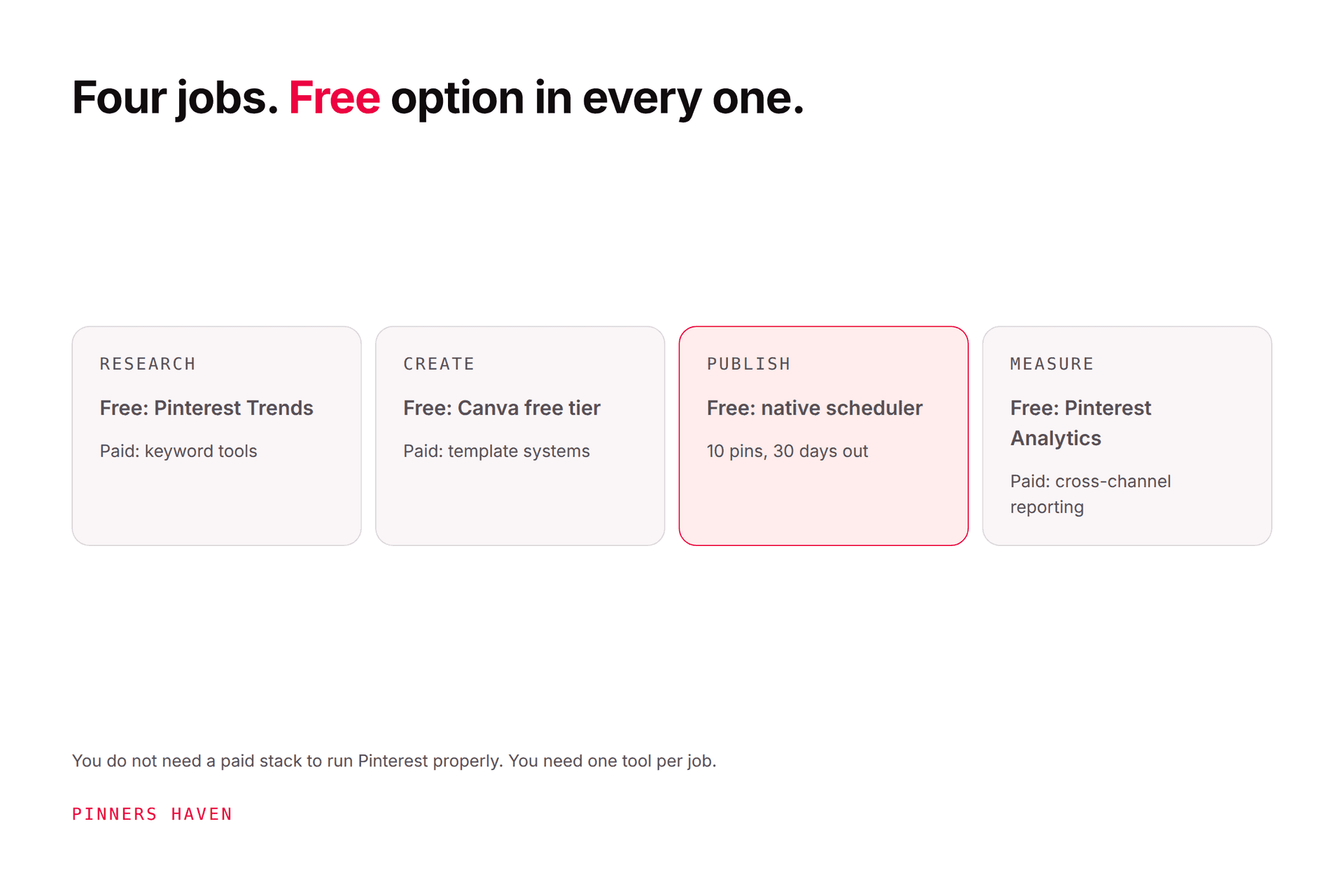
What you actually need is four jobs covered: research, creation, publishing, and measurement. Two of those are free from Pinterest itself. Start there, find which one is genuinely costing you time, and buy only that.
Most teams need a small stack, not one enormous subscription.
Disclosure: Pinners Haven is ours, and it sits in exactly one column of this stack. Everything else here is a competitor or free.
The four jobs, and what covers them
Job | Free option | Paid upgrade | Pay when… |
|---|---|---|---|
Research | Pinterest Trends, Pinterest search | Keyword tools | You're guessing at demand |
Create | Canva free, Adobe Express free | Canva Pro, Tailwind ($17.99), Pinners Haven ($19) | Design is the slow step |
Publish | Pinterest native (10 pins) | Buffer ($5/ch), Later ($18.75), Tailwind | You've hit the 10-pin ceiling |
Measure | Pinterest Analytics, GA4 | Metricool ($20), Hootsuite ($99/user) | You're reporting to someone else |
Prices checked 7 August 2026, annual billing where available.
Notice how far the free column gets you. A solo blogger publishing five pins a week can cover all four jobs for nothing, and plenty do.

Research tools
Pinterest Trends — free, and the correct starting point
Pinterest Trends shows how search, save, and shopping interest shift over time. Use it to compare phrases, spot seasonal lift, and decide when production should begin, which for seasonal work is the whole game.
Don't turn every rising curve into an assignment. A trend still has to fit your site, your expertise, your product, and your publishing window. A curve peaking in three weeks is not actionable if your content takes six. Our keyword guide covers moving from a broad theme to a phrase worth targeting, and Pinterest Trends goes deeper on reading the curve.
Pinterest search — free, underrated
The search box, its suggested phrases, and the visible results tell you what intent looks like. Read the format and promise of the leading pins, then ask what the searcher still doesn't have: a clearer process, better evidence, a real comparison, a more useful destination.
This is qualitative observation, not volume data. Use it to shape the angle, not to prioritise.
Creation tools
This is where most people's bottleneck actually is, and where the paid options diverge most.
Canva — free tier, paid plans
Branded templates, image editing, and fast resizing in one place. Build a handful of layouts for genuinely different promises: tutorial, checklist, comparison, product use case.
The risk is template fatigue. Swapping a photo while keeping the same headline and layout isn't a creative test, and it isn't a fresh pin either — see what actually counts. Vary the idea, the crop, the headline, the proof, and the destination angle.
Adobe Express — free tier, paid plans
Brand assets, graphics, short-form video. Sensible if your team already lives in Adobe libraries. Compare its collaboration, brand, export, and publishing features against the workflow you actually run.
Tailwind — free (5 posts), $17.99/mo Pro
Design via Tailwind Create plus Ghostwriter copy, inside a Pinterest-focused scheduler. Good when you want creation and publishing in one product from an official Pinterest partner. Check the credit math — generated pins are metered separately from scheduled posts. Full detail in our Tailwind review.
Pinners Haven — from $19/mo
Ours. It generates the pin rather than helping you design it: twenty angles per topic, an SEO title and three to five unique descriptions, an original image built on a human-designed template, alt text, then your approval before anything publishes. A Freshness Meter retires each template after roughly 5–10 uses.
It belongs in the creation-to-publishing column, not in place of strategy. It won't do your keyword research or tell you whether your destination page is any good.
Skip it if you need Instagram or Facebook, or if design isn't your bottleneck — if you can already produce all the pins you need, you're buying the wrong thing.
Publishing tools
Prices checked 7 August 2026.
Pinterest native — free. 10 future pins, one at a time, 30 days ahead. Genuinely fine below that volume.
Buffer — free (3 channels) / $5 per channel. Clean multi-network calendar. Watch the per-channel arithmetic at scale.
Later — $18.75/mo. Visual planning across networks; Pinterest Marketing Partner. Starter allows 30 posts per profile per month.
Tailwind — $17.99/mo. Pinterest specialist, but caps at 3 Pinterest accounts on every tier.
Hootsuite — $99/user/mo. Governance, approvals, permissions. Rarely the economical answer for a solo publisher.
Metricool — free / $20/mo. Planning plus cross-network reporting; free tier covers 1 brand.
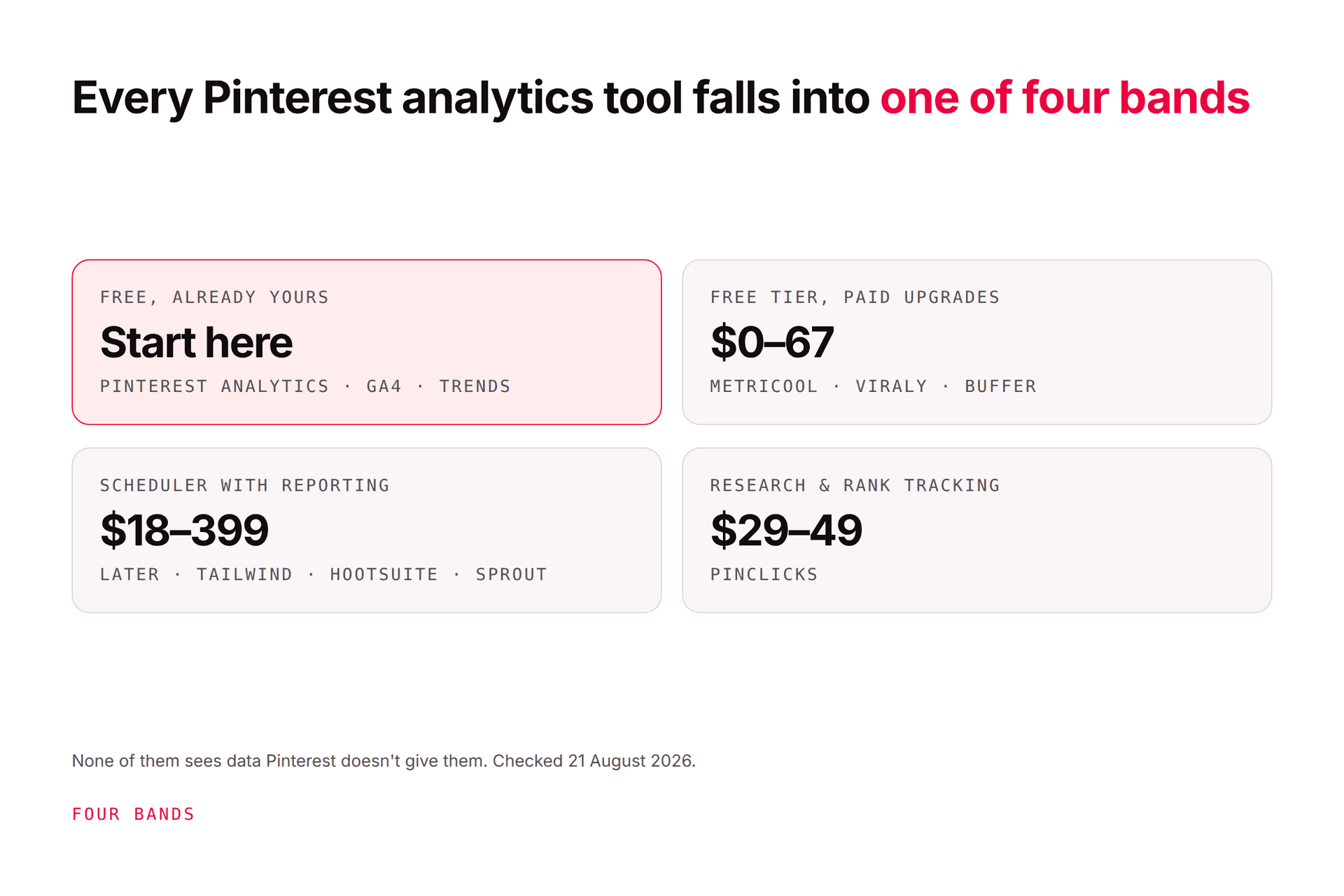
Our scheduler comparison goes deeper on selection, and the automation tools guide covers doing it without tripping Pinterest's spam patterns.

Measurement tools
Pinterest Analytics — free
Pinterest Analytics covers impressions, saves, pin clicks, outbound clicks, and top content. Pinterest notes the latest 48 hours are estimates and can change.
Use it for the Pinterest-side questions: which topics earn qualified reach, which pins prompt saves or closeups, which creative actually sends people off Pinterest, which boards and formats deserve another test.
Website analytics — free
GA4 or a privacy-appropriate alternative answers the question Pinterest can't: what happened after the click? Engaged sessions, signups, product views, checkouts, purchases.
This pairing is where the real insight lives. A pin with fewer outbound clicks can be far more valuable if those visitors convert. A high-impression pin producing no site action needs a clearer promise or a better destination, not more impressions. Our analytics guide covers which metrics should change your next move.
Stack recommendations
Solo blogger — $0 to start
Pinterest Trends, Pinterest Analytics, Canva free, Pinterest native scheduling, GA4. Add a paid tool only once the manual workflow is stable and you've identified which step is costing hours.
Content-heavy publisher
Add a creation tool and a real scheduler. Prioritise URL rotation, distinct concepts per page, approval queues, link checking, and performance by destination rather than by pin.
Ecommerce team
Pinterest Trends, a product-feed workflow, brand design tools, approved publishing, Pinterest Analytics, store conversion tracking. Product data accuracy matters more than another calendar: a beautifully scheduled pin for an out-of-stock item is worse than no pin.
Agency or multi-brand
Prioritise client separation, permissions, approval history, exports, and reliable account switching. Run a pilot with one client before migrating everything. Note that Tailwind caps at 3 Pinterest accounts, which rules it out for most agency work.
A buying checklist
Score each candidate honestly:
Does it solve a bottleneck you've measured, not assumed?
Does it support the pin formats and boards you use?
Can a reviewer approve content before publishing?
Does it preserve destination URLs and required disclosures?
Can you export your data and assets if you leave?
Are the permissions right for your team?
Does the vendor document its Pinterest integration clearly?
Will it produce duplicate or overly repetitive output at your volume?
Can you run a representative trial with real content?
Is the annual cost lower than the time or errors it removes?
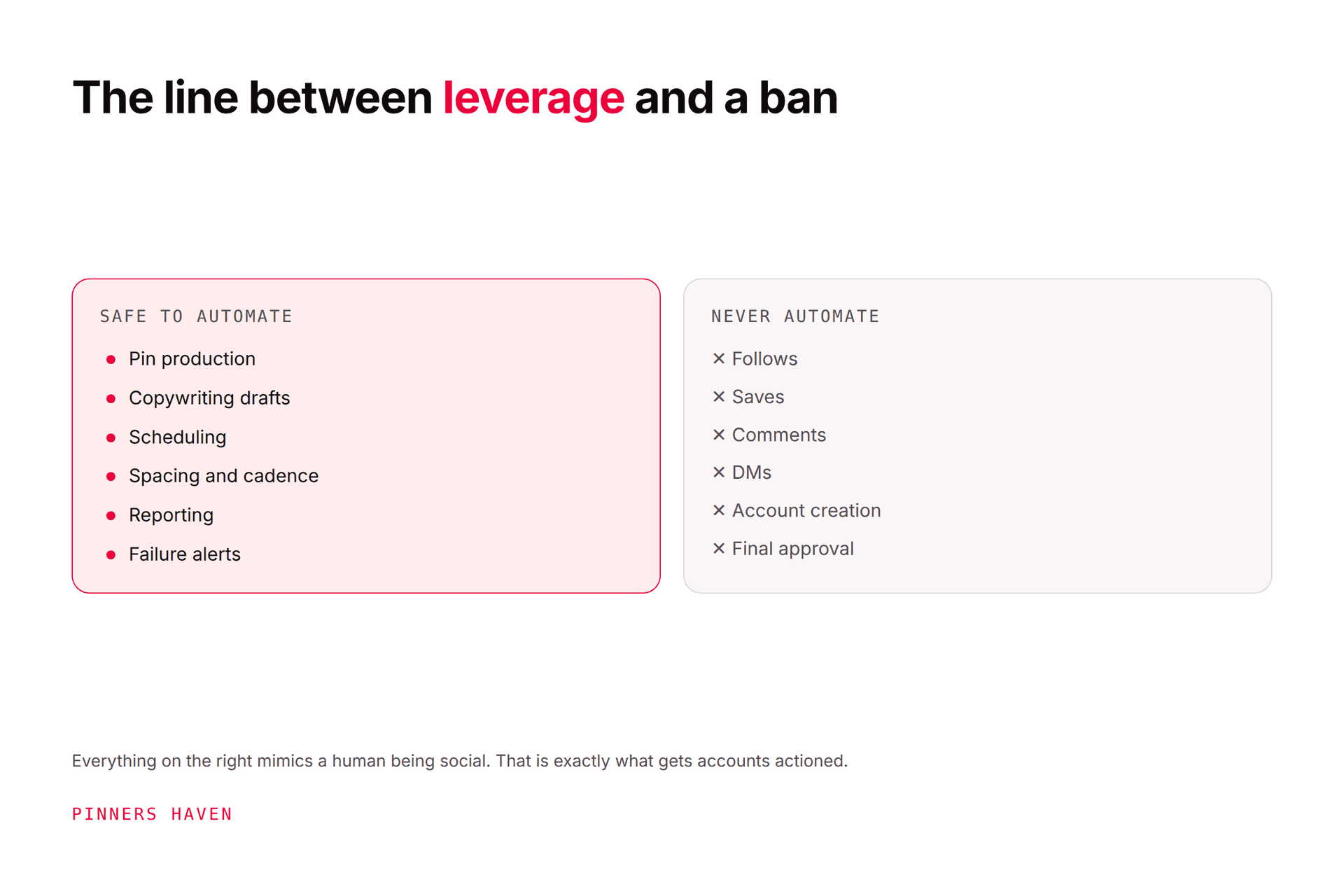
Pinterest's Community Guidelines prohibit unauthorised automation, repetitive or irrelevant content, and manipulation. No tool transfers that responsibility away from you.
Frequently asked questions
What's the best free Pinterest marketing tool?
Pinterest Trends and Pinterest Analytics, because they address demand and performance directly and cost nothing. Pinterest's native creation and scheduling cover a simple workflow on top of that. Canva's free tier handles design. That's a complete stack at zero.
Do I need a paid Pinterest scheduler?
Not necessarily. Pay when queue management, collaboration, reporting, or multi-account work is a real bottleneck — most commonly when you hit Pinterest's 10-future-pin ceiling. Define the process first with our Pinterest marketing strategy guide.
Can a Pinterest tool guarantee traffic?
No. Distribution depends on relevance, creative quality, demand, destination value, competition, seasonality, and policy compliance. Any vendor promising traffic is telling you something they can't know.
How many tools should I use?
The fewest that cover research, creation, reviewed publishing, and measurement. Every extra tool is another subscription, another login, another training burden, and another thing that breaks silently.
Should I buy an all-in-one platform?
Usually not, at least not first. All-in-ones are strong at one or two jobs and adequate at the rest, and you generally can't tell which until you're committed. Cover the four jobs cheaply, find your real bottleneck, then consolidate deliberately.
Build around the bottleneck
Map one week of work. Mark exactly where ideas stall, reviews get missed, designs take too long, or results turn murky.
Buy for the largest expensive problem. Test it on real content. Keep it only if the workflow measurably improved, and be willing to cancel it if it didn't.