Pinterest Account Flagged as Spam: How to Recover
Getting the notice is genuinely frightening, especially if that account is your traffic. The instinct is to start deleting things and firing off messages. Please don't. The next hour matters more than the next week, and almost everything people do in that hour makes the appeal harder to win.
Joe Nyambura
Founder & operator, Pinners Haven · August 18, 2026

On this page28 sections
- First, work out what actually happened
- Temporary action block
- Pin or board removal
- Blocked destination
- Account suspension
- Immediate recovery steps
- 1. Stop activity
- 2. Preserve evidence — before you change anything
- 3. Secure the account
- 4. Audit for the patterns Pinterest actually names
- 5. Correct what you control
- 6. Use the official appeal route, once
- A concise appeal template
- What to do while you wait
- How to not be here again
- Use authorized connections only
- Publish genuinely original units
- Space reviewed content
- Watch the failure signals
- Where automation fits — honestly
- Frequently asked questions
- How long does a Pinterest spam block last?
- Should I delete all my pins?
- Can an approved scheduler still get me flagged?
- Is a drop in impressions proof of a spam flag?
- Can I contact Pinterest on social media to get this resolved?
- I was flagged because of a client's site. What now?
- Make the appeal easy to review
Getting the notice is genuinely frightening, especially if that account is your traffic. The instinct is to start deleting things and firing off messages. Please don't. The next hour matters more than the next week, and almost everything people do in that hour makes the appeal harder to win.
Let me be honest about what to expect up front: some of this is not in your control, and nobody can promise you a timeline. But a lot of it is in your control, and a clean, factual appeal from someone who obviously fixed the underlying problem reads very differently from the twelfth angry message in a thread.
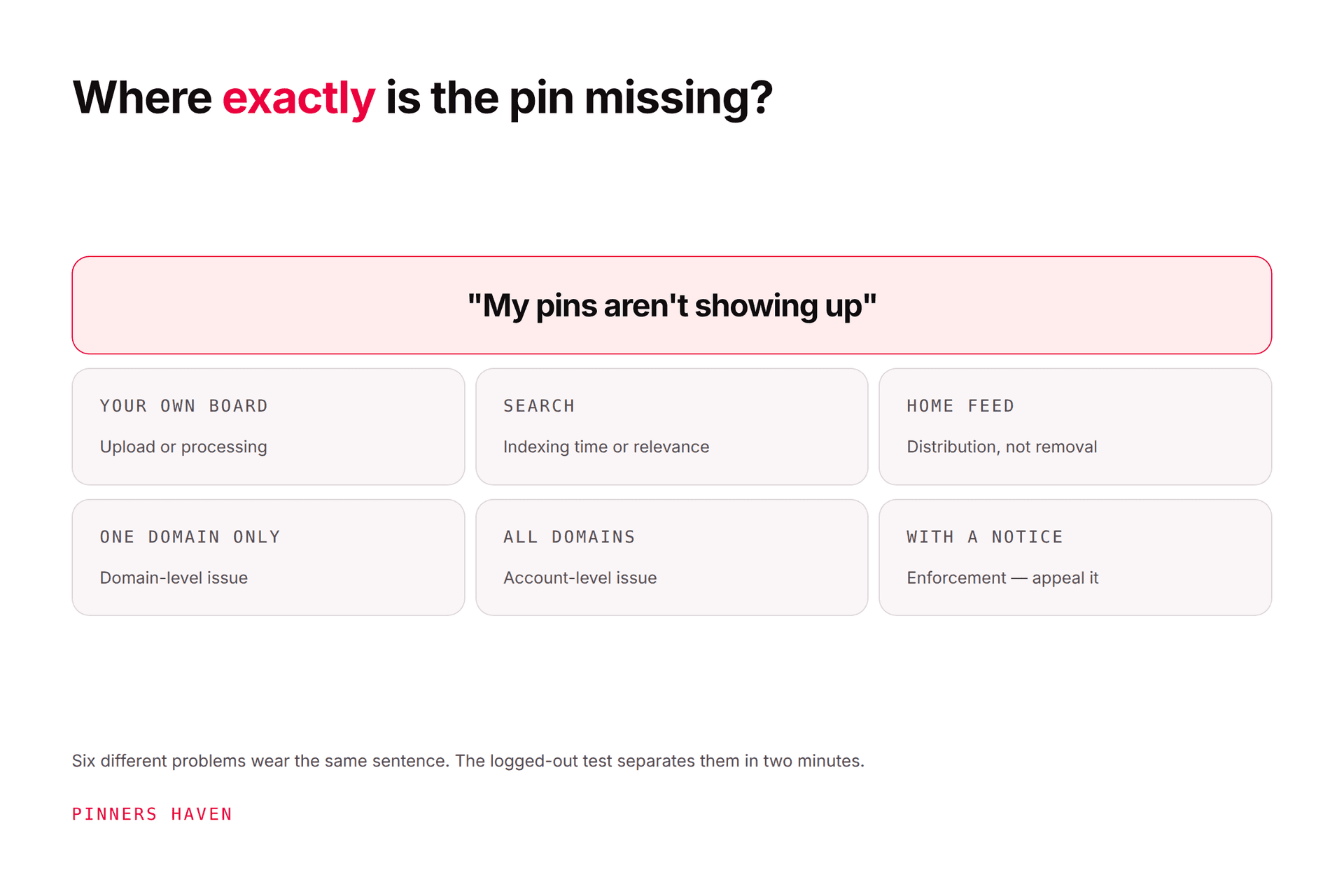
If Pinterest flags your account as spam: stop automated publishing and repeated actions, preserve the exact warning before anything changes, work out which of the four enforcement types you actually received, then appeal once through the official path in the notice. The four are a temporary action block, content removal, a blocked destination, and account suspension. They look similar from the inside and they are not the same problem.
One rule above all the others. Do not create a replacement account to get around the action. Evasion is itself a violation, and it turns a recoverable problem into a much worse one.
First, work out what actually happened
These four get lumped together as "flagged," and treating a link problem like a content problem wastes days.
Temporary action block
You can still log in, but you cannot create pins, save, comment, or follow. Pinterest's distribution guidance states that repeatedly saving duplicate pins can lead to a spam flag and a temporary block on pin creation.
This is the most common one, and the most survivable. It is also the one people make permanent by hammering the retry button.
Pin or board removal
The account works normally, but specific content is gone or limited. Read the notification carefully — it names the policy it cites and usually carries the appeal path. Do not re-upload the same asset while you're disputing it.
Blocked destination
Pins fail, or links won't save, because your domain or a redirect in the chain is considered unsafe, deceptive, or spam-related.
This one catches innocent people constantly. An expired affiliate redirect, a link shortener someone else abused, a lapsed SSL certificate, or a shared host with a bad neighbor can all do it. Test the final URL, every redirect hop, SSL, malware status, mobile behavior, and ownership before you assume you did something wrong.
Account suspension
Pinterest's account suspension page says a suspended user sees a notice at login. Suspensions can relate to pinner safety, account security, spam, or intellectual property, after either a single or a repeated violation.

Immediate recovery steps
Work these in order. Step 2 before step 5 is the part people get wrong.
1. Stop activity
Pause schedulers, RSS feeds, browser extensions, bulk imports, and any team publishing. Do not retry the failing action.
You might be thinking: "if I stop posting, won't my reach die?" A short pause costs you far less than another week of the pattern that triggered this. The reach question is a problem for later; right now you're protecting the account itself.
2. Preserve evidence — before you change anything
This is the step that decides whether your appeal has anything in it. Record:
the full warning or email, including the sender domain (phishing that imitates Pinterest enforcement is common)
date, time, timezone, username, and profile URL
affected pin, board, and destination URLs
the last 7–30 days of publishing activity
every connected tool and when each was authorized
recent password, staff, domain, DNS, or website changes
any removed content, and what rights you hold to it
Never send passwords, recovery codes, or unnecessary identity documents to an unverified contact. Pinterest will not ask you for your password.
3. Secure the account
Set a unique password, turn on two-factor authentication, and end unfamiliar sessions. Pinterest's account protection guide says to enter your password only on pinterest.com or in the official app, and its recent login guide shows how to review devices and end activity you don't recognize.
Revoke any third-party tool you no longer use or trust. If an agency or a former contractor still has access, check Business Manager permissions too — this is a genuinely common root cause, and it's an awkward one to discover mid-appeal.
4. Audit for the patterns Pinterest actually names
Pinterest's Community Guidelines prohibit:
unauthorized services acting automatically on your behalf
inauthentic or mass-created accounts
repetitive, deceptive, or irrelevant content intended to make money
unsafe, deceptive, untrustworthy, or unoriginal destinations
repeated unsolicited commercial messages
irrelevant repetitive comments
bought engagement or inauthentic traffic
irrelevant keyword stuffing
redirects intended to evade a block
coordinated attempts to manipulate distribution or metrics
Then check the things that trip decent people up: duplicate media, rapid board-to-board repetition, broken affiliate redirects, expired domains, scraped articles, copied product pages, and pins whose promise the landing page doesn't keep.
Read that list honestly. If you find something real, that is good news for your appeal — a fixed, named cause reviews far better than "I have no idea why this happened."
5. Correct what you control
Remove the compromised integration, fix the destination, pause duplicate queues, restore the page's actual value, document your rights.
Do not mass-delete content first. You will destroy the URLs and notices your appeal depends on, and you will not have fixed the compromised app or deceptive redirect that caused it.
6. Use the official appeal route, once
If the login screen reports a suspension, use the contact path linked from Pinterest's suspension page. For a removed pin or another notice, use the appeal option inside that notice.
Send one complete, factual request. Pinterest's enforcement policy states it may limit processing when the same person sends high volumes of mostly non-actionable requests. Sending five follow-ups doesn't escalate you; it deprioritizes you.
A concise appeal template
Adapt this — don't paste it verbatim. A reviewer can tell.
Subject: Request for review of Pinterest account [username]
My account received [exact warning/action] on [date and time, with timezone]. I believe this may be an error because [brief factual reason].
Recent publishing came from [native Pinterest / named authorized tool / team member]. I have paused all publishing, secured the account, reviewed connected sessions, and corrected [specific issue, if found].
Affected URLs: [list]
Evidence of ownership or rights: [brief description, link or attachment if requested]
Please review the account and let me know which content or behavior requires further correction.
Three things make this work: it is short, it is specific, and it ends by asking what else to fix rather than demanding reinstatement.
Do not claim innocence if you found a real violation. State what happened, what you stopped, and what prevents it recurring. Reviewers see a lot of denial; they see much less accountability, and it stands out.
What to do while you wait
Keep schedulers and questionable feeds paused.
Fix security, destination, and content problems off-platform, where you still can.
Keep every case number and reply together in one place.
Do not pay anyone claiming they can privately "unban" you. They cannot. This is a well-established scam that targets people at exactly this moment.
Do not publish through another account to route around the block.
Pinterest publishes no guaranteed response or restoration time. Anyone promising recovery in a fixed number of hours is selling you something.

How to not be here again
This is the part that actually matters, because the flag is a symptom of a workflow.
Use authorized connections only
Connect tools through Pinterest's official OAuth authorization. Never hand a service your Pinterest password. Any tool that asks for it rather than sending you to Pinterest's own login screen is a tool that can get your account taken away.
Publish genuinely original units
A new crop or a tweaked headline does not make a repetitive pin useful. Change the creative angle, match the right board, and link to a page that delivers what the pin promised. Our fresh pins guide covers where Pinterest actually draws that line — it's a more specific bar than most people assume.
Space reviewed content
Avoid bursts across loosely related boards. Your calendar should reflect how much genuinely different creative you can produce, not the technical maximum your tool allows. That gap — publishing at your tool's capacity rather than your content's capacity — is the single most common road into this article.
Watch the failure signals
Publishing errors, removed pins, link health, unfamiliar sessions, and sharp performance changes are all early warnings. Our guides to safe Pinterest automation and dropped impressions cover the controls.
Where automation fits — honestly
You might reasonably conclude the safe move is to do everything by hand forever. We'd push back on that, and we'll be upfront that we have skin in the game here.
Getting flagged is rarely caused by automation. It's caused by the specific patterns above: duplicates, bursts, unauthorized password-based connections, and volume that outruns your creative. A careless human does all four. A well-built tool does none of them.
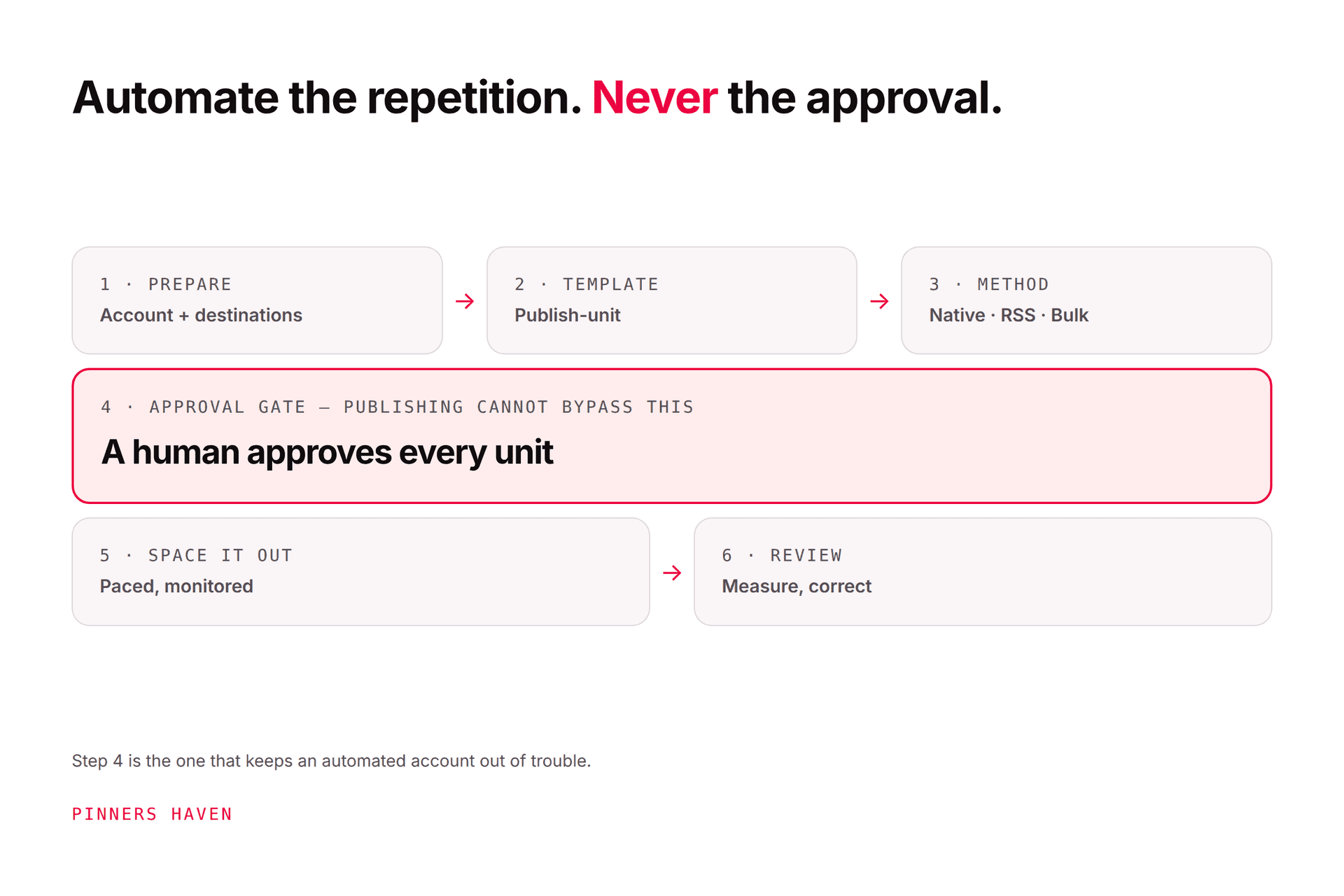
That's the design constraint we built Pinners Haven around. It connects through official OAuth so your password never touches our servers, warms each account up gradually instead of starting at full volume, publishes on a paced human-like cadence, and does zero auto-follow, auto-like, or auto-comment — the behaviors most associated with enforcement. Nothing publishes until you approve it. And because it generates original copy and designs per pin rather than recycling one asset, the duplicate pattern that causes most temporary blocks doesn't get created in the first place.
To be clear about the limits: no tool can promise you'll never be actioned, and we don't. Pinners Haven is architected around Pinterest's API rules and is building toward Trusted Partner status — we're not a Pinterest Marketing Partner today, and you should be suspicious of anyone in this category who blurs that line. What a tool can do is stop generating the patterns that get people flagged.
→ See how account-safe publishing works
(Disclosure: we make Pinners Haven. We're not affiliated with Pinterest.)
Frequently asked questions
How long does a Pinterest spam block last?
Pinterest does not publish a single duration. The notice itself and Pinterest's support response are the only reliable sources; third-party "usually 14 days" claims are folklore.
Should I delete all my pins?
No. Preserve evidence and identify the affected content first. Mass deletion removes the context a reviewer needs and fixes nothing if the real cause is a compromised app or a deceptive redirect.
Can an approved scheduler still get me flagged?
Yes. An authorized connection permits the connection, not the content. Repetitive pins, misleading links, rights violations, or manipulated engagement can still trigger enforcement no matter how you published them.
Is a drop in impressions proof of a spam flag?
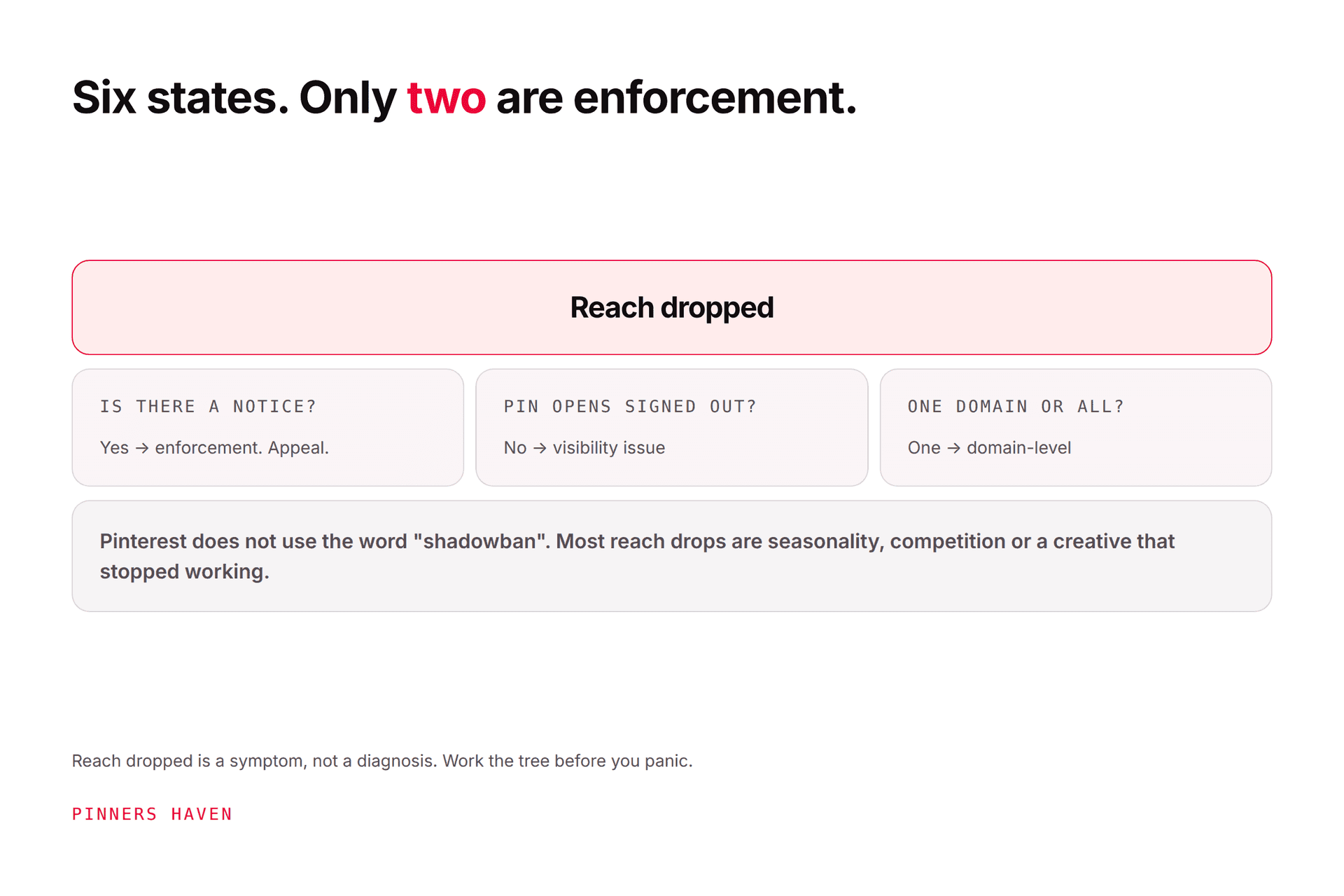
No, and this confusion sends people down the wrong path constantly. Look for an actual warning, block, removal, or suspension. If there's no notice, you probably have a performance question, not an enforcement one — start with dropped impressions or the shadowban guide instead.
Can I contact Pinterest on social media to get this resolved?
Use the Help Center and the appeal path in your notice. Public replies aren't an authenticated case, and accounts that DM you offering recovery help are, without exception, targeting you.
I was flagged because of a client's site. What now?
Revoke that connection immediately, document when it was authorized and what it published, and say so plainly in your appeal. Being able to name the source and show you removed it is one of the strongest things you can put in front of a reviewer.
Make the appeal easy to review
A useful recovery packet has one timeline, the exact action, the affected URLs, the security steps you took, the tools you revoked, the corrections you made, and your evidence of rights. That gives a reviewer something concrete to assess instead of a plea.
And whichever way the first appeal goes, you end up with a publishing process that won't produce this again. That part is yours regardless.