Tailwind Review: Is It Worth Paying For?
Short answer: yes, if Pinterest is a serious channel and you'll genuinely use the creation tools, and no, if you publish a handful of pins a month or already design elsewhere. Tailwind is a competent, mature product at a fair price. The reason people end up disappointed isn't quality. It's that they priced the plan
Joe Nyambura
Founder & operator, Pinners Haven · August 18, 2026
On this page25 sections
- Tailwind pricing at a glance
- The credit math nobody explains
- Where Tailwind is genuinely good
- One workflow instead of five tabs
- Pinterest is central, not an afterthought
- Long-range planning
- It's inexpensive
- Where Tailwind falls short
- The free tier can't run anything
- Five limits that scale differently
- Three Pinterest accounts, maximum
- Posts are shared across networks
- Vendor performance claims aren't your forecast
- It's overkill for a light publisher
- Who should actually pay for it
- Where we fit, honestly
- A fair seven-day test
- Frequently asked questions
- Is Tailwind free?
- Does Tailwind have a posting limit?
- What are Tailwind credits used for?
- Can Tailwind get my Pinterest account banned?
- Is Tailwind better than Pinterest's free scheduler?
- Is Tailwind worth it if I only use Pinterest?
- Bottom line
Short answer: yes, if Pinterest is a serious channel and you'll genuinely use the creation tools, and no, if you publish a handful of pins a month or already design elsewhere. Tailwind is a competent, mature product at a fair price. The reason people end up disappointed isn't quality. It's that they priced the plan on posts and got caught by credits.
Our rating: 7/10. Strong for a one- or two-brand Pinterest-first operator. Genuinely poor value for light publishers and impossible for portfolios.
Disclosure: we make Pinners Haven, which competes with Tailwind. We've tried to write the review we'd want to read, including the parts where Tailwind beats us — it's cheaper to start, it does Instagram and Facebook, and it's an official Pinterest partner while we're not.
Tailwind pricing at a glance
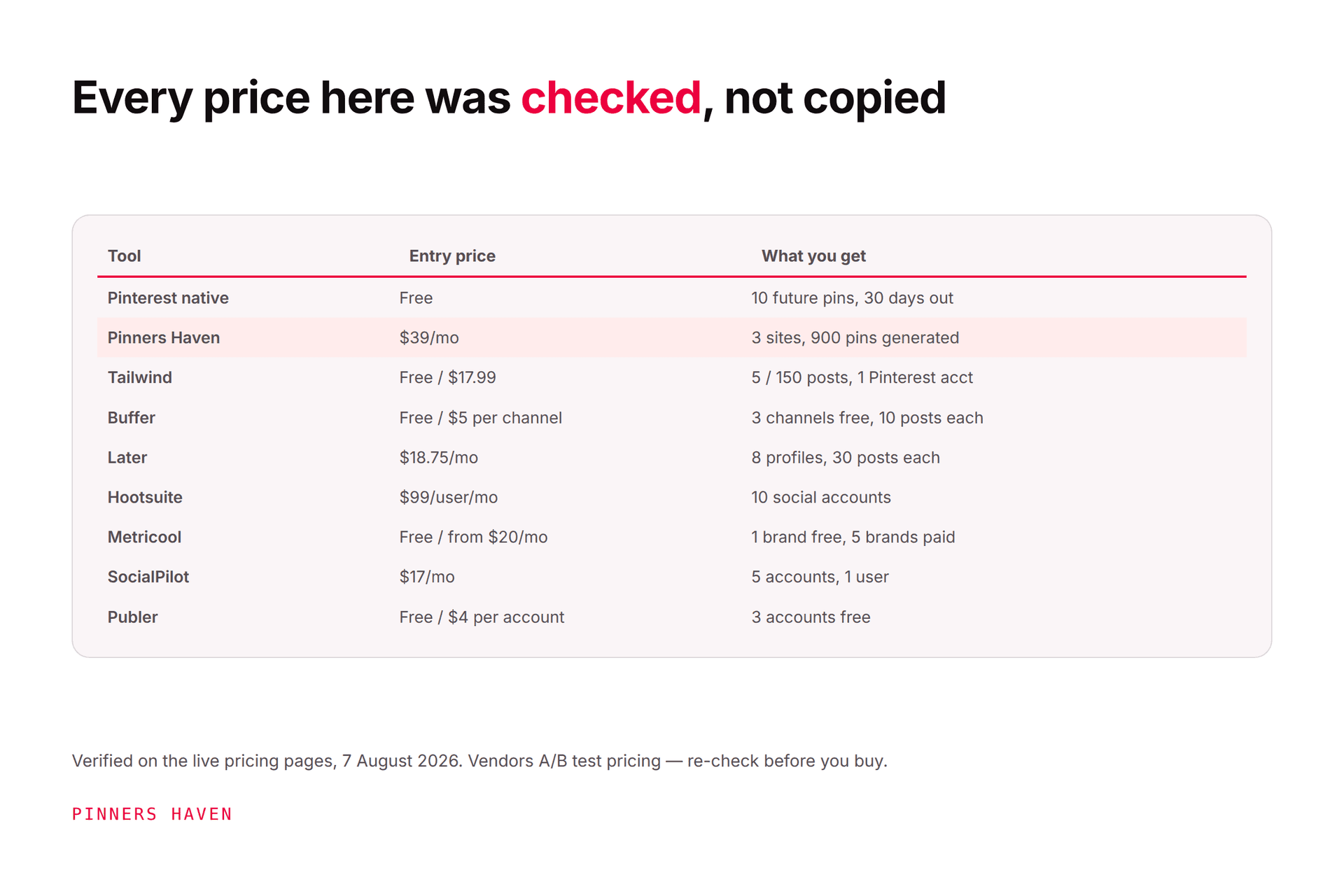
Checked 7 August 2026 on the Tailwind pricing page. Annual-billing promotional prices shown.
Plan | Annual/mo | Monthly | Posts/mo | Pinterest accts | Users | AI credits |
|---|---|---|---|---|---|---|
Free Forever | $0 | $0 | 5 | 1 | 1 | 5 |
Pro | $17.99 | $29.99 | 150 | 1 | 1 | 150 |
Advanced | $29.99 | $54.99 | 300 | 2 | 2 | 300 |
Max | $49.99 | $99.99 | Unlimited | 3 | 5 | 1,000 |
Two caveats before you use that table.
Tailwind is running more than one pricing structure at once. On the same day, one page variant served the tiers above while another served an unbundled model — Pin Scheduling & Creation at $17.99, Pinterest SEO at $11.99, Pinterest Engagement at $11.99, or $29.98 bundled. Check what your own account shows; a comparison table on any blog, including this one, may not match what you're offered.
Post counts have been stated inconsistently. An earlier check found a pricing FAQ using 400 posts in an Advanced example while the comparison table said 300; on 7 August the table read 300. Treat the checkout screen and written order terms as controlling, and get it in writing from support if anything disagrees.

The credit math nobody explains
This is the part that decides whether Tailwind is good value for you, and it's buried.
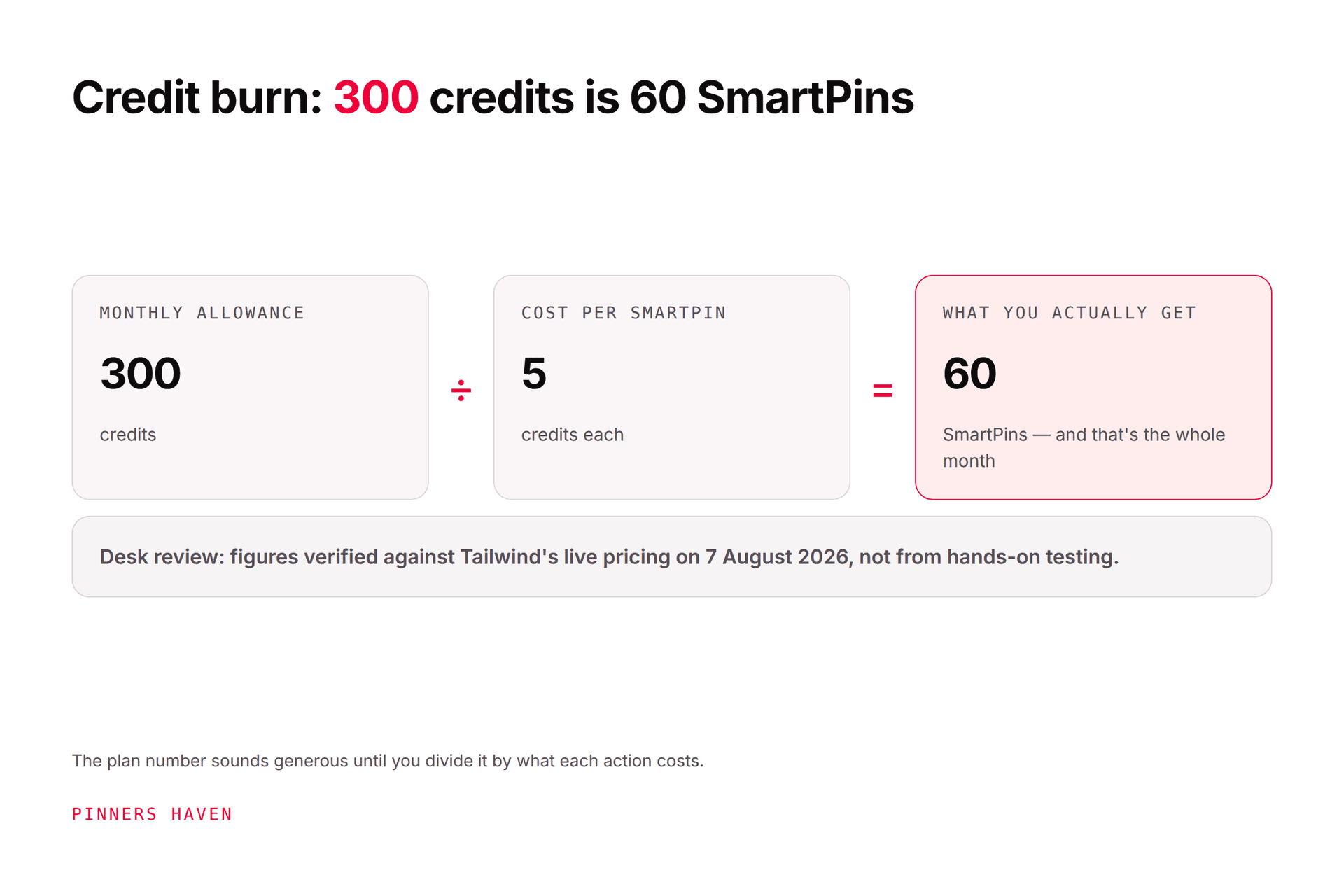
Credits and posts are separate limits. Credits power the generative features. Tailwind's pricing FAQ states a SmartPin uses five credits and a Made for You generation uses three.
Work that through:
Pro (150 credits): roughly 30 SmartPins a month. Then generation stops, even though you still have 150 posts available.
Advanced (300 credits): roughly 60 SmartPins. Not 300.
Max (1,000 credits): roughly 200 SmartPins, alongside unlimited scheduling.
So if you signed up for Advanced imagining 300 AI-generated pins a month, you have 60. The other 240 posts are slots for pins you make yourself.
Top-ups run at $10 for 100 credits, which is $0.50 per SmartPin, and worth knowing before you rely on it.
Do the arithmetic before you pick a tier. Count how many pins you want generated versus merely scheduled, and price against the credit column, not the post column. This single calculation explains most of the disappointed Tailwind reviews online.
Where Tailwind is genuinely good
One workflow instead of five tabs
You can take a URL to pin concepts, edit the copy, drop posts into a calendar, and review performance without bouncing between a design app, a spreadsheet, and a scheduler. The saved coordination time is the real value, more than the automatic publishing.
Pinterest is central, not an afterthought
Most general schedulers treat Pinterest as one more checkbox. Tailwind's board selection, pin production, timing, and education are all built around Pinterest-heavy businesses, and it shows. Tailwind says it's been an official Pinterest partner since 2012.
Long-range planning
You can schedule weeks or months ahead within your post allowance — materially better than Pinterest's native ceiling of 10 future pins and 30 days, per Pinterest's schedule pins guide.
It's inexpensive
$17.99/mo annual is genuinely cheap for what's included, and Max at $49.99 for unlimited posting undercuts most of the market. Anyone telling you Tailwind is expensive hasn't priced Hootsuite.
Where Tailwind falls short
Caveats first, because that's what you came for.
The free tier can't run anything
Five posts and five designs a month. It's an interface demo, not a plan. Useful for exactly what we recommend below — a structured test, and nothing more.
Five limits that scale differently
Posts, credits, accounts, users, and designs don't move together. You can have plenty of scheduled posts and run out of credits, or plenty of both and run out of accounts. Every one of them is a separate ceiling and any one can be the thing that forces an upgrade.
Three Pinterest accounts, maximum
Even on Max at $49.99. If you run a portfolio of niche sites, Tailwind can't do the job at any price — you'd need multiple subscriptions. This is the hardest wall in the product.
Posts are shared across networks
The 150 on Pro covers Instagram, Pinterest and Facebook combined. If you're active on all three, your Pinterest allocation is a fraction of the headline number. This catches people constantly.
Vendor performance claims aren't your forecast
Tailwind markets that pins published through the product are "54% more likely to go viral," citing internal study data. That's real vendor evidence and it is not a promise about your account. Niche, creative quality, site experience, seasonality, and — importantly — selection effects all matter. People who pay for a scheduler are already more committed than people who don't.
It's overkill for a light publisher
If you make five strong pins a month, Pinterest's native scheduler covers you at zero cost. Paying for generation and analytics you don't touch isn't an advantage.

Who should actually pay for it
Good fit:
a blogger or retailer publishing dozens of pins a month
one or two brands needing Pinterest-first production
a solo operator who wants creation and scheduling together
a team whose users and accounts fit inside a listed plan
anyone who also posts to Instagram and Facebook
Look elsewhere if you need:
more than three Pinterest accounts
many client accounts or enterprise approval controls
deeper cross-network listening
a minimal queue at the lowest possible cost
Our Tailwind alternatives guide prices nine options with dated figures, and Pinners Haven vs Tailwind covers the closer head-to-head.
Where we fit, honestly
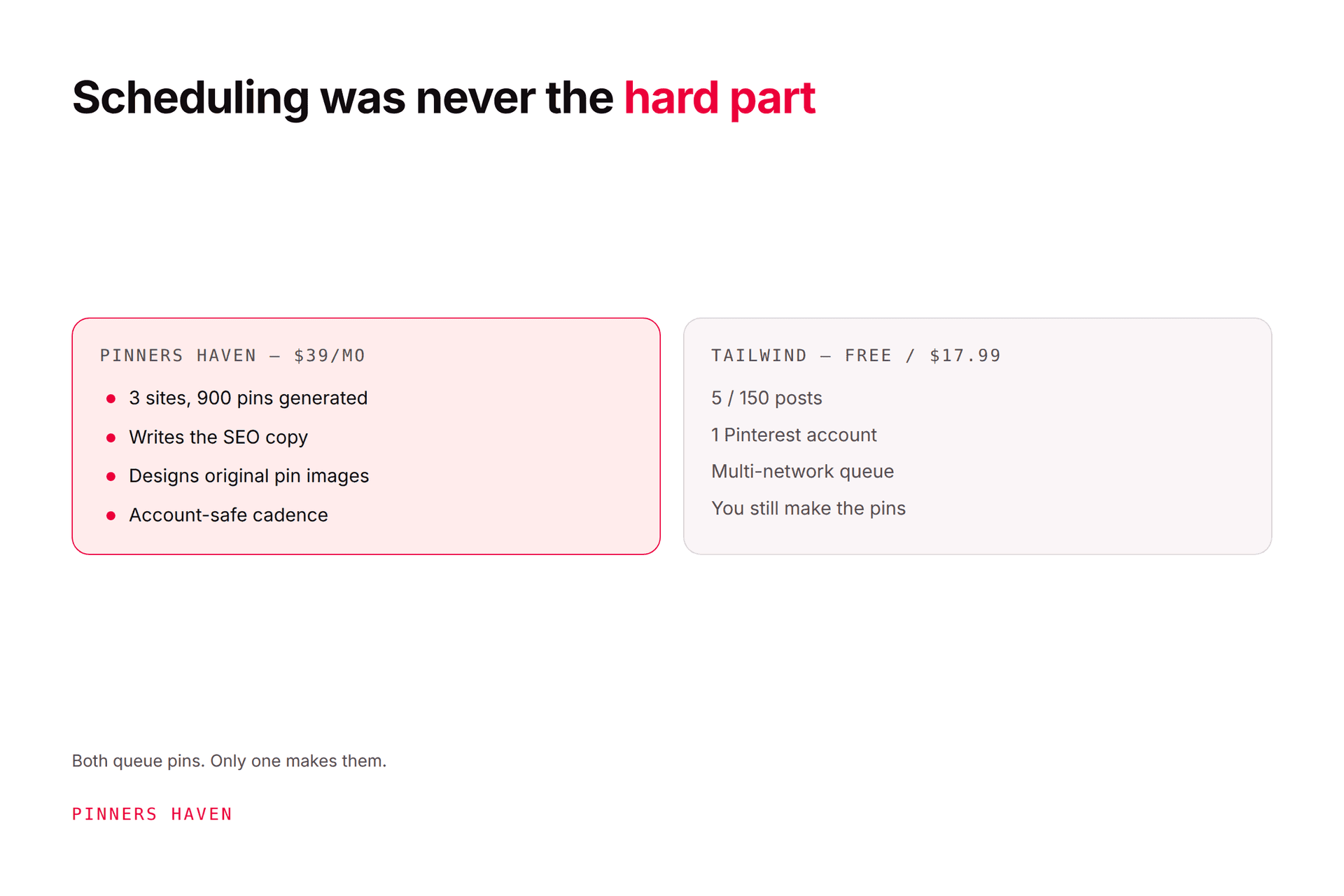
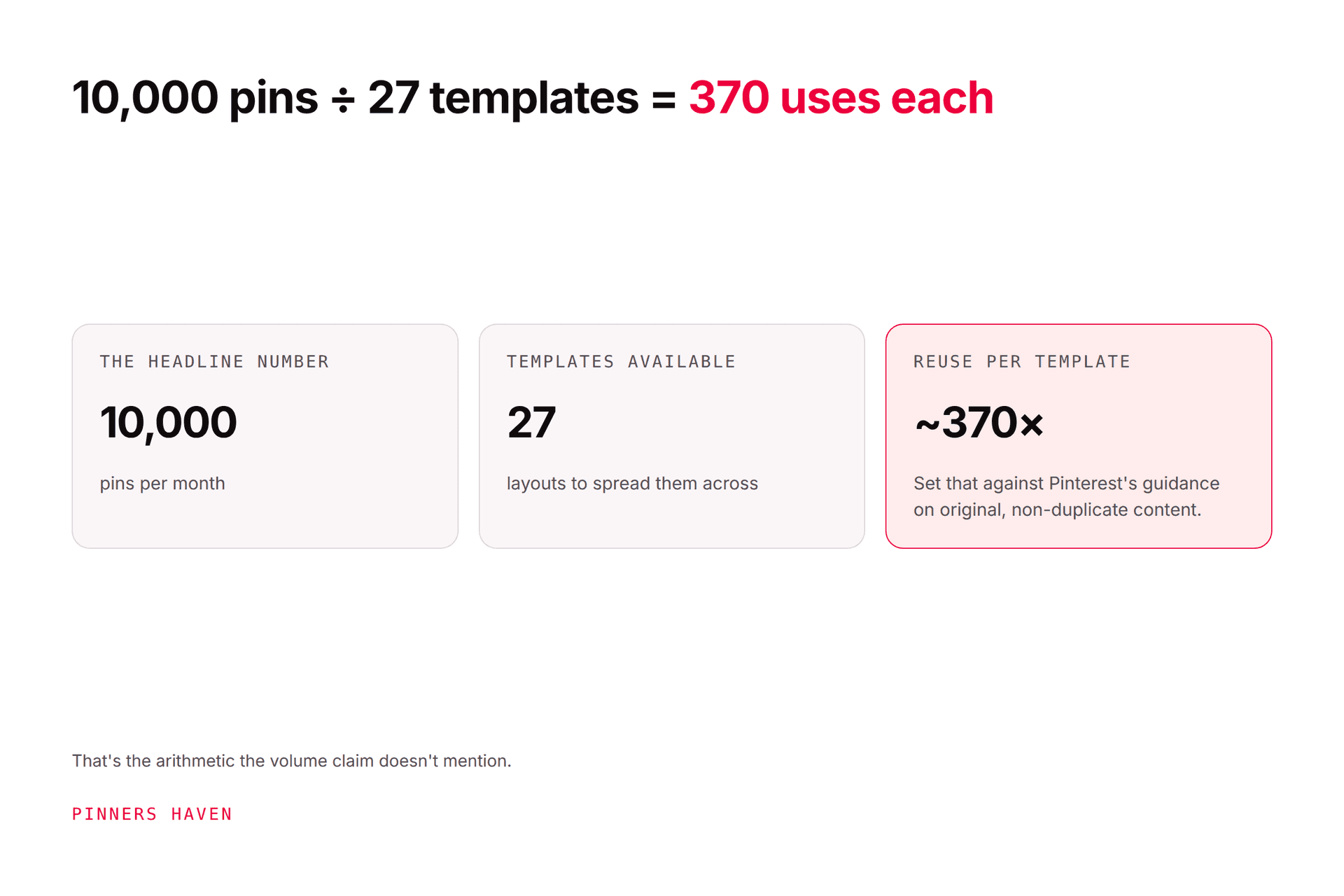
If your constraint is the credit ceiling — you want more pins generated than Tailwind's credits allow — that's the specific gap Pinners Haven fills. Solo is $41/mo annual for 900 generated pins across 3 sites, with the SEO copy and original designs included rather than metered by credit, and a Freshness Meter that retires each template after roughly 5–10 uses. Operator runs 25 sites for $124.
Where Tailwind still wins: it's cheaper to start, its free tier keeps publishing while ours pauses publishing once the 14-day trial ends, it publishes to Instagram and Facebook, and it's an official Pinterest Marketing Partner while we're building toward Trusted Partner status. If any of those matter to you, Tailwind is the better buy and we'd rather say so.
(Disclosure: we make Pinners Haven. We're not affiliated with Pinterest.)
A fair seven-day test
Run this on the free plan before you pay anyone, us included:
Connect one non-critical Pinterest business profile through official authorisation.
Create or import five representative pins.
Check every title, description, board, link, crop, and publish time — don't assume the transfer was clean.
Compare the design output against your existing brand templates.
Count the credits consumed producing pins for one complete article or product. This is the number that predicts your real monthly cost.
Export or record the reporting data you actually use.
Calculate monthly cost at your normal volume, not the test allowance.
Don't judge a scheduler on whether a pin published. Judge how much review it needed, whether failures were visible, and whether the reporting told you what to make next.
Frequently asked questions
Is Tailwind free?
There's a Free Forever plan: 5 posts, 5 designs, 5 credits, 1 account, 1 user, no credit card. Fine for evaluation, not for running a calendar.
Does Tailwind have a posting limit?
Yes, on every tier except Max. 5 on Free, 150 on Pro, 300 on Advanced, unlimited on Max — shared across Instagram, Pinterest and Facebook. Post counts have been stated inconsistently between the comparison table and the FAQ, so confirm at checkout.
What are Tailwind credits used for?
Generative features. A SmartPin costs 5 credits and a Made for You generation costs 3, so a 300-credit plan produces roughly 60 SmartPins. Top-ups are $10 per 100 credits. Ordinary scheduling doesn't consume credits.
Can Tailwind get my Pinterest account banned?
No tool can guarantee you'll never face enforcement, but Tailwind uses Pinterest's approved connection and says it's been an official partner since 2012. Risk comes from your behaviour — repetitive, deceptive, irrelevant, or manipulative activity under Pinterest's Community Guidelines, not from the scheduler. See what actually triggers a spam flag.
Is Tailwind better than Pinterest's free scheduler?
For volume, yes — longer queues, real creation tools, cross-network publishing. Below Pinterest's native limits (10 future pins, 30 days) and without needing the extra tools, native is better because it's free.
Is Tailwind worth it if I only use Pinterest?
It can be, but check the numbers twice. You're paying for Instagram and Facebook capability you won't use, and your post allowance isn't larger for going Pinterest-only. Pro at 150 Pinterest pins a month is the realistic comparison.
Bottom line
7/10. Tailwind earns its price when it removes repeated production work and your volume fits the allowances, and it's genuinely cheap for what it does.
The decision gets much easier once you've calculated posts, credits, accounts, and users for a normal month rather than trusting the headline tier name. And if the pricing page and the checkout screen disagree, resolve that in writing before you pay.