How to Automate Pinterest Safely
To automate Pinterest safely: use a business account and an authorised publishing method, build pins from original destination content, require human approval, space your scheduled posts, monitor failures, and review outbound results. Automate the repetitive handoffs. Never automate follows, saves, comments, fake ac
Joe Nyambura
Founder & operator, Pinners Haven · August 18, 2026
On this page21 sections
- What's safe to automate
- What you must never automate
- Step 1 — prepare the account and destinations
- Step 2 — build a publish-unit template
- Step 3 — choose a publishing method
- Pinterest's native scheduler — free
- RSS auto-publishing — free
- Bulk import — free
- An approved third-party scheduler
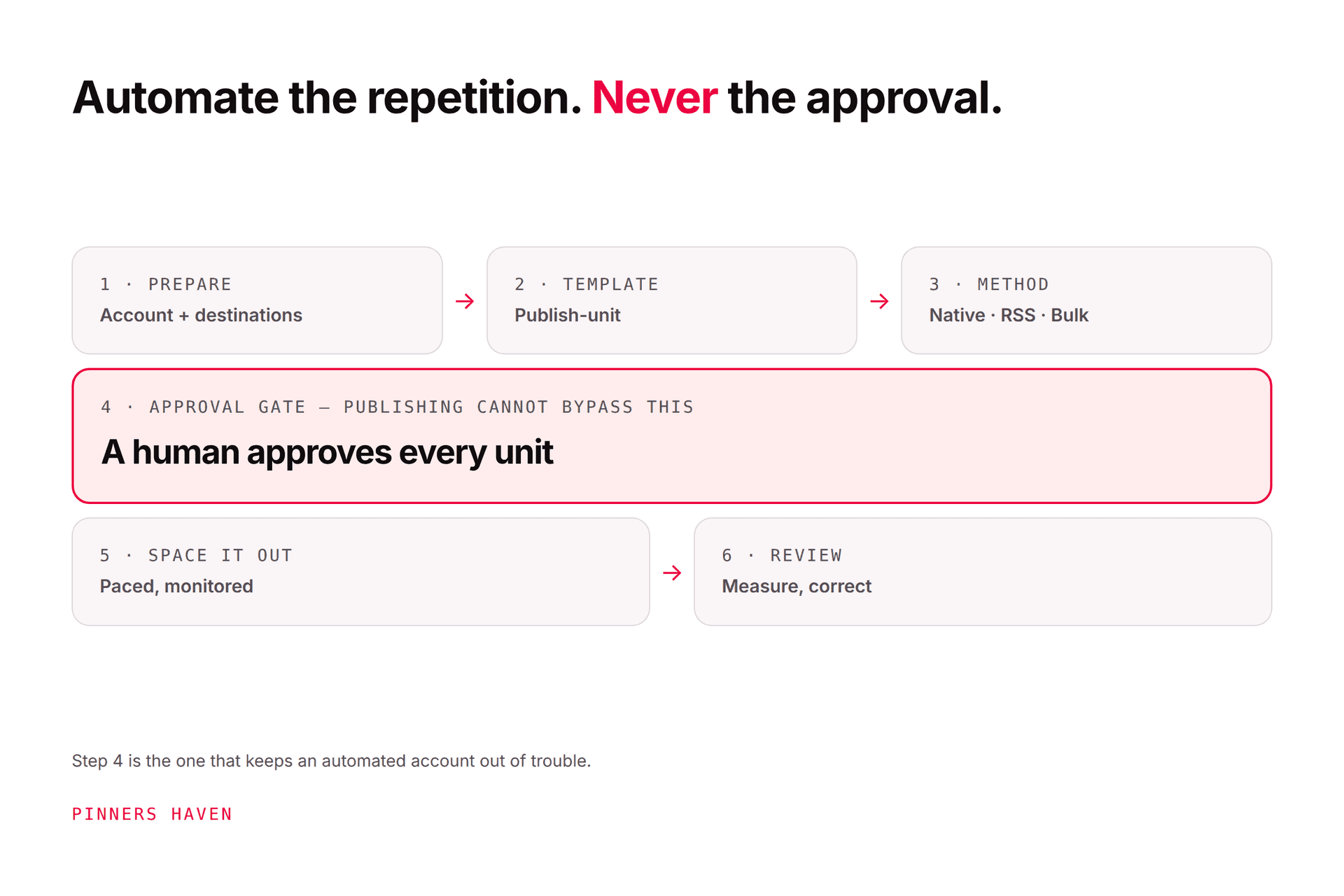
- Step 4 — add a real approval gate
- Step 5 — space it out and monitor
- Step 6 — close the reporting loop
- A practical weekly workflow
- Frequently asked questions
- Can I fully automate a Pinterest account?
- Is RSS auto-publishing free?
- Will scheduled pins get less reach?
- How do I know a tool is authorised?
- How many pins a day is safe to automate?
- What if my automation publishes something wrong?
- Build for exceptions, not just for success
To automate Pinterest safely: use a business account and an authorised publishing method, build pins from original destination content, require human approval, space your scheduled posts, monitor failures, and review outbound results. Automate the repetitive handoffs. Never automate follows, saves, comments, fake accounts, bought engagement, or policy evasion.
You might be thinking: "I tried automating Pinterest before and my reach died." Fair, and the reason is almost never the automation itself. It's that most setups automate the publishing without automating the review, so they publish faster than anyone can check, and the duplicate and burst patterns show up within a fortnight.
A good system makes you faster without leaving a public account unattended. Here's how to build one.
What's safe to automate
These are the genuinely low-risk handoffs:
collecting approved source URLs
extracting factual page details into a brief
generating draft headlines and visual concepts
applying brand templates
checking required fields and link status
routing drafts for approval
publishing an already-approved queue
recording pin and board performance
alerting a person when something fails
One caveat that matters: even these need review when the source contains health, financial, legal, price, availability, testimonial, or rights-sensitive claims. Automating the production of a medical claim is fine. Automating its publication is not.
What you must never automate
Pinterest's Community Guidelines prohibit unauthorised services acting on a user's behalf and behaviour intended to manipulate the platform. So never automate:
following and unfollowing
saves, clicks, comments, or messages
mass account creation
engagement buying or exchanges
irrelevant keyword insertion
duplicate pin blasts
deceptive links or redirect evasion
high-volume appeals and reports
final approval of generated factual claims
Automation isn't made safe by running slowly. The action, the content, the connection, and the intent all matter independently. A tool that auto-follows at a "human" pace is still auto-following.
Step 1 — prepare the account and destinations
Use a Pinterest business account for Analytics and publishing tools. Claim your website so pins from the domain connect to your profile and measure correctly — Pinterest's claim website guide covers the HTML tag, HTML file, and DNS TXT methods.
Before producing a single pin, build a destination checklist:
page returns a normal status and loads properly on mobile
the pin's promise matches the page content
canonicals and redirects go where you expect
author, product, price, stock, and dates are accurate
tracking still fires after consent choices
affiliate or commercial disclosures are present
images and claims have documented rights
Automating pins to a broken page just distributes the disappointment efficiently.
Step 2 — build a publish-unit template
This is the step that prevents the most common bulk-work disaster: the right image paired with the wrong link.
Treat every scheduled pin as one record:
Field | Example |
|---|---|
Source URL |
|
Target keyword | renter-friendly kitchen storage |
Image file + licence |
|
Title | 12 Renter-Friendly Small Kitchen Storage Ideas |
Description | (unique, natural, not stuffed) |
Board | Small Space Living |
Alt text | open shelving above a narrow counter… |
Disclosure status | none required |
Planned time + timezone | Tue 10:00, America/New_York |
Reviewer + approval time | (filled at step 4) |
Campaign tag | Q3-kitchen |
If any field is empty, it doesn't publish. That single rule eliminates most bulk-publishing errors.

Step 3 — choose a publishing method
Pinterest's native scheduler — free
The schedule pins guide allows business accounts to schedule standard pins one at a time, up to 10 future pins, 30 days ahead. Enough for a small reviewed calendar, and it costs nothing.
RSS auto-publishing — free
Pinterest can auto-publish from RSS when the feed matches a claimed website, generally publishing within 24 hours, with a documented ceiling of up to 200 pins per day.
That ceiling is not a target. RSS is best for a controlled feed with reliable images, titles, descriptions, links, and board mapping, and it will faithfully reproduce every weakness in that feed, at scale, forever. Fix the feed first.
Bulk import — free
Content import accepts CSV or TXT for multiple image and video pins. Validate a small file before importing a full campaign.
An approved third-party scheduler
Worth paying for when you need a larger calendar, approvals, several accounts, or cross-network work. Confirm official authorisation, format support, failure alerts, exports, permissions, and limits. Our automation-tool comparison has the shortlist with current prices.
Step 4 — add a real approval gate
The reviewer must see the exact final image and copy, not just the source article. That distinction is the difference between a review and a rubber stamp.
Checklist:
Does the image have artifacts, illegible text, or an inaccurate product?
Is the headline true without hidden qualifications?
Does the description read naturally, without stuffing?
Is this genuinely the most relevant board?
Does the final URL work and match the promise?
Are AI, affiliate, or sponsorship disclosures complete?
Is the creative materially different from recent pins?
Is the scheduled time in the intended timezone?
Store the approval with a timestamp and a name. If content changes after approval, it goes back through review — otherwise the gate is decorative.
Step 5 — space it out and monitor
Build the queue around your content capacity and relevance, not a pins-per-day target you read somewhere. Never publish identical media across many boards in a short burst — Pinterest's distribution guidance advises original weekly content and warns that duplicate pins can be flagged as spam.
Your system should surface, loudly:
authorisation expiry
upload or processing failure
blocked destination
missing board
media-format error
removed or limited pin
unusual publishing burst
sudden impressions or outbound-click change
When an error appears, pause the affected queue. Do not blindly retry every item — that's how a small failure becomes an enforcement pattern.
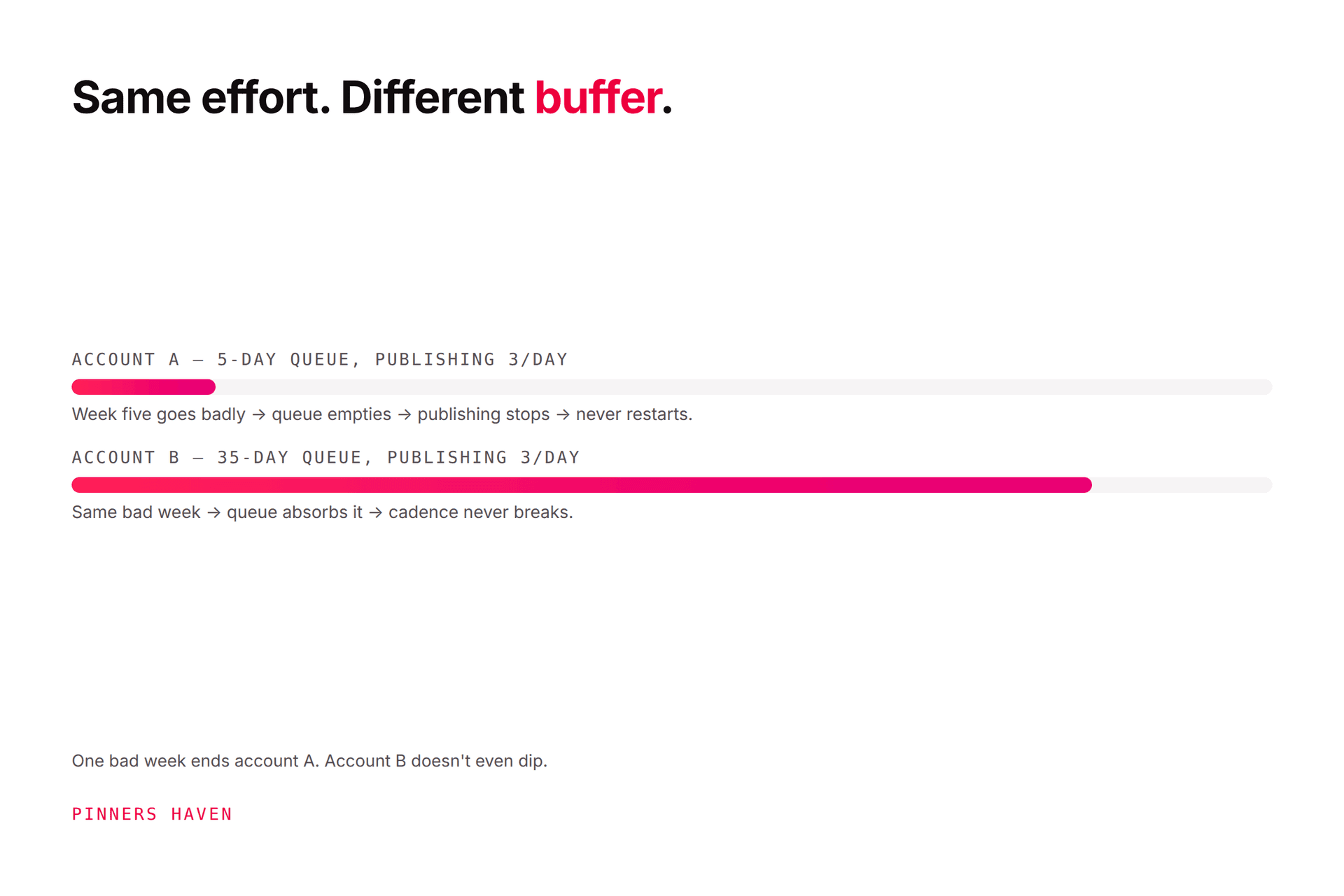
That last bullet is worth dwelling on. Most people discover a reach problem weeks late because nothing was watching. This is the specific gap Pinners Haven covers: it tracks each account's reach week over week and emails you when it falls off a cliff at a threshold you set, alongside a Freshness Meter that retires each template after roughly 5–10 uses so the sameness problem never builds. Everything runs through official OAuth with warm-up and paced publishing, and nothing goes out until you approve it.
→ Start a 14-day trial — from $19/mo billed annually. No card needed; when the trial ends, publishing pauses until you pick a plan.
(Disclosure: we make Pinners Haven. We're not affiliated with Pinterest.)
Step 6 — close the reporting loop
In Pinterest Analytics, review impressions, saves, pin clicks, and outbound clicks using consistent filters — inconsistent filters are the single biggest source of imaginary problems. Then add qualified website sessions, leads, or transactions.
Each month: keep the winning audience problem and destination, then test one new visual or headline against it. Retire the patterns that generate impressions without useful visits. Our analytics guide covers which metrics should actually change the next brief.
A practical weekly workflow
Monday — pick three destinations using search demand, seasonality, business value, and page readiness.
Tuesday — generate or design two concepts per destination. Write titles and descriptions from the page, never from invented claims.
Wednesday — complete rights, factual, accessibility, destination, and disclosure review.
Thursday — approve and schedule six pins with sensible spacing and relevant boards.
Friday — check delivery failures and last week's outbound results. Record one learning for the next brief.
That's roughly two focused hours a week for a single site, and it's genuinely sustainable, which matters more than any individual optimisation, because consistency is the thing Pinterest actually rewards.
Frequently asked questions
Can I fully automate a Pinterest account?
Technically you can automate most production steps. You shouldn't leave the publishing unattended, that creates avoidable rights, accuracy, spam, and brand risk, and it's the setup that gets accounts flagged. Keep strategy and final approval human.
Is RSS auto-publishing free?
Yes — it's a Pinterest business-account feature, not a separate subscription. It needs a compatible feed on a claimed website. Confirm current eligibility for your account type.
Will scheduled pins get less reach?
Pinterest doesn't state that approved scheduling reduces distribution. Relevance, originality, quality, audience response, policy compliance, seasonality, and destination value are what move it. See the algorithm guide.
How do I know a tool is authorised?
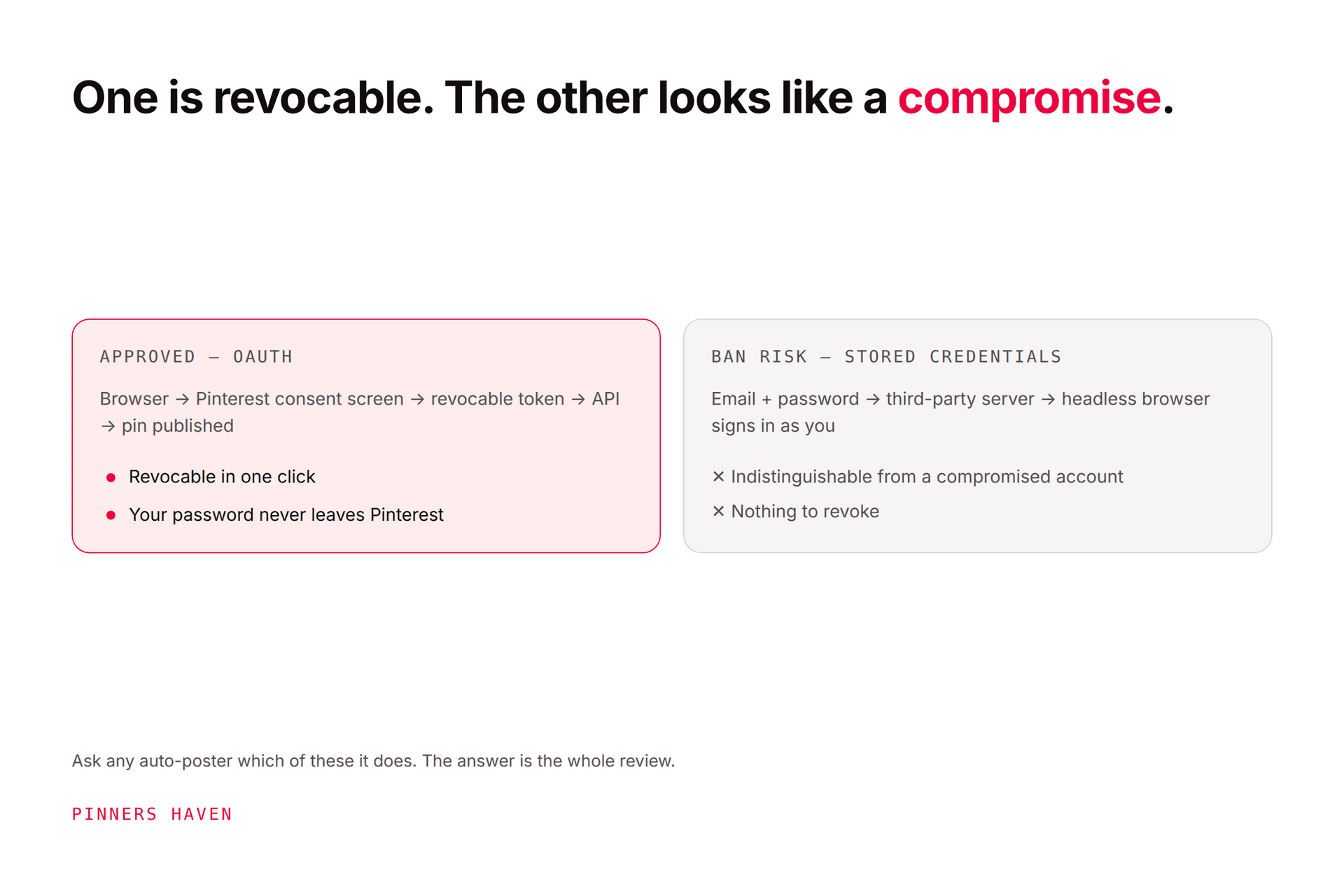
You should see Pinterest's own authorisation screen during setup, and never a form asking for your Pinterest password. Verify partner status where a vendor claims it. Avoid anything that automates engagement actions.
How many pins a day is safe to automate?
There's no published safe number, and the question is slightly wrong. Publish at the pace your genuinely distinct creative supports. Ten original pins beats a hundred recolours, and the hundred is what draws duplicate flags — see what counts as fresh. To turn that into an actual daily figure, how often to pin on Pinterest does the arithmetic, and how to post consistently covers sustaining it.
What if my automation publishes something wrong?
Pause the queue immediately, delete or edit the affected pin, and check whether the same fault is sitting in the rest of the queue. Then fix the gate that let it through, not just the pin. If you've had a warning, work the flagged-as-spam guide.
Build for exceptions, not just for success
The mature automation setup isn't the one that publishes the most pins. It's the one that keeps approved inputs together, stops safely when something breaks, tells a person what happened, and turns performance into a better next brief.
Anyone can build the version that publishes. The value is in the version that knows when to stop.