Fresh Pins on Pinterest: What Counts as Original Content
"Fresh pins" is the most anxiety-inducing phrase in Pinterest marketing, and most of the anxiety is misplaced. People are out there recolouring the same graphic eleven times because they heard Pinterest punishes repeats, which is roughly the opposite of what the guidance actually says.
Joe Nyambura
Founder & operator, Pinners Haven · August 18, 2026
On this page29 sections
- What Pinterest actually says
- Fresh, duplicate, and updated — the actual distinctions
- Can fresh pins use the same URL?
- What makes creative meaningfully different
- Visual evidence
- The reader's promise
- Information structure
- Audience or constraint
- A sustainable fresh-pin workflow
- 1. Start with proven destinations
- 2. Write concept briefs
- 3. Create and review
- 4. Space approved pins
- 5. Read results as a funnel
- The part that breaks at scale
- Five fresh-pin myths
- "Every new upload is automatically original"
- "A different description creates a fresh pin"
- "Fresh pins always outrank old pins"
- "More fresh pins always mean more traffic"
- "Repinning is forbidden"
- Frequently asked questions
- What counts as a fresh pin on Pinterest?
- Can I make several pins for one blog post?
- How often should I publish fresh pins?
- Should I delete old pins when I publish new ones?
- Can AI create fresh pins?
- How many pins can I safely make from one page?
- Original beats cosmetically new
"Fresh pins" is the most anxiety-inducing phrase in Pinterest marketing, and most of the anxiety is misplaced. People are out there recolouring the same graphic eleven times because they heard Pinterest punishes repeats, which is roughly the opposite of what the guidance actually says.
Here's the thing nobody tells you: Pinterest has never published a freshness score.
A "fresh pin" is industry shorthand for newly created image or video content, including new creative pointing at a page you've promoted before. Pinterest's public guidance emphasises original content and warns against duplicates, but there is no Fresh-versus-Not-Fresh status in Analytics and no published pixel-difference threshold. Anyone telling you that a 30% crop change or a new background colour "makes it fresh" is guessing, and building a workflow on that guess is how people end up with a hundred near-identical pins and a spam flag.
The useful question isn't whether a classifier will score your file as new. It's whether the creative gives a reader a genuinely new reason to care.
What Pinterest actually says
Pinterest's pin distribution guidance tells creators to publish original content weekly, and recommends high-quality vertical creative, accurate context, relevant boards, and useful links. The same page warns that duplicate pins may be flagged as spam and can lead to temporary blocks.
Notice what's in that list and what isn't. Originality, relevance, quality, and not duplicating — those are documented. A freshness badge is not.
The word "fresh" has been circulating in Pinterest marketing advice and partner material for years, and it became folklore somewhere along the way. It's a useful word. It just isn't a Pinterest feature, and the difference matters when you're deciding what to build a workflow around.

Fresh, duplicate, and updated — the actual distinctions
Type | Example | What to do |
|---|---|---|
New concept | A photographed final result with a new promise | Publish after rights and fact review |
New format | A short demonstration from original footage | Publish when it adds information |
Meaningful variation | A measured layout diagram instead of a room photo | Treat as a separate creative test |
Cosmetic variation | Same image and headline, beige background | Doesn't count as a new concept |
Duplicate | Same asset, copy, URL, and board, posted again | Avoid |
Updated pin | New accurate creative for a materially refreshed page | Publish and log the update |
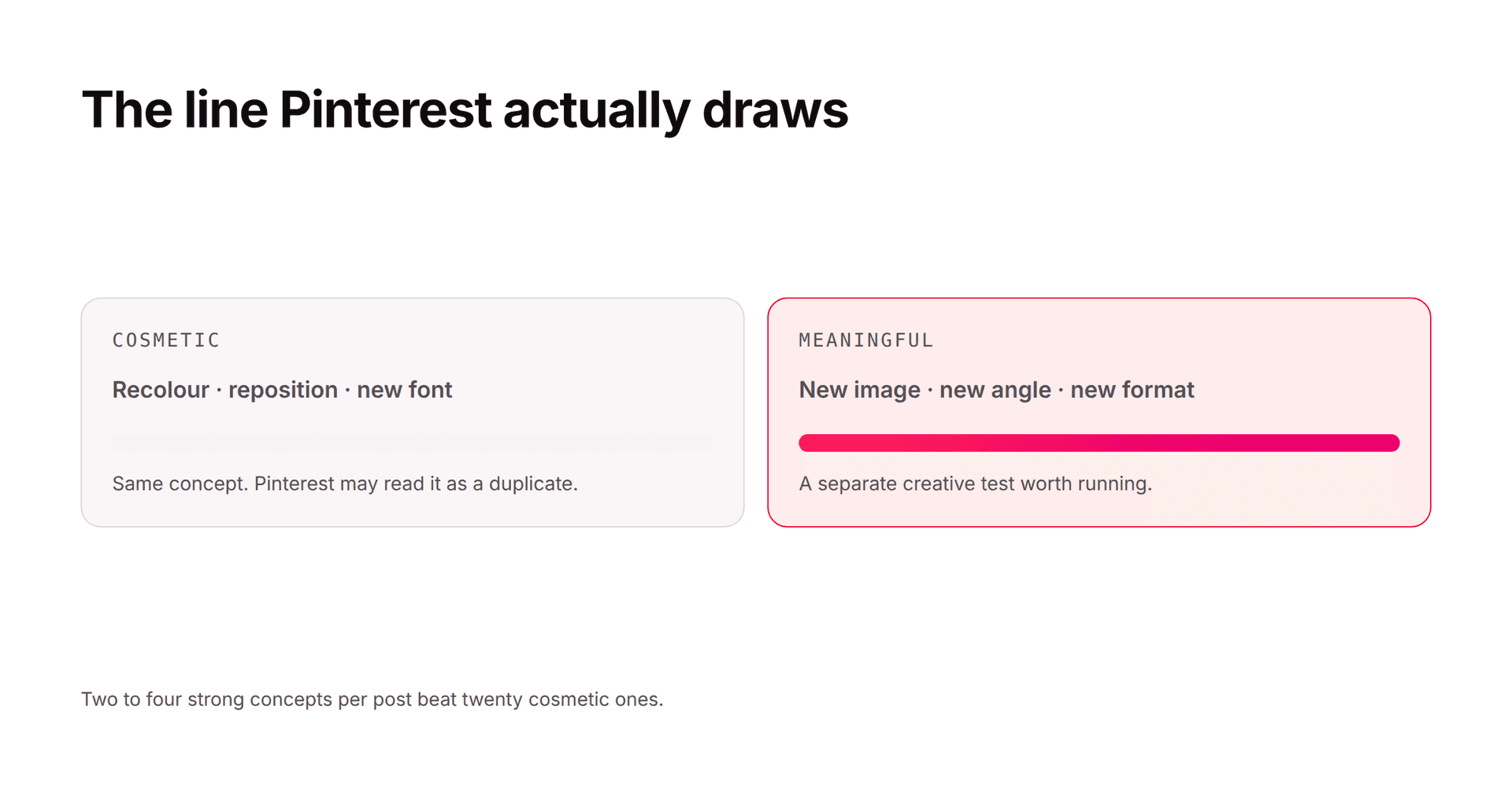
The line between "meaningful" and "cosmetic" is the only one that matters, and here's the test that settles it: would a reader who already saw the first pin learn something new from the second? If yes, it's a concept. If no, it's decoration.
Can fresh pins use the same URL?
Yes. This is the single most common confusion, and the answer is an unambiguous yes.
Creating new, useful creative for an existing destination is normal practice. The page has to keep fulfilling the promise, and each concept should give a real reason to see the subject differently.
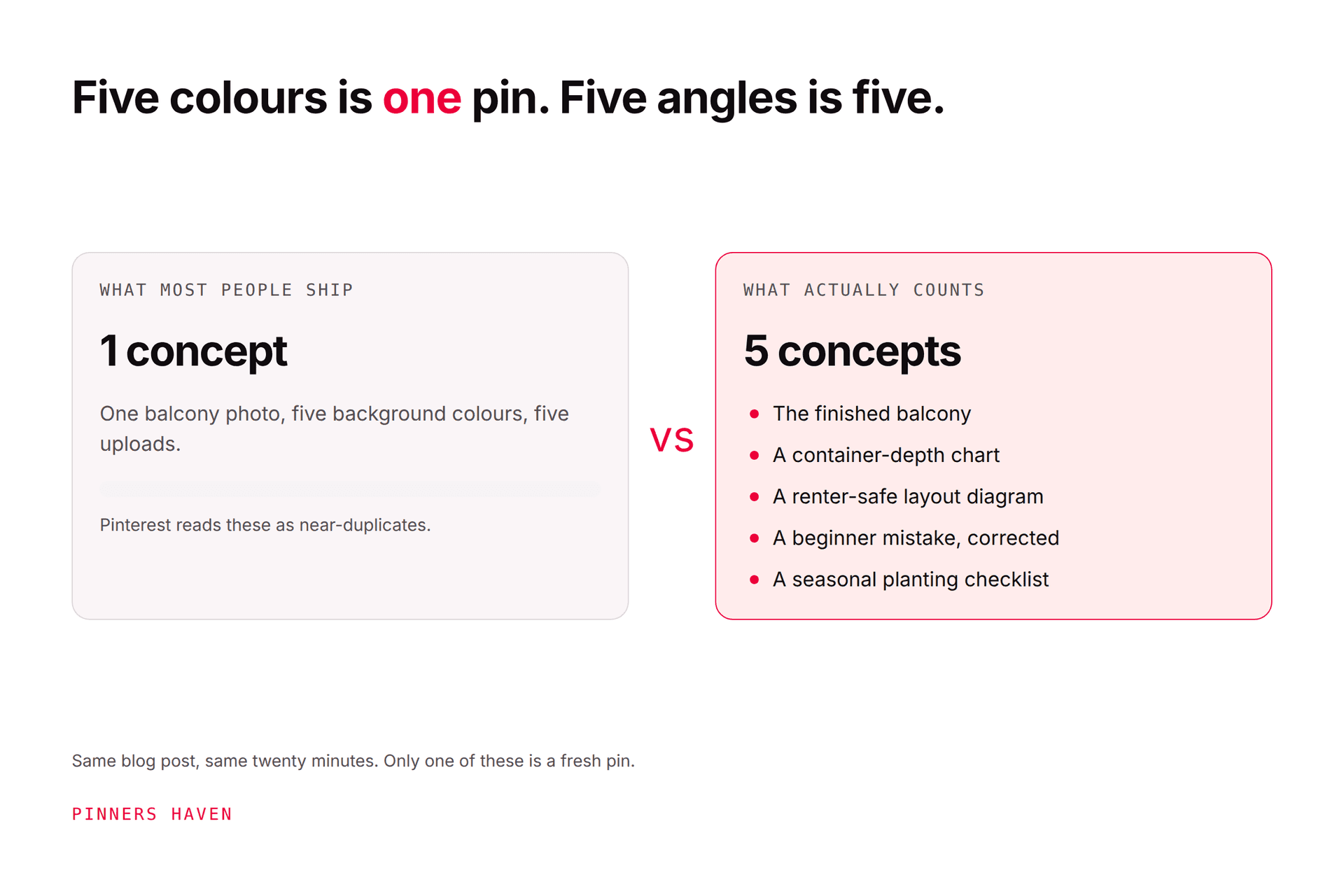
Take a balcony-garden guide. Five genuinely different concepts:
the finished small balcony
a container-depth chart
a renter-safe layout diagram
a common beginner mistake, and the correction
a seasonal planting checklist
Each one attracts a different search and answers a different question. Now compare that with five colour versions of the same photo and headline. Same file count, completely different value, and only one of those approaches builds keyword surface.
What makes creative meaningfully different
Change the communication job, not the decoration.
Visual evidence
A different owned photograph, a new angle, a crop that carries new information, a diagram, a before-and-after, an original video sequence.
The reader's promise
Move from broad inspiration to a specific task: measurements, materials, mistakes, steps, comparison, printable.
Information structure
A checklist, a labelled diagram, a side-by-side comparison, and a finished result should not share one layout. Let the content pick the design, not the template.
Audience or constraint
A truthful adaptation for renters, beginners, small spaces, a climate, or a budget can justify both a new page section and new creative.
The destination has to support the constraint, though. Swapping "homeowners" for "renters" on the pin while the page describes permanent construction isn't a fresh angle — it's a deceptive one, and that's a policy problem rather than a creative one.
A sustainable fresh-pin workflow
1. Start with proven destinations
Pages that are still accurate, still serve demand, and produce useful site behaviour. Repair thin or broken pages before you pin to them; new creative pointing at a bad page just distributes the disappointment more widely.
2. Write concept briefs
For each destination, record two or three distinct promises, the visual evidence for each, the relevant board, and the success metric. Stop when the ideas turn cosmetic — that's the signal you've exhausted the page, not a cue to start recolouring.
3. Create and review
Check image rights, facts, text legibility, the link, the board, disclosures, product availability, and the mobile destination. Pinterest's creation guide says to review design, title, cover image, tags, and link before publishing.
4. Space approved pins
Publish at a pace your content library can actually support. Sending near-identical pins to many boards in a burst is the single most reliable way to get the duplicate flag described in the flagged-as-spam guide.
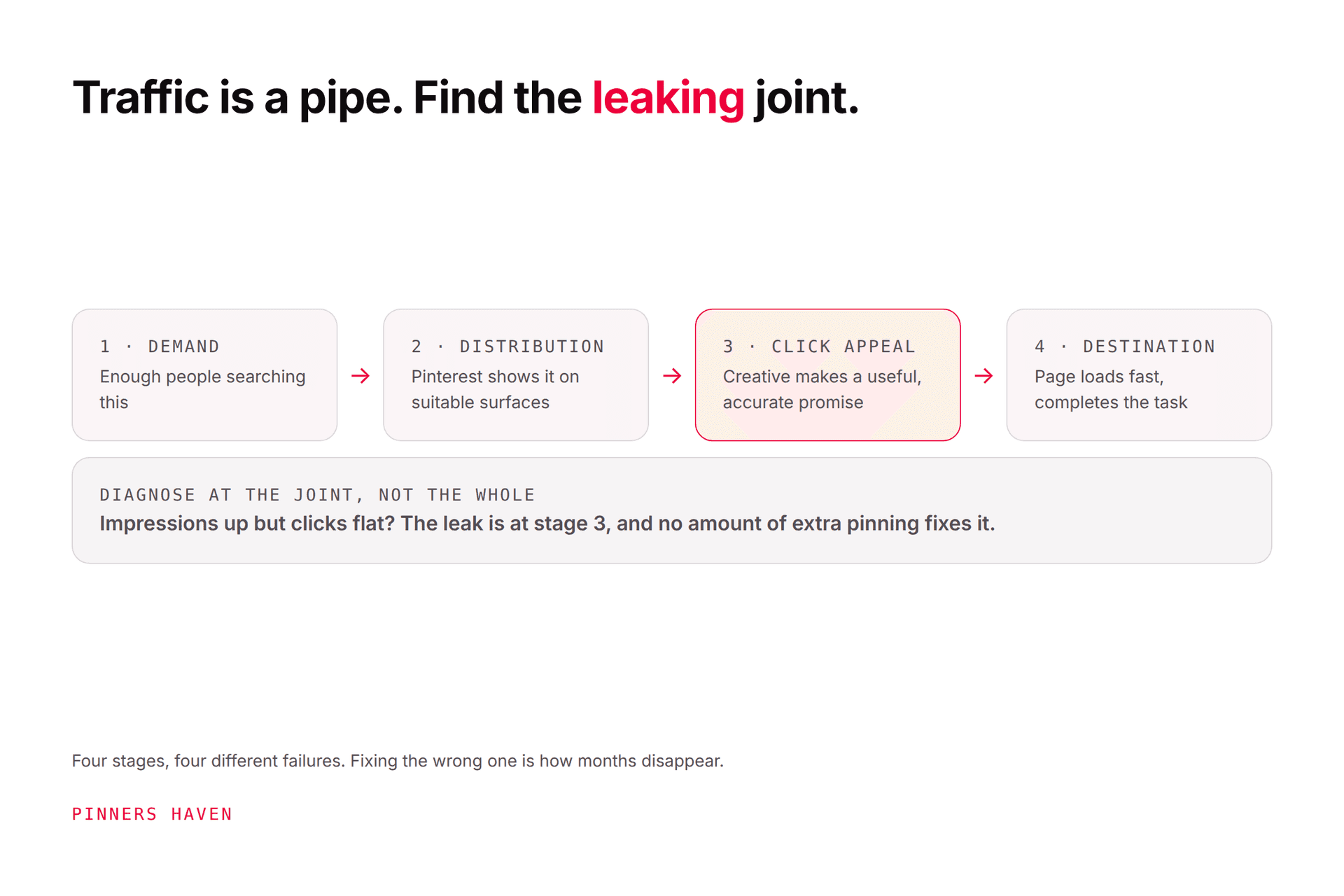
5. Read results as a funnel
Compare impressions, saves, pin clicks, outbound clicks, site engagement, and conversion. Our Pinterest traffic guide covers which stage to fix when the numbers disagree.
The part that breaks at scale
Everything above works fine for one blog post. It falls apart at forty.
The failure isn't laziness. It's that templates wear out invisibly. You build a layout that performs, you reuse it because it works, and somewhere around the eighth or tenth use it stops working, but you don't find that out for weeks, because reach decays gradually rather than falling off a cliff. By the time it's obvious, you've published thirty more pins on a spent design.
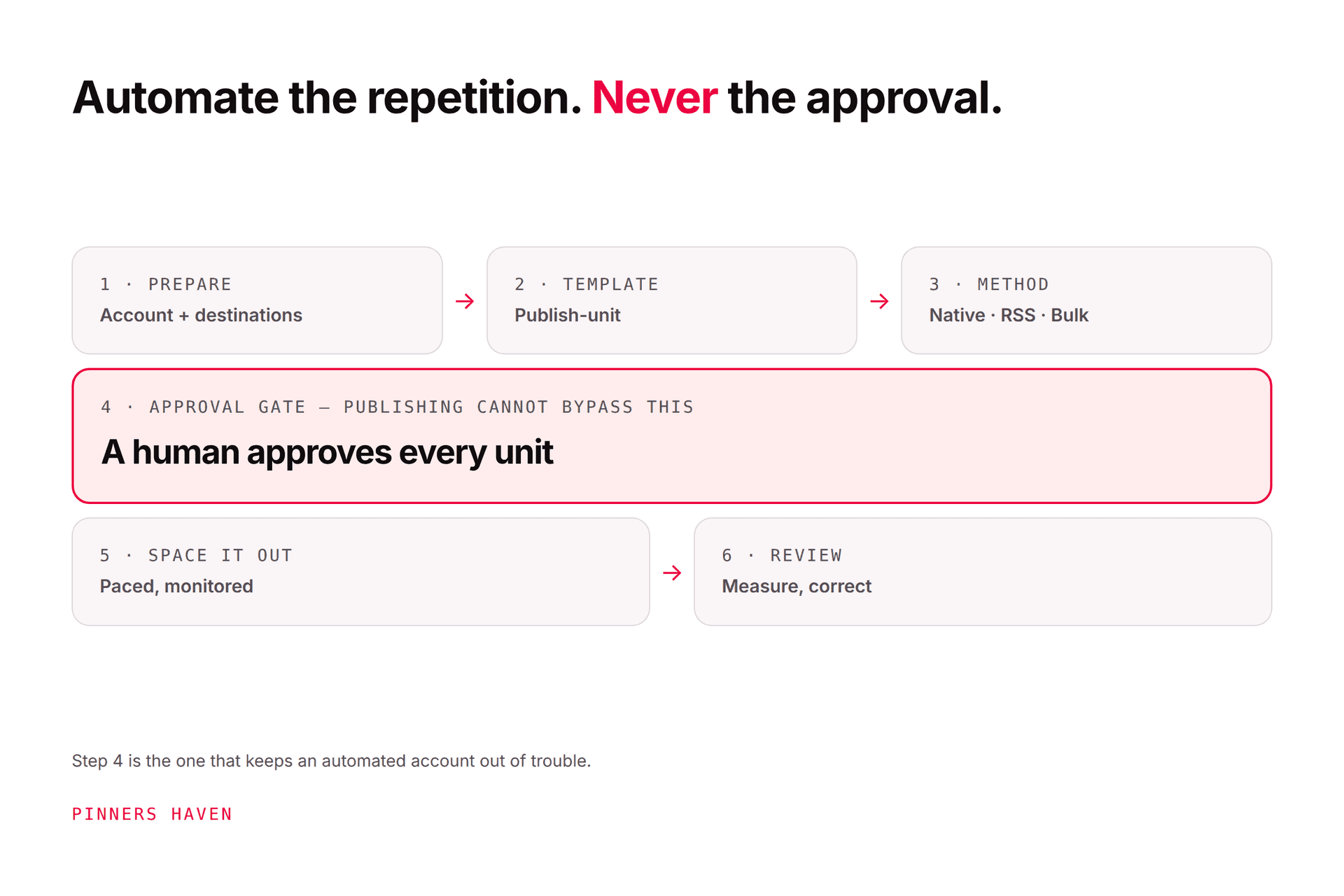
This is exactly the problem the Freshness Meter in Pinners Haven exists to solve. It tracks wear on each template, and retires a design automatically after roughly five to ten uses, rotating a fresh one in before your reach takes the hit. The rest of the system runs the workflow above: it writes a title per angle across twenty angles for a topic, generates three to five unique description variations rather than reusing copy, and designs original images so the duplicate pattern never gets created.
To be precise about the claim, because this article is about precision: that's a creative-hygiene mechanism, not a freshness score. Pinterest still doesn't publish one. What the meter prevents is the specific, documented risk — duplication and sameness — rather than gaming a metric that doesn't exist.
→ See how the Freshness Meter works
(Disclosure: we make Pinners Haven. We're not affiliated with Pinterest.)
Five fresh-pin myths
"Every new upload is automatically original"
Re-uploading a duplicate file doesn't make the creative new. The file is new; the concept isn't, and the concept is what's being evaluated.
"A different description creates a fresh pin"
Copy improves context and it genuinely matters for search. But text metadata alone doesn't convert a duplicate asset into a new creative concept.
"Fresh pins always outrank old pins"
Pinterest says pins can gain engagement hours, days, months, or years after publication. Newness doesn't override relevance, demand, engagement, or season. Some of your best-performing pins this year will be ones you published two years ago.
"More fresh pins always mean more traffic"
Output can climb while outbound clicks fall. Weak topics, repeated promises, and poor destinations don't improve just because the files are new. This is the trap in volume-first advice.
"Repinning is forbidden"
It isn't. Saving useful content and creating original content are different activities. The risk lives in repetitive, irrelevant, manipulative, or spam-like behaviour, not in the existence of a Save button.
Pinterest's Community Guidelines are the controlling source on spam, manipulation, authenticity, and destination requirements. When folklore and that page disagree, the page wins.
Frequently asked questions
What counts as a fresh pin on Pinterest?
Genuinely new creative: a new image, video, diagram, composition, or concept. Pinterest's guidance focuses on original content and avoiding duplicates rather than any published freshness test, so treat it as a creative standard rather than a technical threshold.
Can I make several pins for one blog post?
Yes, when each is materially different and the page fulfils every promise. Two to four strong concepts are far more defensible, and usually more effective — than dozens of cosmetic variations.
How often should I publish fresh pins?
Pinterest recommends original content weekly. There's no guaranteed daily quota, and chasing one is how people end up publishing faster than they can create. Pick a pace you can research, make, review, and measure — how often to pin on Pinterest works out that number from the size of your library.
Should I delete old pins when I publish new ones?
Not just because they're old. Pinterest says pins may gain activity much later, so deleting quiet pins destroys a long tail that might still pay out. Remove content that's inaccurate, unsafe, duplicated, or broken.
Can AI create fresh pins?
It can produce new files, and file novelty isn't the bar. Review originality, rights, facts, visual defects, labels, destination fit, and policy compliance before anything publishes. The Pinterest automation guide covers doing this without tripping the duplicate rules, and what "AI modified" means covers Pinterest's labelling.
How many pins can I safely make from one page?
There's no published number, so work backwards from concepts instead of counts. If you can brief six genuinely distinct promises for a page, six pins is defensible. If you can brief two, publishing twelve means ten of them are decoration, and that's the pattern that draws duplicate flags.
Original beats cosmetically new
The question to ask isn't "will Pinterest think this file is fresh?" It's whether the creative gives a reader a new, accurate reason to care.
If it does, you don't need to worry about the folklore. If it doesn't, another colour palette was never going to fix it.