Signing up gives you 14 days of full access. No credit card. Not a card held for later, not a card you cancel before you're billed — the signup form never asks for one, so there is nothing to charge and nothing to cancel.
This page covers the whole first run: creating the account, activating it, and what changes on day 15.
1. Create your account
Go to the signup page and fill in four fields: Full name, Email, Password, and Confirm password.
The password rules are listed under the field and tick off as you type:
At least 12 characters
An uppercase and a lowercase letter
A number
All three have to go green before Create account will work. Once they have, a Password Strength meter appears under them.
Press Create account.
2. Verify your email — this is the step that starts your trial
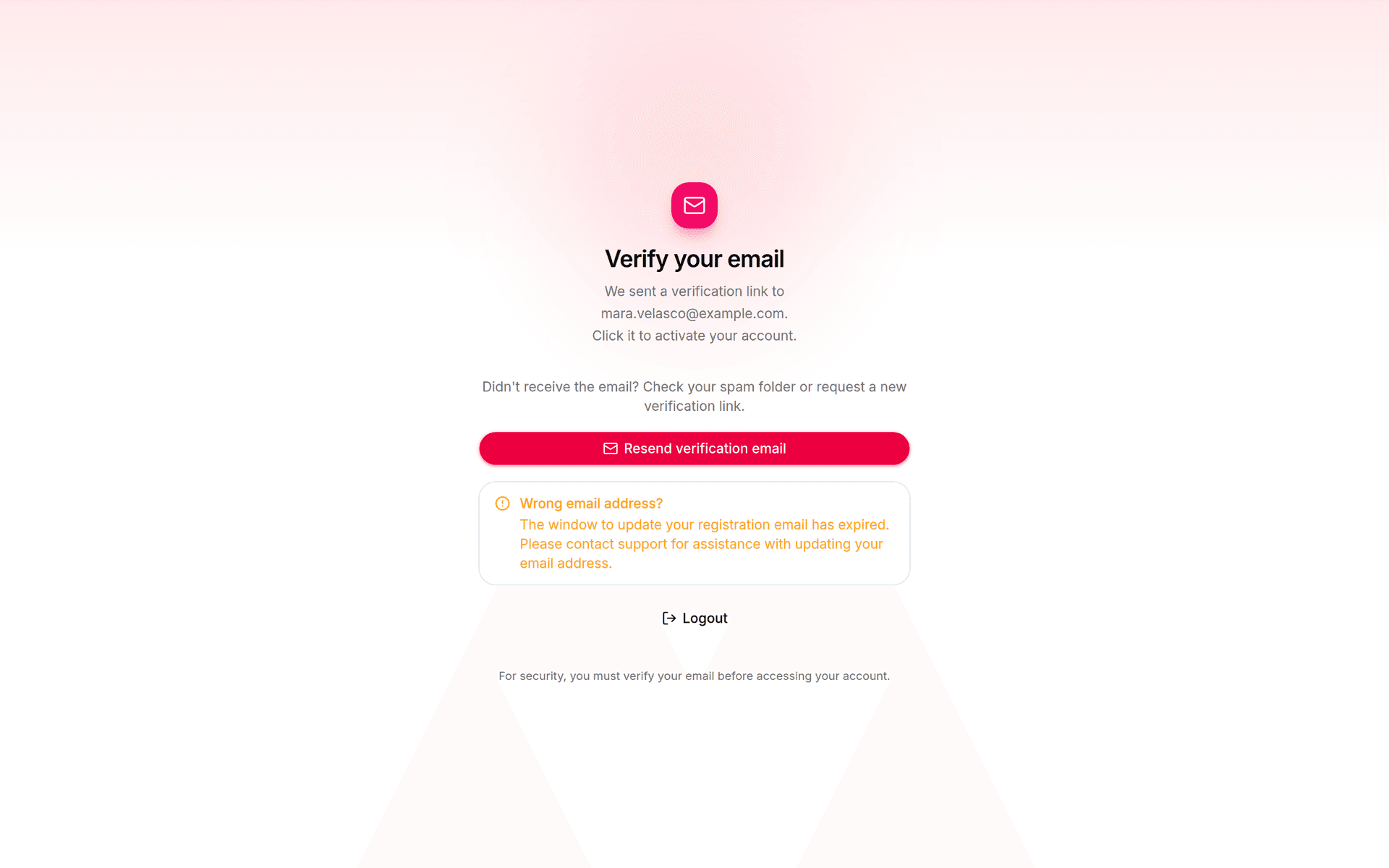
You'll land on a screen headed Verify your email:
We sent a verification link to [your address]. Click it to activate your account.
Open your inbox and click the link.
If the email hasn't arrived, check your spam folder, then press Resend verification email.
3. Your dashboard, and the six steps
Once verified you land on the dashboard. The Get started panel tracks six steps and shows how many you've done — 0/6 on day one.
The six, in the order the app lists them:
Get started
1
Create your first project.
One project per website; it holds that site's boards, pins and AI setup. See Create your first project.
2
Connect a Pinterest account.
Links Pinterest so the app can publish pins on your behalf. See Connect Pinterest.
3
Add your AI key.
Pin titles, descriptions and images are generated with your own AI key, at your provider's price; Pinners Haven adds no markup. See Get an AI key, or the full OpenAI setup.
If you've added a key but it can't write right now, step 3 reads Check your AI key instead, with a Review key button.
Below the checklist, Needs you lists anything blocking you, grouped by what you do rather than by project. Troubleshooting explains every message it can show. On a new account the critical one is Add an AI API key — and as the app puts it, "You only need to do this once — every project can share the same key."
You'll see a Free trial notice — "Your trial ends" followed by the date — the plan named Solo and marked Trialing, and your usage so far. There's no Manage payment button, because there's no payment method to manage. Change plan is there if you want to pick a paid plan before the trial ends; you don't have to.
Concretely, during the trial you get:
Solo-scale limits — 3 projects and 900 pins a month.
The Operator feature set — Freshness Meter, Aggregate Analytics and Keyword Tracking all read "Included in your plan". Only Priority Publishing Queue is held back; its tile reads "From Portfolio".
Publishing switched on. Pins actually go live on Pinterest during the trial.
5. What happens on day 15
Your account moves to the free plan. Nothing is charged, because there is no card on file to charge.
The free plan is a standing plan, not a lapsed trial. What that means:
Your work stays. Projects, pins, boards and history are all still there. Nothing is deleted at the end of the trial.
New pins stop, and so does publishing. The free plan card puts it plainly: "Keep your projects, pins and history. Creating and publishing new pins needs a paid plan." Your dashboard says so at the top — "Your pins are ready. Pinterest isn't seeing them." — followed by "Your projects, pins and history are all still here." If you try to publish anyway, the app tells you publishing needs a paid plan.
Both resume the moment you're on any paid plan — from $23/mo — and pick up the projects and pins you already have. Free vs paid compares the plans, and Billing covers changing plan.
About the trial
Will I be charged when the trial ends?
No. There's no card on file, so there's nothing to charge. The account moves to the free plan on its own.
Do I need to cancel?
No. Nothing was ever set up to bill you, so there's nothing to cancel.
What does the AI key cost me?
You pay your provider directly at their rates. For OpenAI the app's own figure, measured on real pins, is "about $0.36 per pin with images, so about $11 a month for every pin a day you post." Pinners Haven takes no cut. The breakdown is in Set up your OpenAI key.
Can I keep using it for free forever?
Yes, as a place to keep what you built. Your projects, pins and history stay, but the free plan doesn't create or publish new pins. Pick any paid plan when you want them going out again.
Did this get you unstuck?
One tap. It tells us which article to re-verify next.
Verified October 2026
Every screenshot here was re-captured against the shipping app, and each UI string was re-checked on the real screen.