Pinners Haven vs Tailwind: An Honest Comparison
Straight disclosure: we make Pinners Haven. This isn't a neutral lab test and we won't pretend otherwise. What we will do is give you the real numbers on both sides, including the three places Tailwind genuinely beats us. You came for a straight answer, not a pitch.
Joe Nyambura
Founder & operator, Pinners Haven · August 18, 2026
On this page23 sections
- At a glance
- Where Tailwind genuinely wins
- It does more than Pinterest
- It's cheaper to start, and its free tier keeps publishing
- It's an official Pinterest Marketing Partner
- It's mature
- Where Pinners Haven wins
- The pins get made, not just scheduled
- Cost per pin, not cost per month
- Accounts, if you run more than a couple
- The Freshness Meter
- It tells you when reach breaks
- BYOK, with no markup
- Pricing compared
- Is Tailwind safe for Pinterest?
- Which should you choose?
- Frequently asked questions
- Is Tailwind worth it in 2026?
- Does Tailwind have pin limits?
- What's the best alternative to Tailwind?
- Is Pinners Haven safe for my Pinterest account?
- Can I use both?
- Do unused pins roll over?
Straight disclosure: we make Pinners Haven. This isn't a neutral lab test and we won't pretend otherwise. What we will do is give you the real numbers on both sides, including the three places Tailwind genuinely beats us. You came for a straight answer, not a pitch.
Tailwind is cheaper to start and covers Instagram and Facebook as well as Pinterest. From the Solo plan up, Pinners Haven costs less than half as much per pin, runs up to 25 Pinterest accounts against Tailwind's ceiling of three, and generates the pin copy and designs rather than scheduling ones you already made. If you post to several networks from one dashboard, stay with Tailwind. If you're Pinterest-first and the bottleneck is making the pins, that's the switch worth making.
That's the whole verdict. The rest of this page is the receipts.
At a glance
All figures checked 7 August 2026. Tailwind is currently running more than one pricing structure — see the pricing section, so confirm against your own account page.
Tailwind | Pinners Haven | |
|---|---|---|
Best for | Multi-network posting, one or two brands | Pinterest-first operators and portfolios |
Entry price | $0 free tier, then $17.99/mo annual | $19/mo annual |
Top tier | Max, $49.99/mo — unlimited posts | Portfolio, $291/mo — 30,000 pins |
Cost per pin | ~$0.12 (Pro: 150 posts / $17.99) | ~$0.05 (Solo: 900 pins / $41) |
Pinterest accounts | 1 / 2 / 3 max | 3 / 25 / 50 |
What it counts | Posts you already designed | Pins it generates for you |
Writes SEO copy per pin | No | Yes — title + 3–5 descriptions |
Designs the images | Templates via Tailwind Create | Original design per pin |
Template-wear tracking | No | Yes — Freshness Meter |
Reach-drop alerting | No | Yes — email at your threshold |
Other networks | Instagram, Facebook | Pinterest only |
Trial | Free forever tier, no card | 14 days, no card, then a free plan with publishing paused |
Pinterest partner status | Pinterest Marketing Partner | Building toward Trusted Partner |
Two of those rows are losses for us in bold. We'll get to them.

Where Tailwind genuinely wins
Most "alternative" posts bury this part or skip it. It's the part you actually need.
It does more than Pinterest
If your real job is posting to Instagram and Facebook as well as Pinterest from one place, Tailwind covers that and we don't. Pinners Haven is Pinterest-only by design, and that's a deliberate trade, not a roadmap gap. One dashboard for three networks has genuine value, and if that's your workflow, this comparison is already over.
It's cheaper to start, and its free tier keeps publishing
Tailwind has a Free Forever tier — 5 posts a month, one account, no credit card. Paid starts at $17.99/mo annual.
Our trial is 14 days and needs no card either, but when it ends you move to a free plan where publishing pauses until you pick a paid plan, from $19/mo annual. If you want to keep a few pins going out for nothing, month after month, Tailwind's free tier is genuinely the lower-friction way in. That's a real advantage and we're not going to spin it.
It's an official Pinterest Marketing Partner
Tailwind holds Pinterest Marketing Partner status. We don't — we're architected around Pinterest's API rules and building toward Trusted Partner status, which is not the same thing and we won't blur it.
If formal partner status is a requirement for you, that's a legitimate reason to choose Tailwind, and anyone in our category who tells you otherwise is selling.
It's mature
Years in market, a large user base, a polished scheduler, and Tailwind Create for design. It's a known quantity, and there's real value in that.
Stay with Tailwind if: you post across multiple networks, you're happy in the workflow, and the caps aren't biting. Genuinely — there's no reason to switch, and we'd rather say so than waste your afternoon.
Still here? Then the next section is written for you.
Where Pinners Haven wins
The pins get made, not just scheduled
This is the actual dividing line, and everything else follows from it.
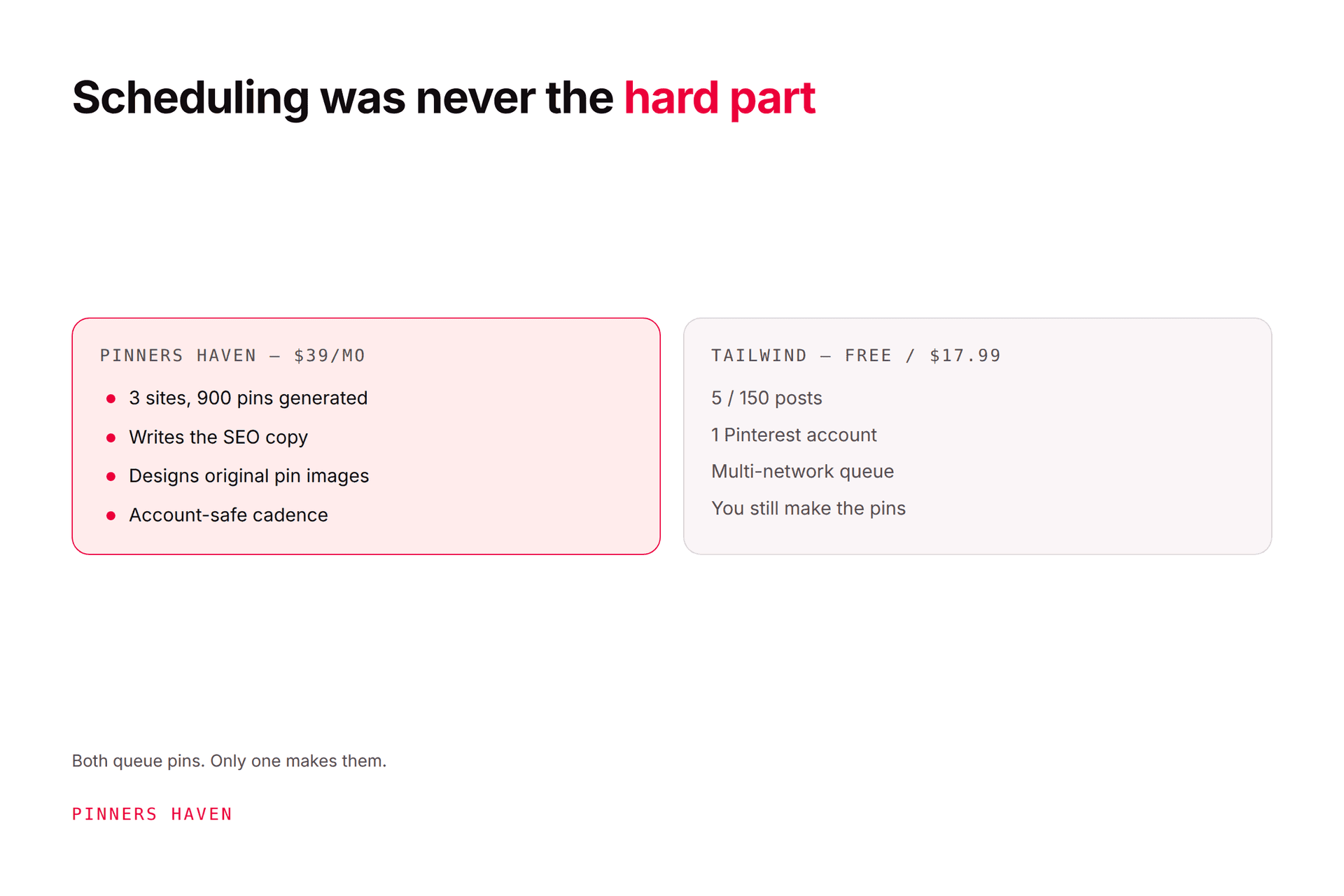
A scheduler queues the pins you already made. You still open a design tool, swap a photo, recolour, resize to 1000×1500, write a keyword title, write a description, pick a board, then repeat that four more times for one blog post. Tailwind's job starts after all of that.
Pinners Haven does that part. You bring a URL and the keywords you want to rank for; it picks the angle, writes the SEO title and three to five unique descriptions, designs an original image, adds alt text, and queues it for your approval. Nothing publishes until you say so.
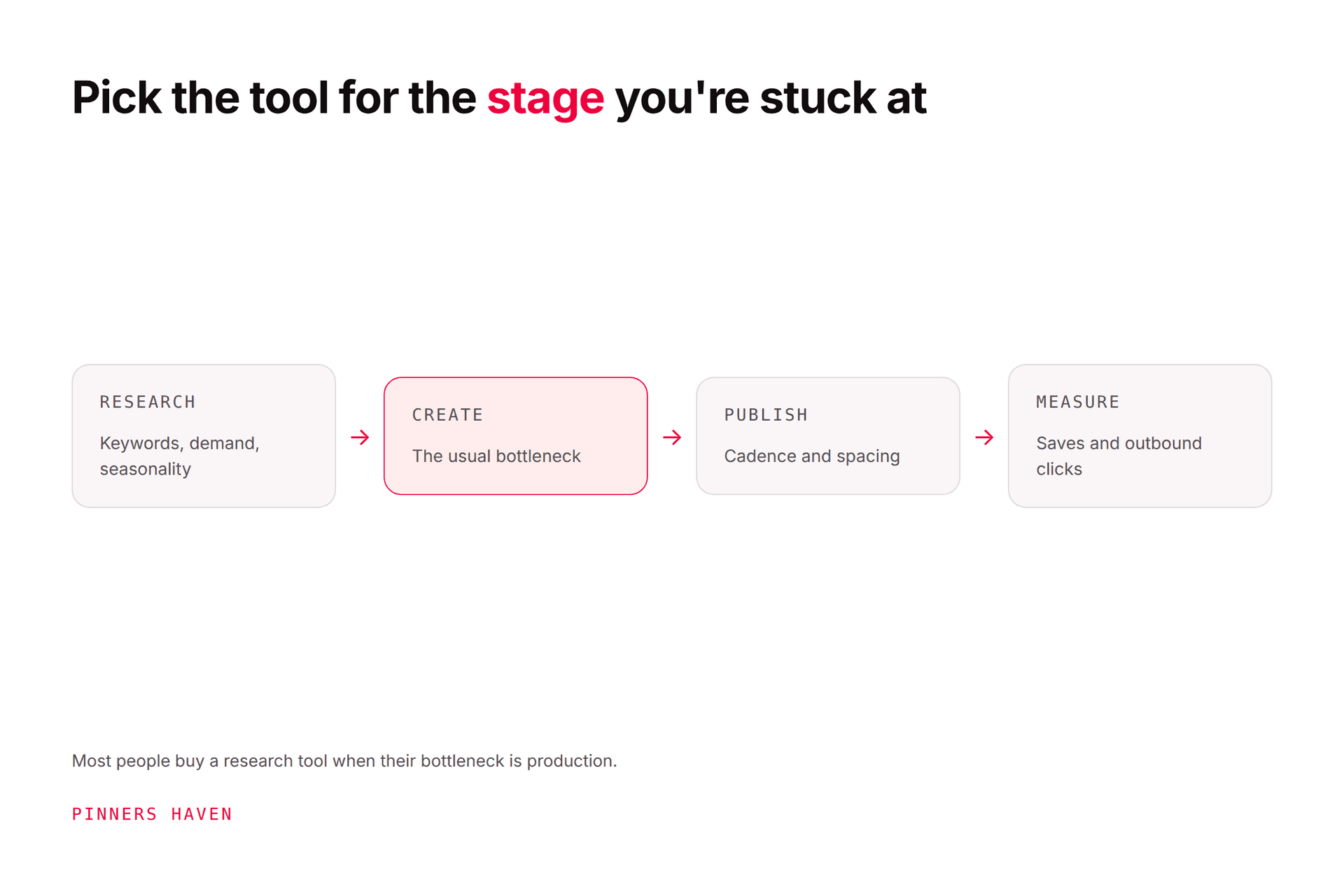
If your bottleneck is "I don't have time to schedule," a scheduler fixes it. If your bottleneck is "I can't produce enough good pins to schedule," a scheduler doesn't help at all. Be honest with yourself about which one you have — it decides this comparison.
Cost per pin, not cost per month
Sticker price favours Tailwind. Cost per pin doesn't.
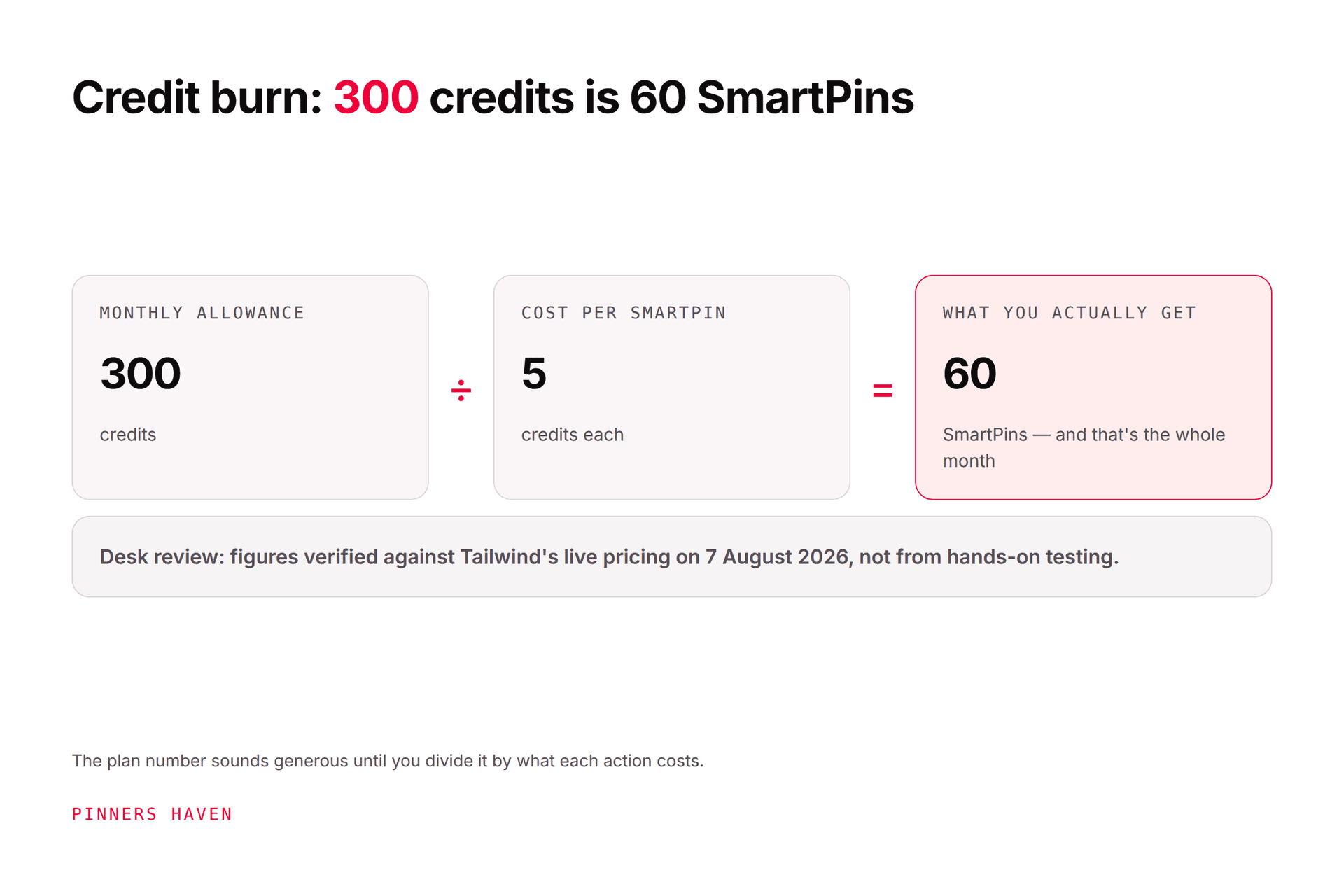
Tailwind Pro: $17.99/mo for 150 posts = ~$0.12 per post
Pinners Haven Solo: $41/mo for 900 pins = ~$0.05 per pin
And Tailwind's 150 posts are shared across Instagram, Pinterest and Facebook, so if you're using all three, your Pinterest allocation is a fraction of that. Ours are all Pinterest.
The honest caveat: Tailwind Max is $49.99/mo for unlimited posts. If raw uncapped scheduling volume is what you're buying, Tailwind wins outright on price and we won't pretend otherwise. What Max doesn't give you is 25 Pinterest accounts or a single line of written copy.
Accounts, if you run more than a couple
Tailwind tops out at 3 Pinterest accounts on its most expensive tier. Operator runs 25 for $124/mo. Portfolio runs 50.
For a single blog this is irrelevant. For anyone running a portfolio of niche sites, it's disqualifying — you'd need nine Tailwind Max subscriptions to match one Operator plan on account count, at $449.91/mo, and you'd still be designing every pin yourself.
The Freshness Meter
Every template is good for roughly 5–10 pins before reuse starts dragging your reach down, and the decline is gradual enough that you don't notice until you've published thirty more on a spent design.
Pinners Haven tracks wear per template and auto-retires each one, rotating in a fresh design before the hit lands. We haven't found this anywhere else, Tailwind included. Our fresh pins guide covers why the underlying problem is real and where the folklore around it isn't.
It tells you when reach breaks
Pinners Haven tracks each account's reach week over week and emails you when it falls off a cliff, at a threshold you set.
That sounds small until you've spent a fortnight reconstructing when a drop started from memory. Our impressions-dropped guide is essentially a manual for doing this by hand: the alert just means you start on day one instead of week five.
BYOK, with no markup
Generation costs money per image. Rather than bundling it and marking it up, you paste in your own AI provider key and pay them directly, with a hard monthly cap you set. Usually a few dollars a month. Your subscription is the only thing we charge for.
The trade-off, stated plainly: it's one extra setup step — make a free provider account, generate a key, paste it in. Two minutes, no code, but it is a step Tailwind doesn't ask of you.
Pricing compared
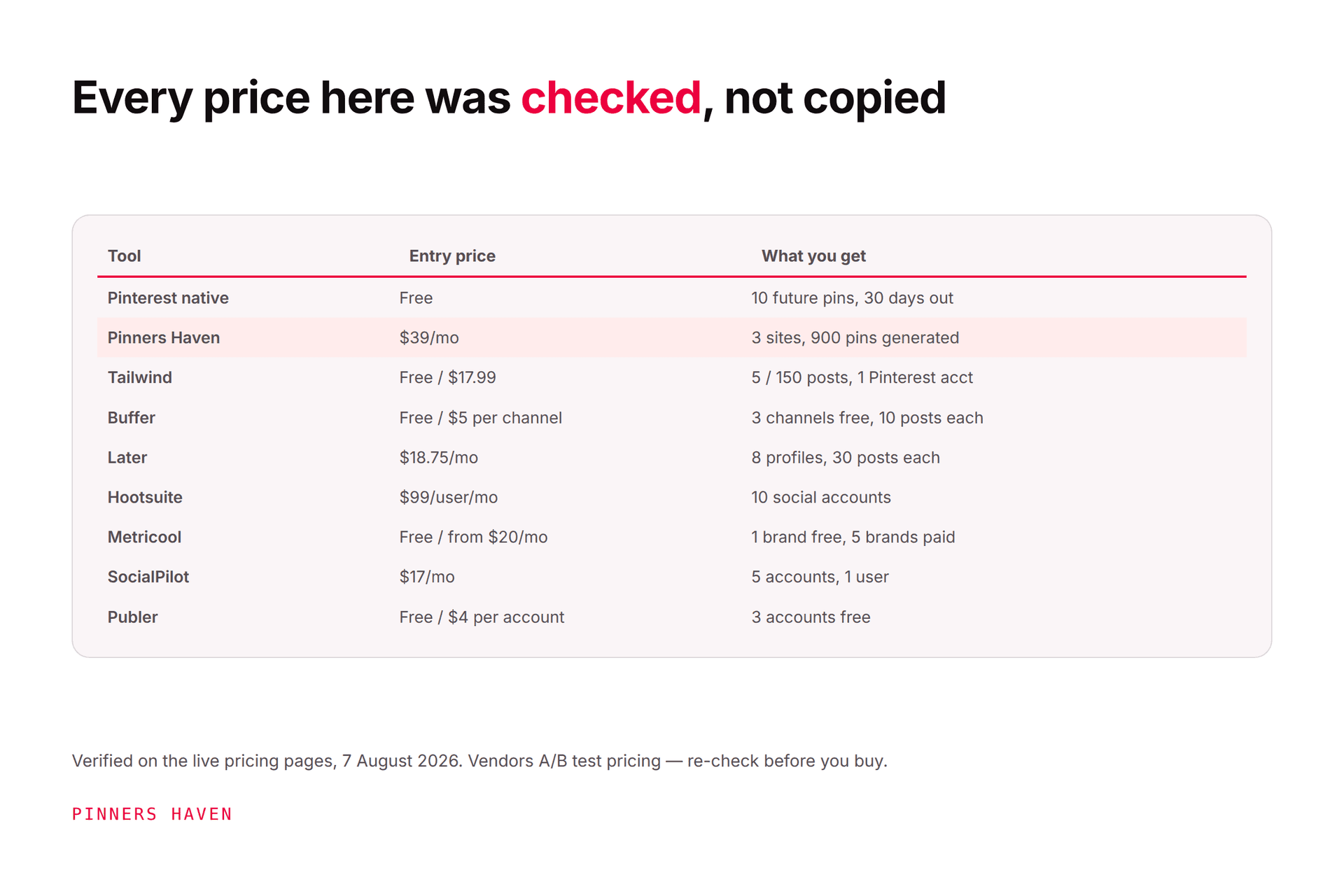
Tailwind (checked 7 Aug 2026; structure varies by page variant)
Plan | Annual | Monthly | Posts/mo | Pinterest accts |
|---|---|---|---|---|
Free Forever | $0 | $0 | 5 | 1 |
Pro | $17.99 | $29.99 | 150 | 1 |
Advanced | $29.99 | $54.99 | 300 | 2 |
Max | $49.99 | $99.99 | Unlimited | 3 |
Posts are shared across Instagram, Pinterest and Facebook. Tailwind was also serving an unbundled variant on the same day — Pin Scheduling & Creation at $17.99, Pinterest SEO at $11.99, Pinterest Engagement at $11.99, bundled at $29.98, so check what your account actually shows.
Pinners Haven (checked 7 Aug 2026)
Plan | Annual | Sites | Pins/mo |
|---|---|---|---|
Starter | $19 | 1 | 120 |
Solo | $41 | 3 | 900 |
Operator | $124 | 25 | 11,250 |
Portfolio | $291 | 50 | 30,000 |
Monthly billing is 20% higher. Plus your own AI provider costs, typically a few dollars.
The honest summary: if you're on Tailwind's free or lowest tier and it covers you, the math does not favour switching. If you're running more than three Pinterest accounts, or your real constraint is producing the creative rather than queuing it, it does, and by a wide margin on both.

Is Tailwind safe for Pinterest?
Yes. Tailwind is an official Pinterest Marketing Partner and scheduling through it is safe.
Worth being clear here, because "is this tool safe" questions attract a lot of vendor scaremongering: the ban risk on Pinterest comes from aggressive behaviour — bulk-blasting identical pins, link spam, bought engagement, auto-follow bots, not from approved schedulers. Tailwind doesn't do those things. Neither do we.
Our own safety design: official OAuth so your password is never stored, gradual account warm-up, paced human-like publishing, and zero auto-follow, auto-like or auto-comment. Nothing publishes without your approval. But no tool can promise you'll never be actioned, and we don't. If you want the full picture, our flagged-as-spam guide covers what actually triggers enforcement.
Which should you choose?
Choose Tailwind if:
you post to Instagram or Facebook as well as Pinterest
you want a free tier that keeps publishing
you run three or fewer Pinterest accounts
unlimited raw scheduling volume at $49.99 is what you're buying
formal Pinterest Marketing Partner status matters to you
Choose Pinners Haven if:
you're Pinterest-first
your bottleneck is creating pins, not scheduling them
you run more than three Pinterest accounts
you want SEO copy and original designs generated per pin
you want to be told when reach breaks instead of finding out in month two
If that second list is you:
→ Start free for 14 days — from $19/mo billed annually. No card needed; when the trial ends, publishing pauses until you pick a plan.
Frequently asked questions
Is Tailwind worth it in 2026?
If you're multi-network and not hitting caps, yes — it's mature, it's a Pinterest partner, and the free tier costs nothing to test. It's a weaker fit if you're Pinterest-only, running several accounts, or your real problem is producing pins rather than scheduling them. Our full Tailwind review goes deeper.
Does Tailwind have pin limits?
Yes, on every tier except Max. Free is 5 posts a month, Pro 150, Advanced 300, Max unlimited, and those totals are shared across Instagram, Pinterest and Facebook, which catches people out. Checked 7 August 2026.
What's the best alternative to Tailwind?
Depends entirely on which part you're replacing — scheduling, design, or analytics are three different products. We've laid out nine options, including several we don't sell, in Tailwind alternatives.
Is Pinners Haven safe for my Pinterest account?
It connects through official OAuth (we never see or store your password), warms accounts up gradually, publishes on a paced cadence, and does no auto-follow, auto-like or auto-comment. You approve everything before it goes out. We're not a Pinterest Marketing Partner — we're building toward Trusted Partner status, and no tool can guarantee you'll never be actioned.
Can I use both?
Yes, and some people reasonably do: Pinners Haven generating and publishing Pinterest, Tailwind handling Instagram and Facebook. If you try it, don't point both at the same Pinterest account on overlapping schedules — that's how you end up with the burst pattern that draws duplicate flags.
Do unused pins roll over?
Ours don't. Check Tailwind's current terms on your own account page, since their plan structure is in flux.