Pinterest for Ecommerce: From Product Pin to Purchase
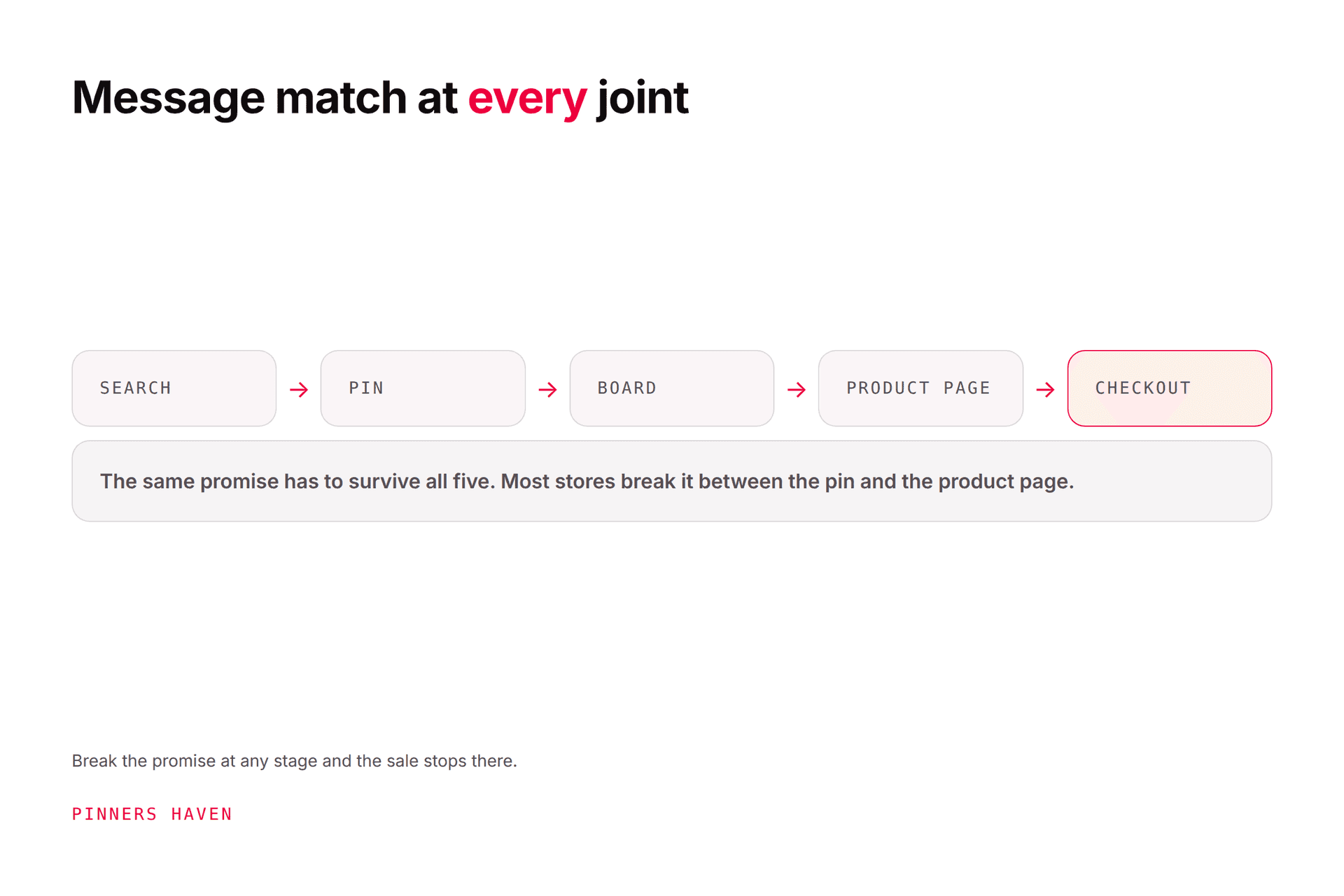
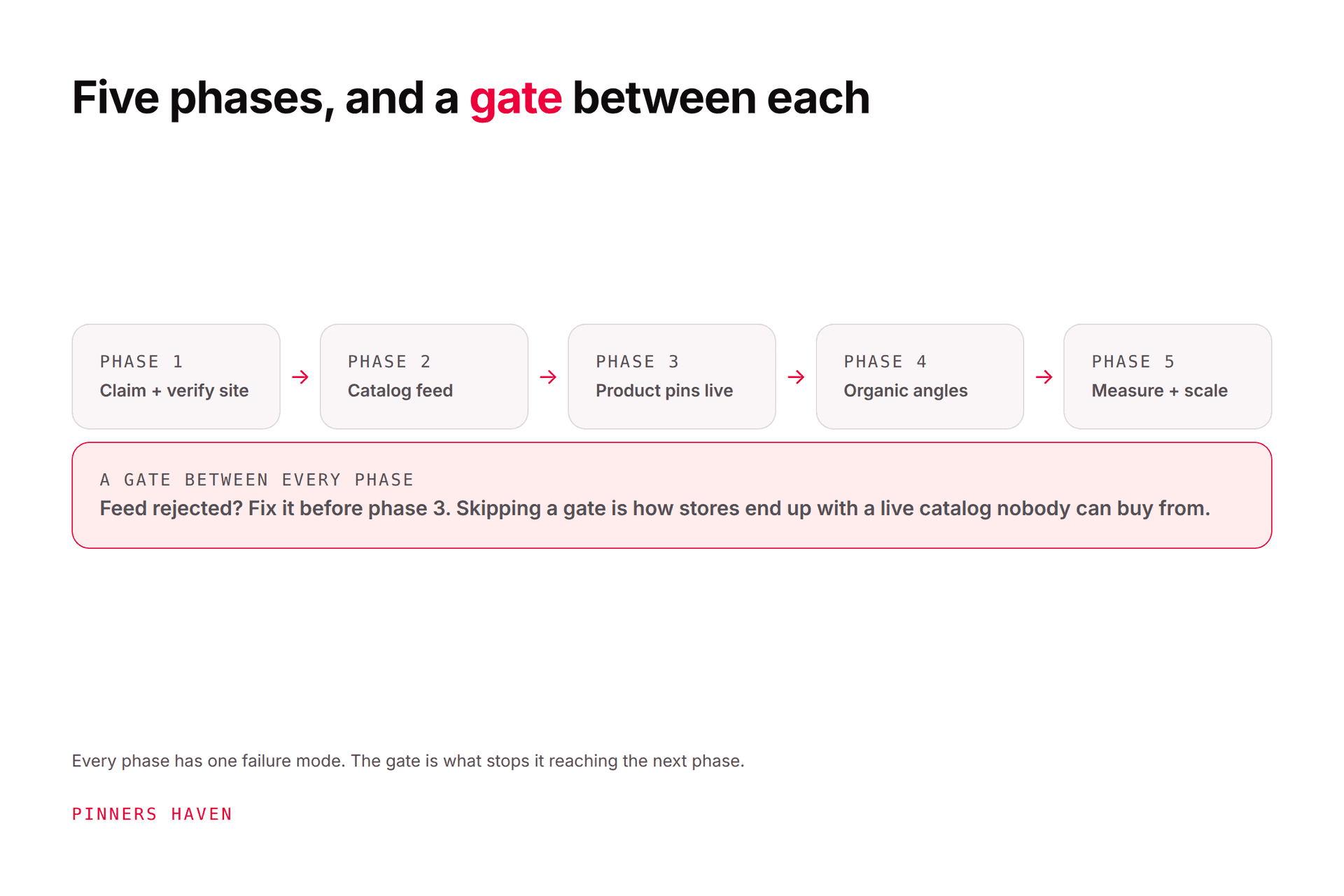
Pinterest ecommerce is a connected system, and the pins are the last part you should build. A merchant-ready store, accurate product data, relevant Product Pins, trustworthy creative, and working conversion measurement — in that order.
Joe Nyambura
Founder & operator, Pinners Haven · August 18, 2026
On this page21 sections
- Phase 1 — merchant readiness
- Claim the domain
- Phase 2 — measurement, before creative
- The Pinterest tag
- Conversions API
- Phase 3 — build and maintain the catalog
- Phase 4 — Product Pins and creative
- Don't publish a wall of pack shots
- Match creative to destination
- Phase 5 — measure the full funnel
- Only then, paid
- Where the organic side breaks
- Ten common ecommerce mistakes
- Frequently asked questions
- Is Pinterest good for ecommerce?
- Do I need a catalog?
- What's the difference between the tag and the Conversions API?
- Can tools update Product Pins automatically?
- Which metric matters most?
- How long before Pinterest drives sales?
- Make the system trustworthy
Pinterest ecommerce is a connected system, and the pins are the last part you should build. A merchant-ready store, accurate product data, relevant Product Pins, trustworthy creative, and working conversion measurement — in that order.
Here's the blunt version: more pins cannot repair stale inventory, a broken mobile checkout, or missing purchase events. Every one of those failures looks identical from Pinterest Analytics (clicks going out, nothing coming back), and every one of them gets worse with more traffic rather than better.
So the sequencing below matters more than any individual tactic in it.
Phase 1 — merchant readiness
Before connecting anything, review your store as a first-time mobile customer:
stable HTTPS pages
clear business and contact information
accurate return, delivery, and privacy policies
current price and stock
high-quality product images
descriptions that match the item
a usable mobile cart and checkout
no prohibited or misleading products
Pinterest's catalog preparation guide states you generally need a business account, a claimed website, a Pinterest tag, and a site meeting merchant guidelines. Catalog availability varies by market, so confirm yours before planning around it.
If the store fails any of these, fix that before adding feed complexity. Feed problems are much harder to diagnose on top of store problems.
Claim the domain
Use Pinterest's claim process via HTML tag, HTML file, or DNS record.
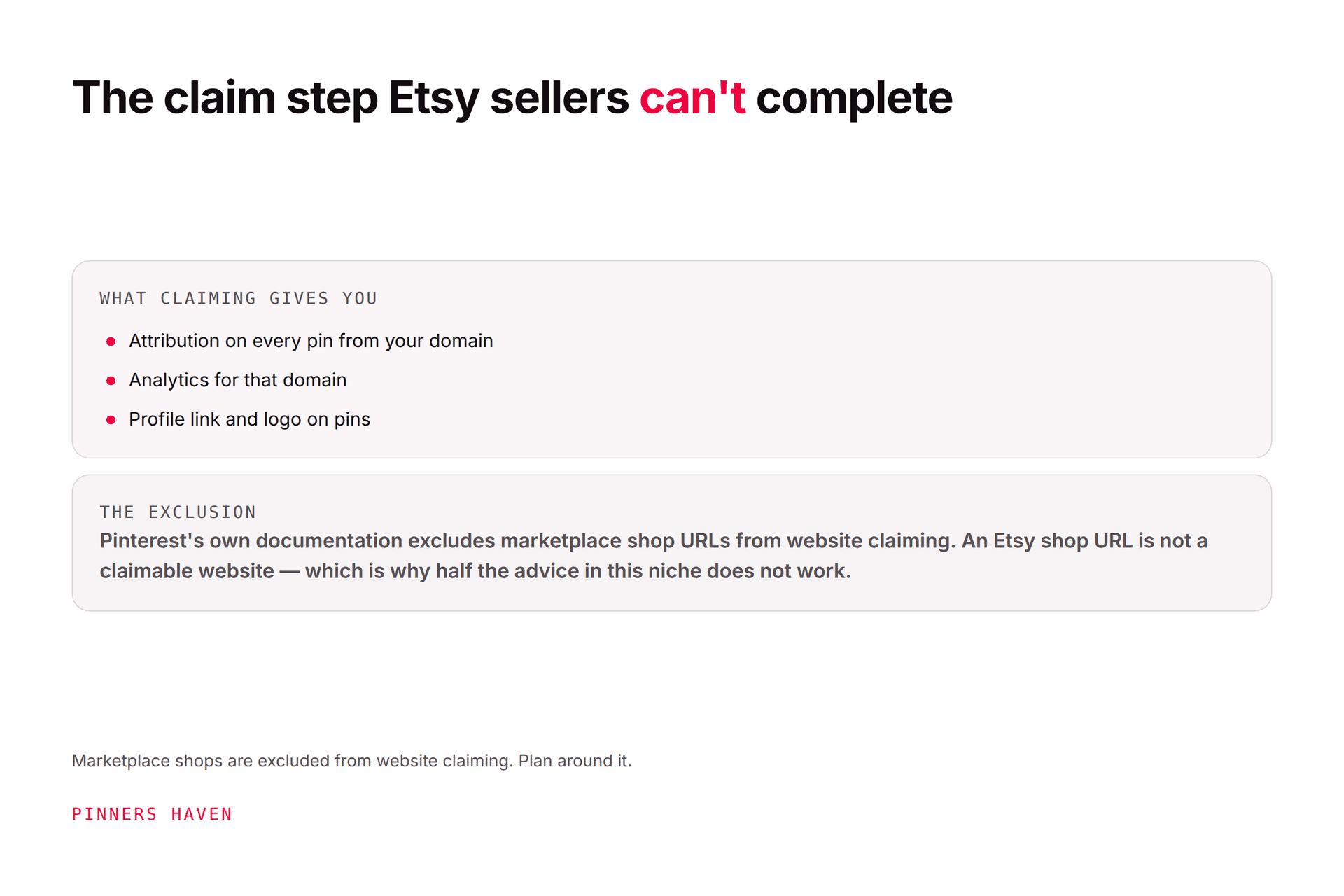
Marketplace sellers who don't control the domain have different constraints — most marketplace shops cannot be claimed. Etsy-specific planning is in our Pinterest for Etsy guide.

Phase 2 — measurement, before creative
Counterintuitive but correct: install measurement before you make pins. Otherwise your first month of data is unusable and you'll draw conclusions from it anyway.
The Pinterest tag
The Pinterest tag records actions people take on your site after interacting with Pinterest, supporting conversion reporting, audiences, and campaign optimisation.
Implement events matching your funnel: page visit, product view, add to cart, checkout, signup, purchase. Validate currency, value, order ID, and consent behaviour — a tag firing without values reports conversions with no revenue attached, which is worse than no tag.
Conversions API
Pinterest's Conversions API sends web, app, or offline events server to server, directly or through supported partners.
Never run browser and server events without deduplication. Pinterest documents event_id for exactly this. Duplicated events inflate your reporting and actively degrade optimisation, and it's a genuinely common mistake because both routes work fine independently.
Get legal and privacy review for tracking, consent, data sharing, retention, and customer rights in every market you sell to.
Phase 3 — build and maintain the catalog
A catalog turns structured product data into product surfaces and can support shopping ads. Pinterest documents hosted and manual feed options.
Maintain at minimum:
Field | Why it breaks things |
|---|---|
Product ID | Changing it creates a duplicate product |
Title and description | Must match the destination |
Destination URL | Silent breakage after a site migration |
Image URL | Expired CDN links reject items |
Price and currency | Stale price damages trust and review status |
Availability | Promoting sold-out items wastes spend |
Condition | Required for approval |
Brand / identifiers | Needed for many product surfaces |
Follow the current schema rather than copying an old feed template.
Assign an owner for feed health. Monitor rejected items, image failures, stale prices, broken destinations, missing identifiers, and disapprovals. A catalog degrades continuously — products change, images move, categories shift, and nobody notices until performance drops.
Phase 4 — Product Pins and creative
Pinterest's shopping guide explains Product Pins can display information like price and availability, added via catalogs or Rich Pins, with catalog-created Product Pins promotable as shopping ads where available.
Group products by real merchandising logic: category, collection, season, price range, bestsellers, margin priority, use case, gift recipient.
Don't publish a wall of pack shots
The most common organic ecommerce failure is an account full of isolated product photos on white backgrounds. They're accurate, and they give a browsing customer nothing to think about.
Make pins that help someone understand or choose:
the product in a real use environment
scale, fit, dimensions, capacity
material and construction detail
comparison between models
care or installation steps
collection styling
gift or occasion use
a customer problem, and the solution
Every claim must be supported. No fabricated before-and-afters, no fake scarcity, no unsupported sustainability language, no reviews used without permission.
Match creative to destination
A product pin should reach the exact available product or variant. A comparison pin may need a collection or guide. A tutorial may deserve an editorial page with products placed in context.
A click to the wrong country, currency, or an unavailable item is not qualified traffic — it's a cost.
Phase 5 — measure the full funnel
Stage | Metrics |
|---|---|
Discovery | Impressions, qualified reach, saves |
Consideration | Pin clicks, outbound clicks, product views |
Intent | Add to cart, checkout start |
Purchase | Orders, revenue, conversion rate |
Profit | Margin, returns, acquisition cost, contribution |
That last row is the one that decides whether any of this was worth doing, and it's the one most Pinterest ecommerce advice never reaches.
Pinterest notes Conversion Insights attributes to the last interacted pin, not necessarily the item purchased. Attribution is a model. Reconcile against store records and document your settings rather than expecting the numbers to agree.
Our analytics guide covers turning these patterns into decisions.
Only then, paid
Don't use ad spend as the first real test of an unverified store. Confirm catalog health, event quality, landing behaviour, creative approval, and some organic or direct product interest first.
When you do test, structure around one product group, audience, creative hypothesis, budget, and business goal. Protect margin by accounting for discounts, shipping, returns, platform fees, and acquisition cost. Scale only once purchase events are trustworthy and you can actually fulfil the demand.
Where the organic side breaks
Phase 4 is the one that runs forever. Several distinct concepts per priority product, refreshed each season, checked against live inventory — across a catalog of hundreds of SKUs.
That's the work that doesn't get done, and the symptom is an account where the top twenty products have good pins and everything else has one pack shot from 2024.
Pinners Haven handles that specific layer: twenty angles per product topic, an SEO title and three to five unique descriptions per pin, original designs on human-designed templates, and a Freshness Meter retiring each design after roughly 5–10 uses. Operator covers 25 sites and 11,250 pins a month at $124 billed annually, which is the tier that suits a multi-store operator.
Be clear about what it doesn't do, because for ecommerce this matters: it does not manage your catalog, sync inventory, install your tag, or handle conversion measurement. Phases 1 through 3 above are outside it entirely, and they're the phases that decide whether the creative was worth making. If your product data is stale, better pins will lose you money faster.
→ Start a 14-day trial — from $19/mo billed annually. No card needed; when the trial ends, publishing pauses until you pick a plan.
(Disclosure: we make Pinners Haven. We're not affiliated with Pinterest.)
Ten common ecommerce mistakes
uploading a feed and forgetting it
changing product IDs on every update
promoting unavailable variants
linking every pin to the homepage
duplicate conversion events without deduplication
optimising for clicks while ignoring margin
unsupported health, environmental, or performance claims
treating catalog approval as permanent
scaling ads before checkout and fulfilment are tested
automating unreviewed product copy
Frequently asked questions
Is Pinterest good for ecommerce?
It suits visual, considered, and planning-driven purchases — home, apparel, gifts, craft, food. It's weaker for commodity or urgent-need products. Performance depends on demand, merchant eligibility, product data, creative, landing experience, measurement, and unit economics.
Do I need a catalog?
For structured Product Pins and shopping ads, yes. You can publish organic content without one, but you lose price and availability display. Availability varies by market.
What's the difference between the tag and the Conversions API?
The tag sends browser events; the API sends them server to server. Eligible businesses can run both — with consistent event data and event_id deduplication, which is not optional.
Can tools update Product Pins automatically?
Catalog and partner integrations synchronise supported data, but you remain responsible for accuracy, policy compliance, feed health, and destination quality. See our marketing tools and automation tools guides.
Which metric matters most?
Profitable, validated purchases. Everything upstream — impressions, outbound clicks, product views, carts, checkout starts — exists to diagnose where the funnel is leaking, not to be optimised for its own sake.
How long before Pinterest drives sales?
No guaranteed window, and seasonality dominates for most ecommerce categories. Build the measurement first so that when it does start working, you can prove it and repeat it.
Make the system trustworthy
Pinterest commerce works through the connection between discovery and delivery. A compelling pin earns attention. Accurate product data sets the expectation. Your store, measurement, and fulfilment have to keep it.
Break any link in that chain and the rest of the investment stops paying, which is why the boring phases come first.