Before any extension in this category, look at what it asks for.
An extension that works on Pinterest needs access to Pinterest while you're signed in. That means it can read your account, see your boards, and in many cases act as you. That's fine for Pinterest's own extension and reasonable for a scheduler you already trust with account access.
It is not fine for an obscure tool with 400 users promising unlimited analytics.
Practical checks, none of which take more than a minute:
Who publishes it? A company you already have a paid relationship with, or an anonymous developer?
What permissions? "Read and change all your data on all websites" is far broader than "on pinterest.com."
How many users, and how recent are the reviews? Abandoned extensions get sold and repurposed, which is a real and recurring pattern.
Is there a privacy policy that says what it collects?
Does it duplicate something Pinterest already does? Often yes.
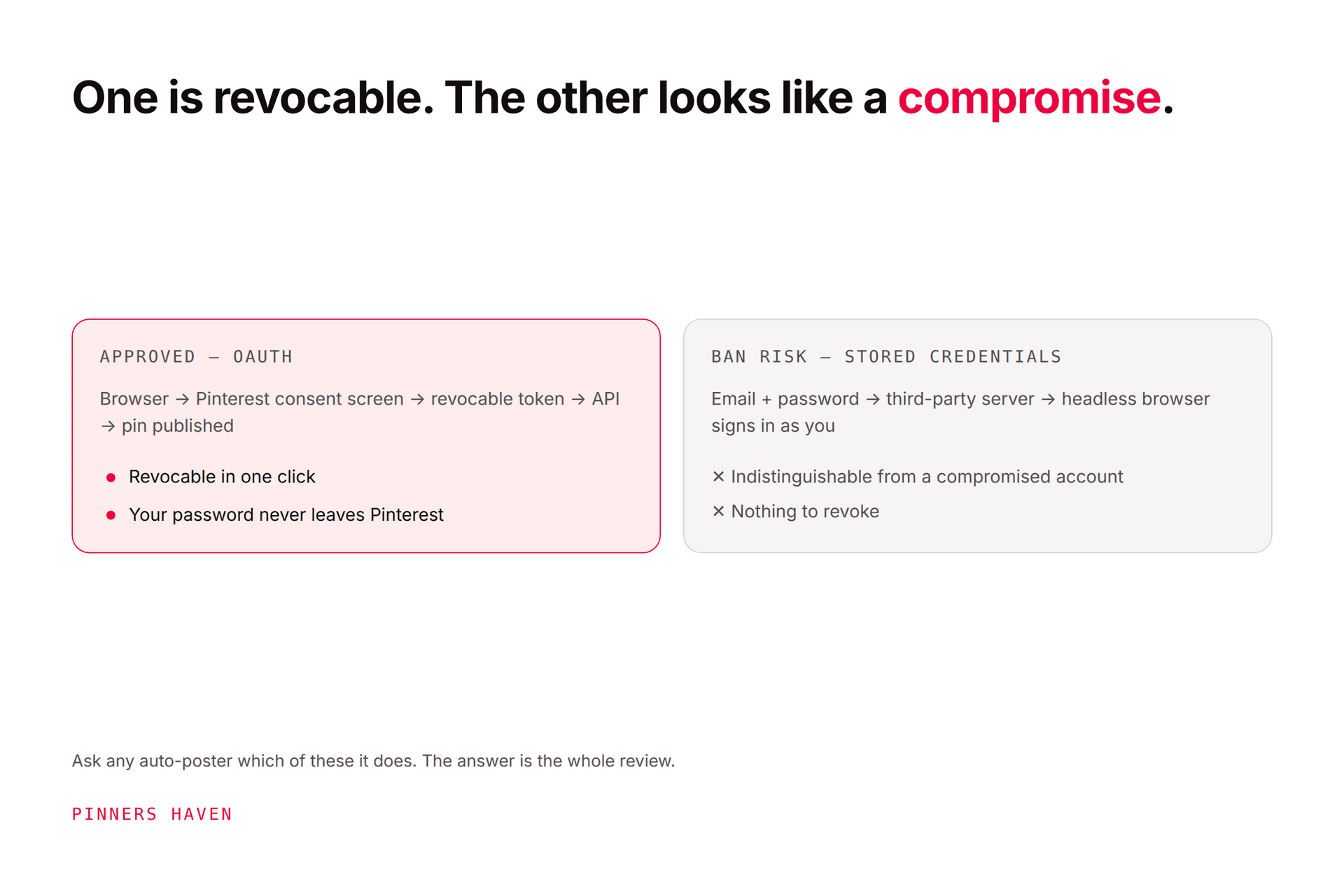
Extensions are also the most common way people end up running unauthorised automation without realising it. Pinterest's Community Guidelines state plainly: "Don't use automation that hasn't been explicitly approved by Pinterest." An extension that auto-saves, auto-follows or bulk-downloads is exactly that, whatever it's called in the store listing. See auto poster safety for where that line sits.
The most-installed Pinterest extension and the only one we'd suggest to essentially everyone. Adds a save button to images across the web so you can pin without leaving the page.
First-party, so the trust question is settled. Genuinely useful for research and curation. Free.
If you pay for Tailwind, Buffer or similar, their extension lets you queue pins from any page without switching tabs. Tailwind's is the most established in this category.
Worth it if you already use the tool. Not worth it as a reason to adopt a scheduler; the extension is a convenience layer on a subscription, not a product.
Note that several of these companies appear in Pinterest's partner directory, which is a reasonable proxy for whether their account access is legitimate.
For anyone running Pinterest ads or debugging conversion tracking. It shows whether your tag is firing, which events are being sent, and what values are attached.
Narrow audience, genuinely useful within it. If your purchase events are reporting without values, this is the tool that shows you. Relevant if you're working through Pinterest for ecommerce.
If you write a lot of pin titles, a headline-scoring extension gives you a second opinion on clarity and specificity. Treat the score as a prompt to reconsider rather than a target to optimise, and remember Pinterest titles have their own constraint: under 60 characters, benefit in the first three words.
Our title generator guide covers the method these tools approximate.
Not Pinterest-specific, and more useful day to day than most Pinterest-specific extensions. Handy for matching brand colours and capturing reference.
Bulk downloaders. They scrape, which Pinterest's developer guidelines prohibit, they want deep session access, and downloading never gave you rights to the images anyway. See downloading a Pinterest board.
"Analytics" extensions that scrape follower or engagement data. Same scraping problem, and Pinterest Analytics gives you your own data properly.
Auto-save, auto-follow or auto-comment tools. Unapproved automation, and the fastest route to an enforcement problem.
Dark mode themes for Pinterest. They need permission to restyle a site you're logged into, for a cosmetic change. If you want it, prefer a well-established general dark-mode extension. See Pinterest dark mode.
Anything promising to bypass limits or make activity undetectable. That's a description of rule-breaking written as a feature.
Two practical reasons to keep the list short beyond security.
Performance. Every extension runs on page load. A stack of ten makes a heavy site like Pinterest noticeably slower, and people then blame Pinterest.
Conflicts. Extensions that modify pages fight each other. If Pinterest is behaving oddly for you and fine for everyone else, extensions are the first thing to disable. That diagnostic is in is Pinterest down.
Worth stating, because it's the reason this category is thinner than the roundups suggest.
An extension is a browser convenience. It doesn't make pins, write descriptions, or produce enough creative to fill a publishing schedule. The Save Button makes saving faster; it doesn't address the thing that actually limits most Pinterest accounts, which is producing distinct creative at volume.
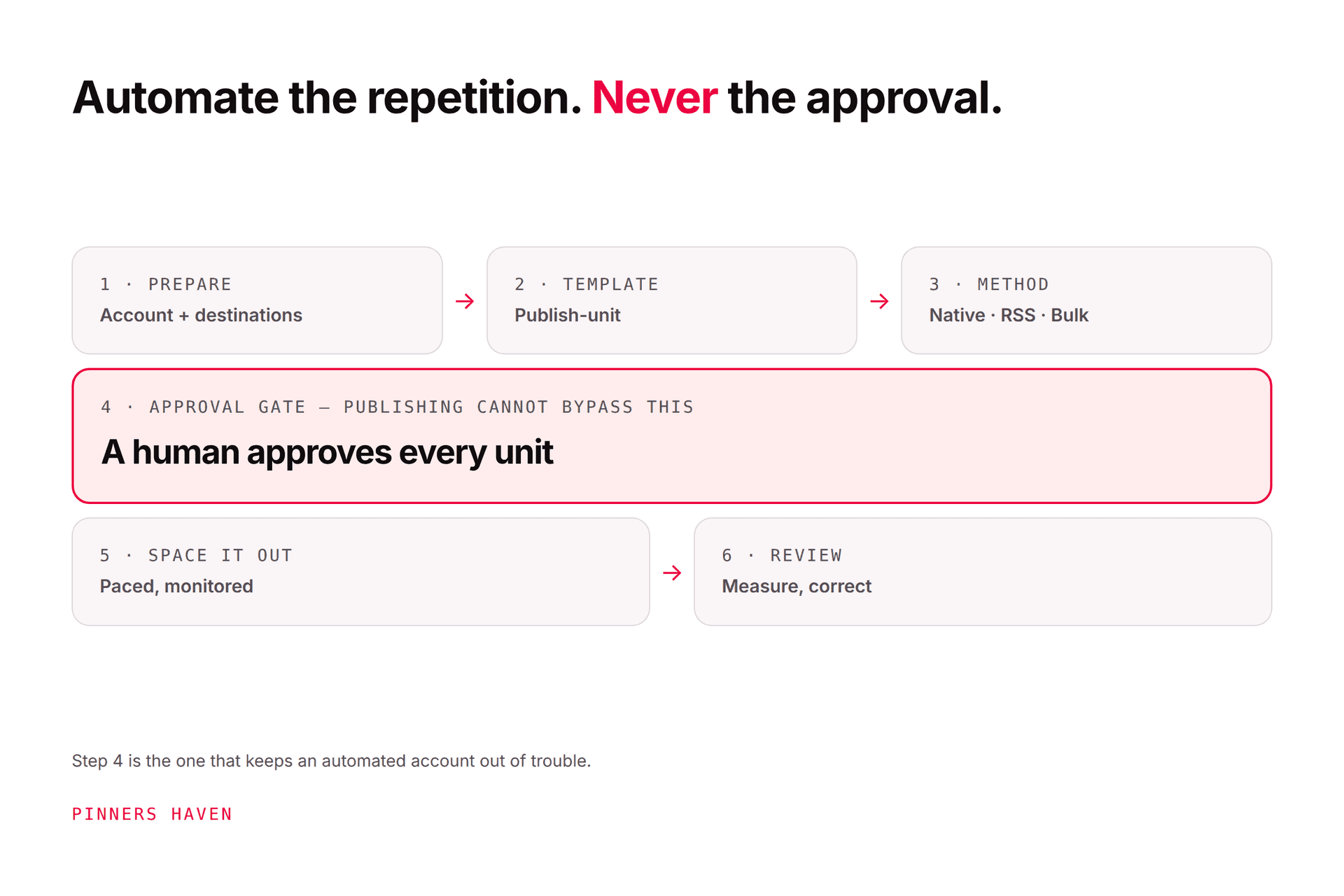
That production layer is what Pinners Haven covers, and it's a hosted product rather than an extension: up to 20 angles per topic, an SEO title with three to five unique descriptions per pin, original designs on human-designed templates, and paced publishing through official OAuth so nothing depends on a browser session. Nothing publishes until you approve it. From $19/mo billed annually with a 14-day trial; no card is needed, and when it ends publishing pauses until you pick a plan.
We don't ship a Chrome extension, and we mention it here only because "which extension makes pins for me" is a common version of this search and the answer is that none of them do.
→ See how it works
(Disclosure: we make Pinners Haven. We're not affiliated with Pinterest.)