Pinterest Shadowban: How to Diagnose Lost Reach
Your reach fell off, there's no warning email, and somewhere on Reddit somebody told you Pinterest shadowbanned you. It's a horrible feeling, mostly because it's unfalsifiable — you can't prove a negative, so you can't stop worrying about it.
Joe Nyambura
Founder & operator, Pinners Haven · August 18, 2026
On this page27 sections
- Six states that all look like a shadowban
- A ten-minute diagnosis
- 1. Confirm the chart is telling the truth
- 2. Check your messages
- 3. Inspect representative pins
- 4. Test search carefully
- 5. Check the destination domain
- 6. Check demand and timing
- 7. Review your own recent behavior
- What Pinterest actually says about distribution
- Recovery, by actual cause
- Normal or seasonal decline
- Duplicate or low-quality publishing
- An individual pin was deactivated
- Domain or destination issue
- Temporary block or spam warning
- Account suspension
- Can a shadowban checker prove anything?
- Things that make the diagnosis worse
- Frequently asked questions
- How long does a Pinterest shadowban last?
- How do I know if my pins are hidden?
- Should I stop posting?
- Can Pinterest support lift a shadowban?
- Is a shadowban the same as an impressions drop?
- Everyone in my niche Facebook group says they got shadowbanned the same week. Isn't that proof?
- Name the state before you pick the fix
Your reach fell off, there's no warning email, and somewhere on Reddit somebody told you Pinterest shadowbanned you. It's a horrible feeling, mostly because it's unfalsifiable — you can't prove a negative, so you can't stop worrying about it.
So let's start with the most useful thing anyone can tell you here.
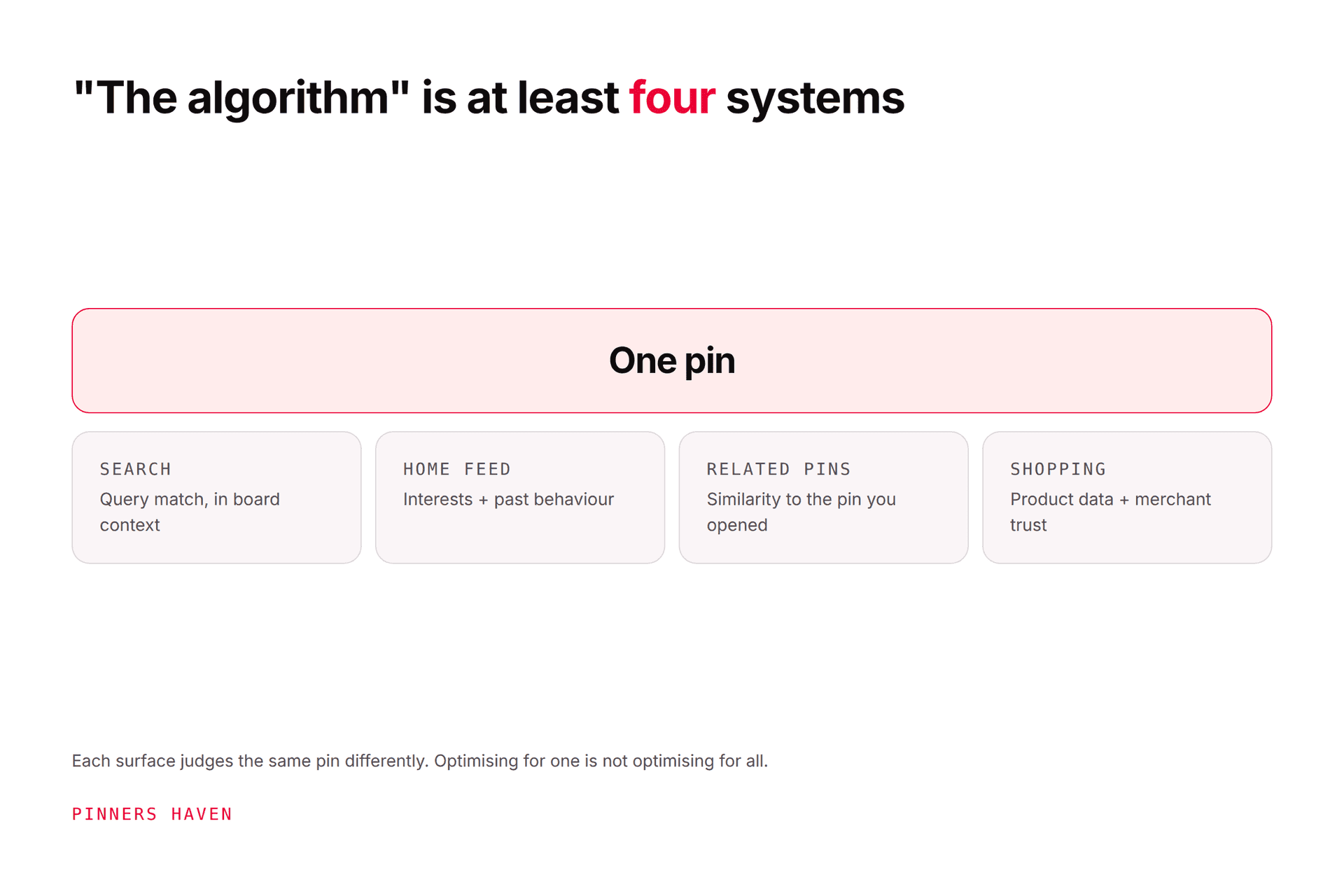
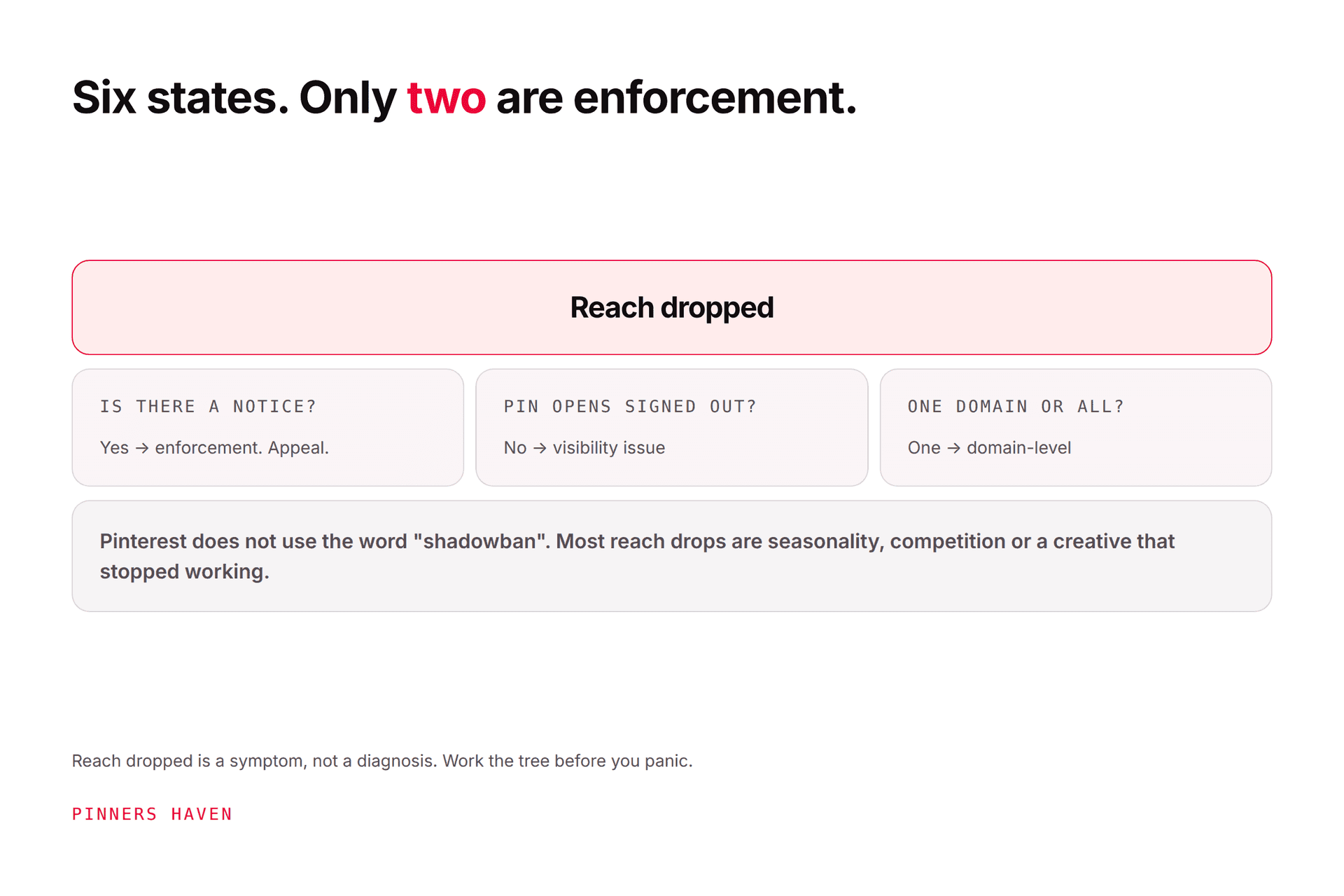
Pinterest does not publicly document any account status called a shadowban. The word is used when pins stop appearing in search, recommendations, or related content without a suspension notice. But six genuinely different things produce that exact experience, and they need six different fixes. Treating them all as one hidden penalty is why so much shadowban advice makes accounts worse.
Here's the good news buried in that: five of the six are diagnosable from your own account in about ten minutes, and most of them are not enforcement at all.
Six states that all look like a shadowban
State | What you'd actually see | First move |
|---|---|---|
Normal demand decline | Similar seasonal topics fall together | Compare trend and prior-year timing |
Creative/relevance decline | Impressions hold, clicks weaken | Test a distinct concept and intent |
Search or indexing issue | Pin URL works, but the target query never shows it | Check metadata, timing, query, account status |
Limited or deactivated pin | A notice, missing features, an appeal option | Read the cited policy, appeal with evidence |
Domain problem | Several URLs from one site fall or fail together | Test safety, redirects, claim, landing pages |
Account enforcement | Warning, temporary block, suspension email | Stop automation, use official support |
Note the pattern in the middle column: each state leaves a different fingerprint. That's what makes this diagnosable rather than mystical. If you have no notice, your pin URLs open fine signed out, and only one domain's pins are affected, you have row five, and appealing to Pinterest about a shadowban will accomplish nothing at all.

A ten-minute diagnosis
1. Confirm the chart is telling the truth
Open Pinterest Analytics and clear any country, device, format, source, or date filter you set weeks ago. Pinterest states the last 48 hours of real-time figures are estimates and can change.
Compare impressions, saves, pin clicks, and outbound clicks together. A traffic problem can hide behind perfectly stable impressions.
2. Check your messages
Read in-app notices and the account's email address, spam folder included. You're looking for a specific pin deactivation, a feature block, a domain warning, or a suspension.
This takes ninety seconds and settles the question of whether you're in "enforcement" territory at all. Most people never do it and spend a fortnight guessing.
3. Inspect representative pins
Pick five recent pins and five established ones. Open each direct pin URL while signed out. For each, record: does it open, is there a label or notice, does it keep comments and related content, does it reach the right destination?
If all ten open cleanly signed out, your content is not hidden. That's a real finding.
4. Test search carefully
Search the exact pin title, then a realistic target phrase, from a signed-out browser.
Be careful how much weight you put on this. Results are personalized and positions move constantly, so absence from one query on one day proves close to nothing. Use several pins and several queries before concluding anything.
Do not use a second account to save or click your own content. Pinterest prohibits manipulated engagement, and you would be converting a suspected problem into a real one.
5. Check the destination domain
Open your links on mobile and desktop. Inspect HTTPS, every redirect hop, malware warnings, intrusive interstitials, robots rules, expired products, and whether the page actually delivers what the pin promised.
If pins from one domain are struggling while pins from another are fine, you've found it, and the fix is entirely off Pinterest.
6. Check demand and timing
Use Pinterest Trends. A Christmas page falling in January is not hidden enforcement, it's a calendar.
7. Review your own recent behavior
Honestly: sudden publishing increases, repeated URLs, duplicated creative, a new automation tool, mass board changes, new redirects, copied content. Pinterest's Community Guidelines prohibit unauthorized automation, spam, manipulation, and deceptive destinations.
Most "shadowbans" we've seen described in detail turn out to have a step 7 answer that the person already suspected.
What Pinterest actually says about distribution
Pinterest's pin distribution guidance states that searches, saves, engagement, relevance, seasons, language, location, formats, and trends all affect performance. It also says there is no fixed engagement window and pins can gain activity much later.
That last point quietly demolishes most shadowban evidence. If a pin can start performing months after publication, then a pin that isn't performing this week hasn't been proven suppressed. It's been proven to not be performing this week.
Use several pins, several metrics, several surfaces, and several dates before you draw a conclusion.
Recovery, by actual cause
Normal or seasonal decline
Don't appeal — there's nothing to appeal. Refresh the destination, improve the creative, publish ahead of the next rise, compare the same seasonal window year over year. Start with the impressions-drop guide.
Duplicate or low-quality publishing
Pause the queue, clear pending repetition, fix the creation process rather than the symptoms, then resume slowly with original reviewed concepts. Don't mass-delete old pins just because they're quiet.
An individual pin was deactivated
Read the cited policy, preserve the URL and your evidence, correct anything genuinely wrong, and use the appeal path Pinterest provides if the decision looks mistaken.
Domain or destination issue
Fix unsafe redirects, broken pages, inaccurate claims, missing ownership info, or compromised files. Reconfirm the domain claim and test every link before you publish again.
Temporary block or spam warning
Stop automated actions and stop retrying. Document the timing and your recent changes. Our flagged-as-spam guide walks the full response, including an appeal template.
Account suspension
Follow Pinterest's account suspension guidance and the appeal route in the notice. Submit a concise timeline with evidence. Never create a replacement account to evade enforcement.

Can a shadowban checker prove anything?
No, and it's worth being blunt about why.
No external tool can see Pinterest's ranking or enforcement systems. They are private. Any product returning "shadowbanned: yes" is inferring it from the same public signals you can check yourself, and dressing a guess up as a verdict.
What a tool can honestly do is organize evidence: track reach over time, watch link health, surface visible notices, and tell you when something changed so you're not reconstructing it from memory weeks later.
That's the distinction we hold ourselves to. Pinners Haven tracks each connected account's reach week over week and emails you when it falls off a cliff, at a threshold you set. That is a diagnostic signal — it tells you the line broke and when, which is exactly the baseline the ten-minute diagnosis above needs and exactly what nobody has when they go looking for a shadowban checker. It is not, and we won't sell it as, proof of a hidden penalty. Nobody outside Pinterest can offer you that.
→ Start a 14-day trial — from $19/mo billed annually. No card needed; when the trial ends, publishing pauses until you pick a plan.
(Disclosure: we make Pinners Haven. We're not affiliated with Pinterest.)
Things that make the diagnosis worse
Each of these destroys evidence, adds a confound, or creates a real violation where you had a suspected one:
doubling output to force reach back
posting the same URL and image repeatedly
buying saves, clicks, or followers
using a second account to test engagement
deleting your account history
changing domain, boards, templates, and cadence simultaneously
sending Pinterest accusations instead of appeal evidence
believing anyone who promises a fixed recovery time
Frequently asked questions
How long does a Pinterest shadowban last?
Pinterest documents no shadowban, so there's no duration to quote. What does have a timeline is the specific state you're in: a temporary block, a pin deactivation, a suspension, a seasonal decline, and a ranking loss all resolve differently.
How do I know if my pins are hidden?
Check notices, open direct pin URLs signed out, run signed-out search tests on several pins, read Analytics by surface and date, test destination health, and look for whether unrelated pins share a pattern. Any single one of those is weak; together they're conclusive.
Should I stop posting?
Pause if automation, repetition, a warning, or an unsafe destination might be involved. A normal seasonal decline needs no pause at all, and stopping will cost you the cadence Pinterest rewards.
Can Pinterest support lift a shadowban?
You can ask support to review a specific deactivation, suspension, block, or technical fault. The word "shadowban" on its own doesn't name an actionable account state, so a ticket built around it tends to go nowhere. Cite the specific thing instead.
Is a shadowban the same as an impressions drop?
No, and conflating them is the most expensive mistake in this whole topic. Impressions move with demand, competition, timing, creative, relevance, measurement, domain health, and enforcement. The Pinterest algorithm guide covers the wider system.
Everyone in my niche Facebook group says they got shadowbanned the same week. Isn't that proof?
It's usually proof of a shared cause: a seasonal turn, a category-wide demand shift, or a measurement change that hit everyone's charts at once. Correlated timing across many accounts argues against individual hidden penalties, not for them.
Name the state before you pick the fix
Don't overhaul a healthy account because one search came back empty. Gather the evidence, identify which of the six states you're actually in, and apply that remedy only.
The word "shadowban" feels like an answer. It's a placeholder for one, and the ten minutes above will get you the real thing.