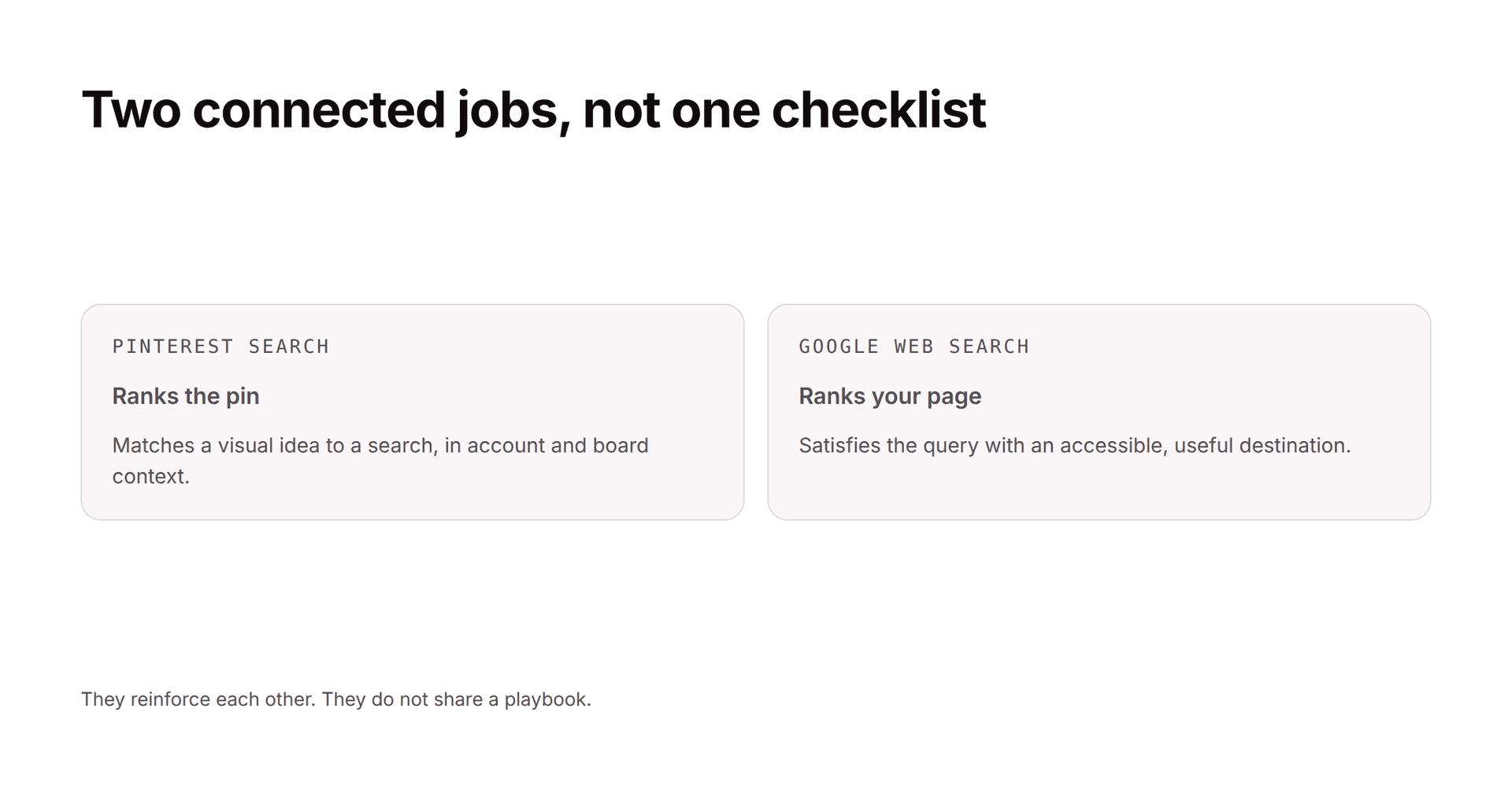
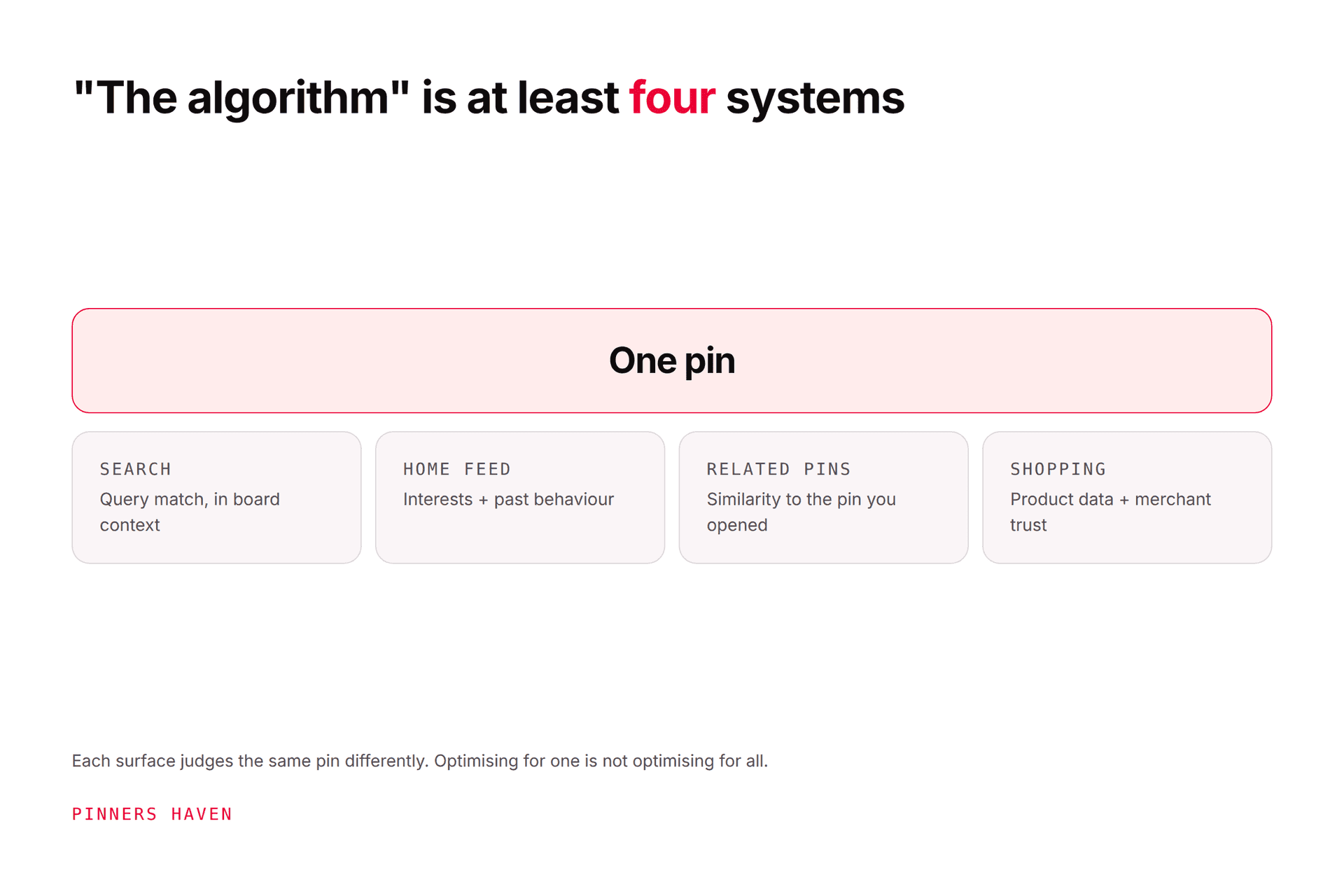
Pinterest is a search engine that happens to look like a feed, and that single fact explains most of what works. Pinterest SEO means making a pin's topic, audience, and destination obvious to both people and ranking systems — across the whole chain: profile, board, image, title, description, URL, and landing page.
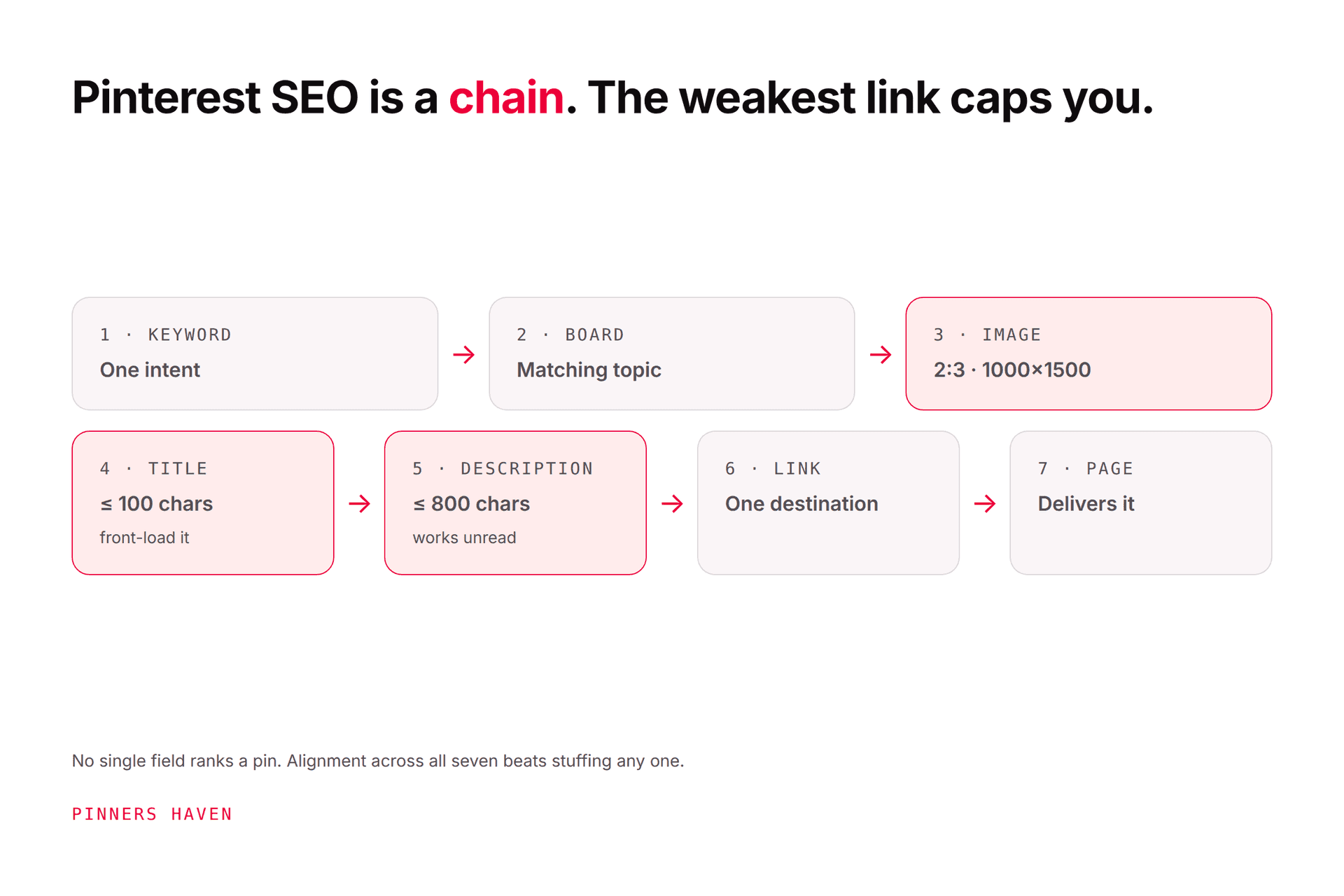
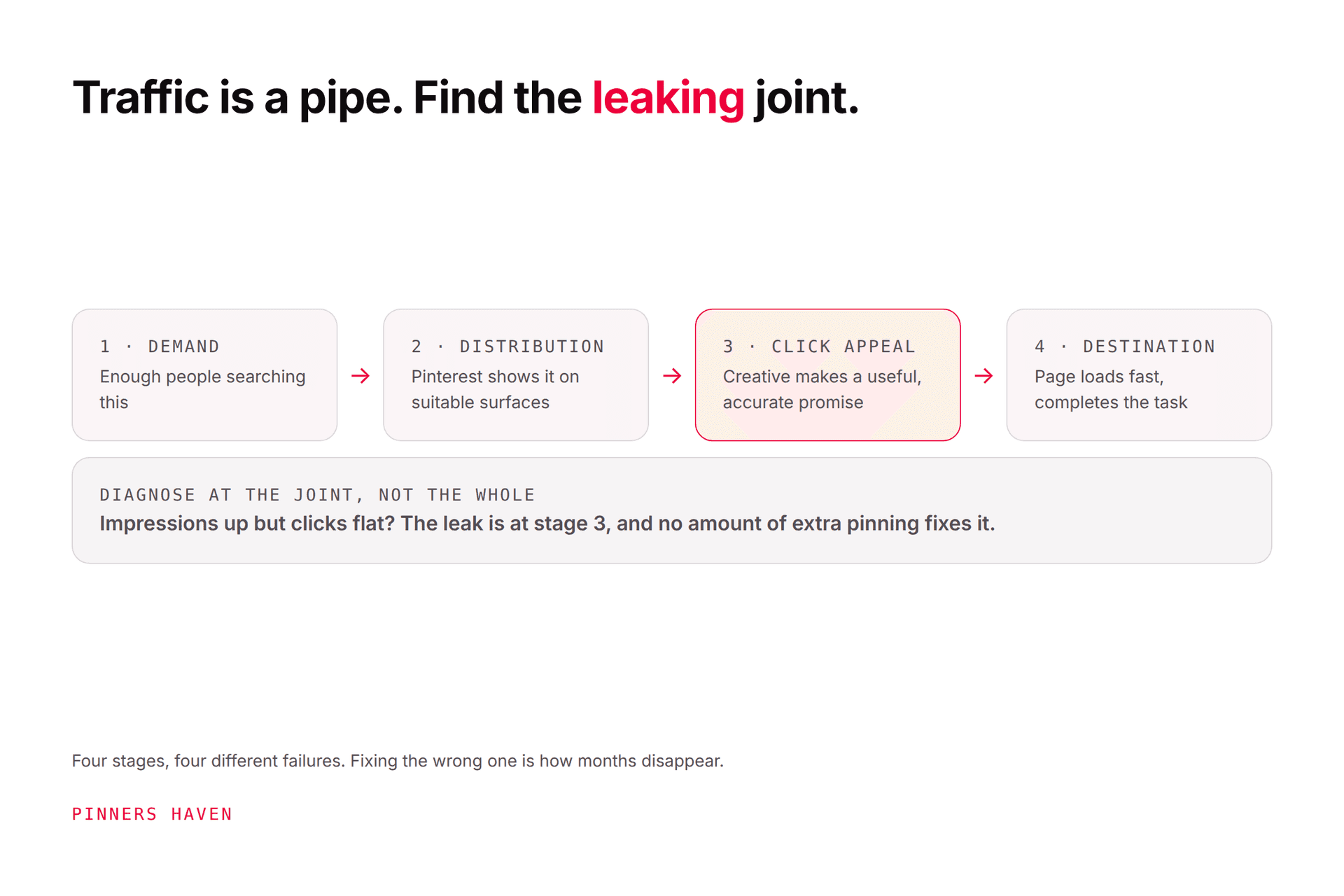
Here's the thing nobody tells you: no single field ranks a pin. People spend hours agonising over the title while the board is wrong and the landing page doesn't deliver. Relevance, content quality, user response, competition, freshness, and technical accessibility all work together, and the weakest link is what caps you.
Use autocomplete, related searches, Pinterest Trends, the leading pins for your term, customer questions, and your own site search data.
Important limitation: Pinterest Trends reports normalised interest, not absolute search counts. It tells you the shape of demand and when it moves, not how many people searched. Don't treat it as a volume tool.
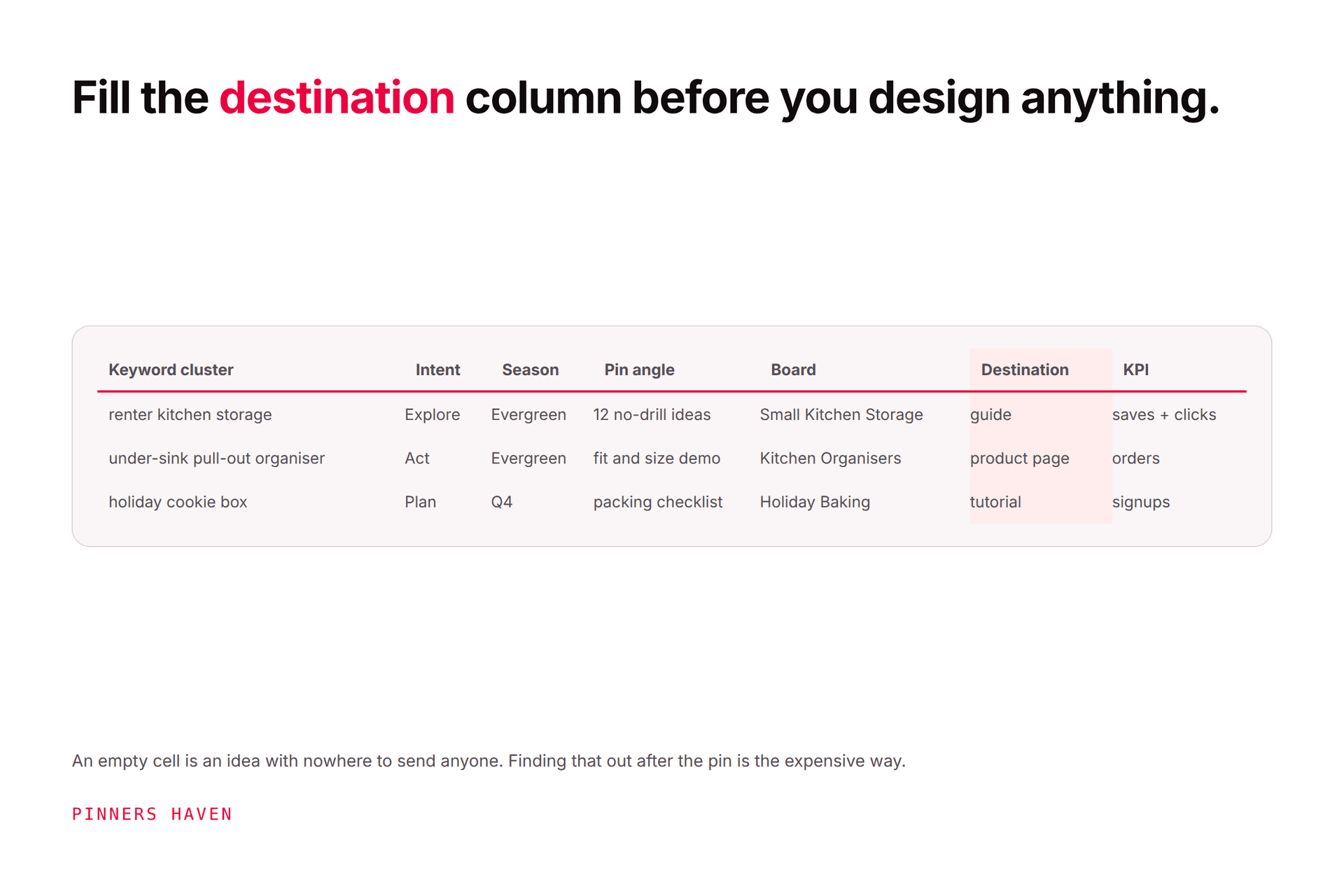
Record the search, the intent behind it, the season, the destination, and the right board. "Kitchen ideas" and "renter-friendly small kitchen storage" are different searches with different intents and they should not share a page or a pin. Our keyword guide covers this properly.
Stop sending every keyword to your pillar page. Match the format to the intent:
how-to searches → tutorials
idea searches → galleries or example sets with real explanation
comparison searches → genuine comparison pages
product searches → the exact product or collection page
If two of your pages compete for one intent, consolidate or differentiate them before making more pins. Pinning harder at a cannibalisation problem doesn't fix it.
3. Set up profile and board context
Use a business account, complete the About section, and claim your website. Create public boards with specific, natural titles and short descriptions. Save each pin first to the board that most closely matches its subject.
Pinterest explicitly recommends relevant keywords in board titles and descriptions, and saving content to relevant boards, in its distribution guidance.
"Home" is a weak board. "Small Space Kitchen Storage" is a signal.
Use original or licensed visuals that show the idea or the outcome. Keep important text readable at feed size on a phone, not on your monitor. Branding present but secondary.
Pinterest recommends a 2:3 aspect ratio, commonly 1000×1500 pixels; taller images may be cut off in feeds. See Pinterest's specifications.
Text overlay clarifies the promise, but never make a claim the destination can't support. Visual accuracy is part of relevance, and a pin that overpromises earns a click and loses a reader.
Pinterest permits up to 100 characters, and the first portion is what most people actually see. So front-load.
Use the primary phrase, or a close natural variant, once. Then add a differentiator: audience, constraint, outcome, or format. Specificity is what makes a title work as both a search match and a reason to click.
6. Use the description to add real context
Pinterest permits up to 800 characters and says descriptions help its system determine relevance even when they aren't visible in the feed. That's the important part — it's working for you whether or not anyone reads it.
Explain what the person will find, who it helps, and the supporting concepts. Write sentences. Do not paste a keyword list — it doesn't help ranking and it looks exactly like what it is.
7. Check the link and the landing page
The URL must work, load fast on mobile, and deliver the pin's promise immediately, not after three scrolls past an email popup.
Keep the page indexable if Google discovery matters. Use a descriptive page title, useful headings, original content, and images placed near relevant text. Google recommends descriptive image filenames and alt text with the image near related text, per its image SEO guidance. Alt text describes the image's purpose — it is not a keyword slot.
Create new value through a different audience, format, example set, season, or use case. Changing a background colour while repeating the same copy and URL is not a freshness strategy — our fresh pins guide covers where the real line sits.
Read steps 5, 6, and 8 again and notice the workload hiding in them. A distinct title, a genuinely unique 800-character description, and a materially different visual — per pin. For one blog post that's twenty minutes. For a content library it's the reason most people's Pinterest SEO stops at the title and never touches the description.
That's the gap Pinners Haven was built for. It writes a keyword-optimised title and three to five unique descriptions per pin, auto-writes the alt text, designs an original image on a human-designed template, and works across twenty angles per topic so one post covers many searches rather than one. You pick the board; it fills in everything else the chain above needs.
It won't do steps 1 and 2 for you. Choosing the intent and making sure the destination deserves the traffic is still your judgment, and no tool changes that.
→ See how it works
(Disclosure: we make Pinners Haven. We're not affiliated with Pinterest.)
[ ] One clear search intent chosen
[ ] Original or licensed 2:3 visual (1000×1500)
[ ] Specific overlay text and title, front-loaded, under 100 characters
[ ] Natural-language description that adds context
[ ] Closest genuinely relevant public board
[ ] Exact working destination URL
[ ] Page satisfies the pin's promise immediately
[ ] Website claimed
[ ] Image filename and alt text describe the real image
[ ] Performance tagged by topic and destination
On Pinterest: Analytics reports impressions, saves, pin clicks, and outbound clicks. Use impressions for visibility, then check whether people actually save or leave for the destination.
On Google: Search Console for page and image impressions, queries, clicks, index coverage, and page issues. Never infer a ranking from your own personalised search results — you are the worst possible test subject for your own pages.
Review by cluster, not by pin. A pin with fewer impressions and more qualified outbound clicks may be doing its job far better than a viral one. Which is "better" depends on the job you gave it.
Repetition without relevance produces awkward copy that ranks no better. Alignment across the chain beats density in any one field.
Don't build a plan around hashtag counts. Clear topics, useful creative, relevant boards, and matched destinations are the durable work.
"Fresh means reposting the same pin daily"
It means original content and meaningful variation. Cosmetic cloning generates duplication risk and teaches you nothing.
Views come from broad discovery and often mean very little. Pair them with saves, outbound clicks, and what happens on your site.