Pinterest for Photographers: Get Booked from Pinterest
You have the one thing every other Pinterest account is trying to fake: genuinely excellent original images. And your pins get saved, and almost nobody enquires.
JN
Joe Nyambura
Founder & operator, Pinners Haven · August 18, 2026
You have the one thing every other Pinterest account is trying to fake: genuinely excellent original images. And your pins get saved, and almost nobody enquires.
That's not bad luck, and it's not the algorithm. It's a mismatch between what you're publishing and what people are searching for.
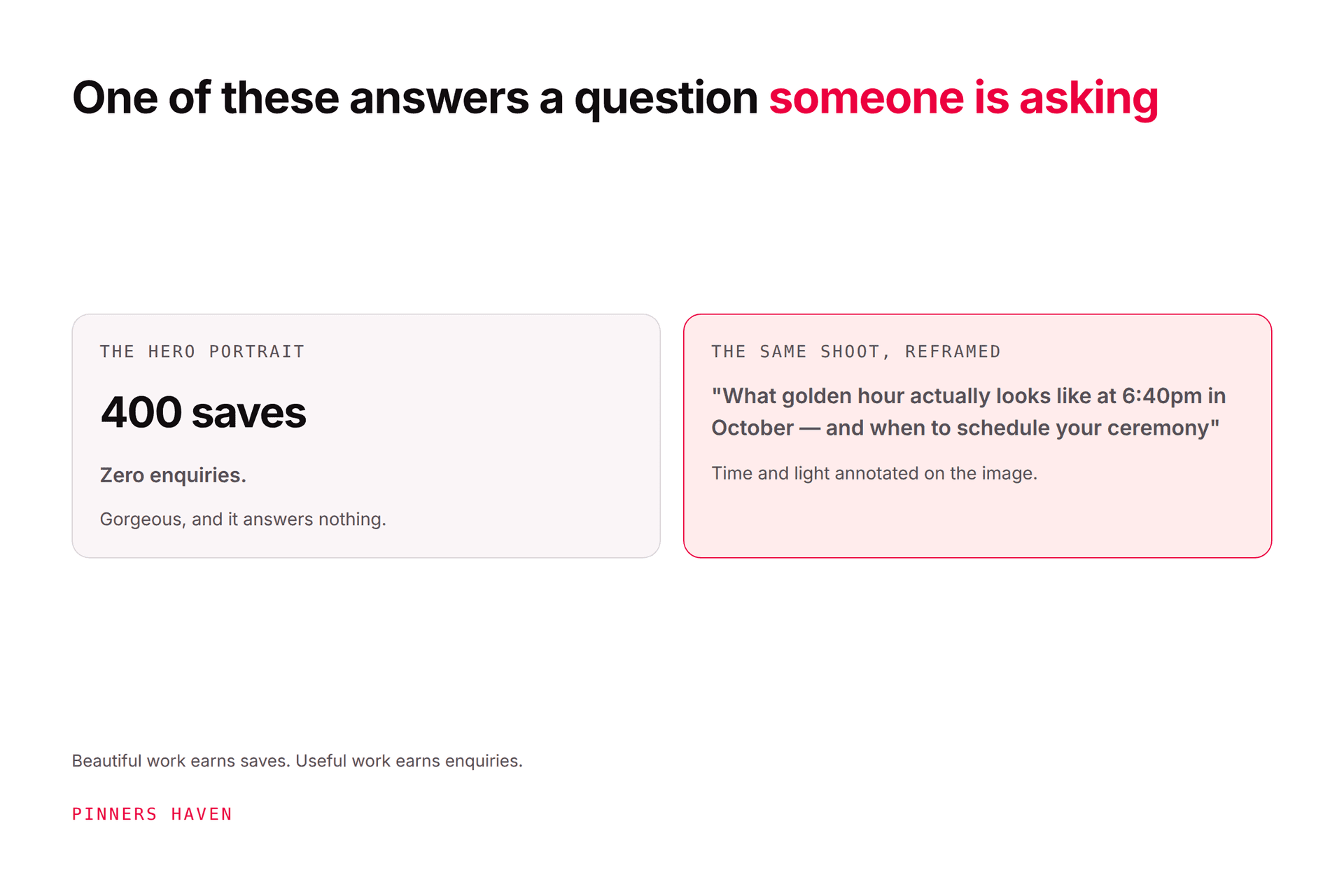
Photographers underperform on Pinterest because portfolio images answer a question nobody types. People don't search Pinterest for "beautiful wedding photos"; they search for "October wedding timeline," "what to wear for family photos in autumn," "small backyard wedding ideas." Those are planning questions, and Pinterest is a planning platform. The photographers who get booked publish work that answers the planning question and happens to demonstrate their photography, rather than portfolio pieces that demonstrate photography and answer nothing. Your images are the asset. The framing is the gap.
The second thing working against you: Pinterest sends traffic to a destination, and most photographers' destinations are a portfolio gallery with no next step.
What clients actually search
The gap becomes obvious when you put the two side by side.
What photographers pin
What clients search
"Sarah + Tom, Highland wedding"
"small Scottish wedding venue ideas"
Hero portrait from a family session
"what to wear for autumn family photos"
Best-of-year gallery
"newborn photo session what to expect"
Branding shoot highlights
"personal branding photos ideas for coaches"
Golden hour couple portrait
"best time of day for outdoor photos"
Left column: your work, named for you. Right column: your client's problem, named for them.
Every entry in the right column is a shoot you have already photographed. You don't need new work. You need to publish the work you have against the question it answers.
Content that gets you booked
1. The "what to expect" piece
The single highest-converting format for service photographers. A real session walked through: how long it took, what happened at each stage, what the client wore, what the light did. Answers the anxiety that stops people enquiring.
2. The "what to wear" guide
Perennially searched, endlessly saveable, and entirely built from images you already own. Colour palettes that photograph well, what to avoid, coordinating a family without matching.
3. The timeline
"October wedding timeline for a 4pm ceremony." Genuinely useful, hard to fake without experience, and demonstrates that you know how a day works, which is a real buying signal.
4. Location guides
"Twelve spots for engagement photos in [city]." This is your local SEO play on Pinterest, it earns saves from people planning locally, and it's very difficult for a photographer from another city to replicate.
5. The seasonal light explainer
What golden hour actually looks like at a given date and time in your region, shown rather than described. Nobody else can publish this without doing the work.
6. Pricing and process education
Uncomfortable and effective. "What a wedding photography package actually includes" pre-qualifies enquiries and reduces the exhausting conversations. Be honest about ranges rather than publishing exact figures if that suits your business.
Notice that all six are editorial, and all six are illustrated entirely with existing work.
The destination problem
Pinterest sends people somewhere. For most photographers that somewhere is a gallery page: gorgeous, slow to load, and offering no next action.
Each pin above should point at a page that:
answers the specific question the pin promised
shows relevant work in context, not your entire portfolio
states where you're based and where you travel, which is the detail most sites bury
gives a clear next step: enquiry form, availability check, pricing guide
loads fast on mobile, which large image files frequently do not
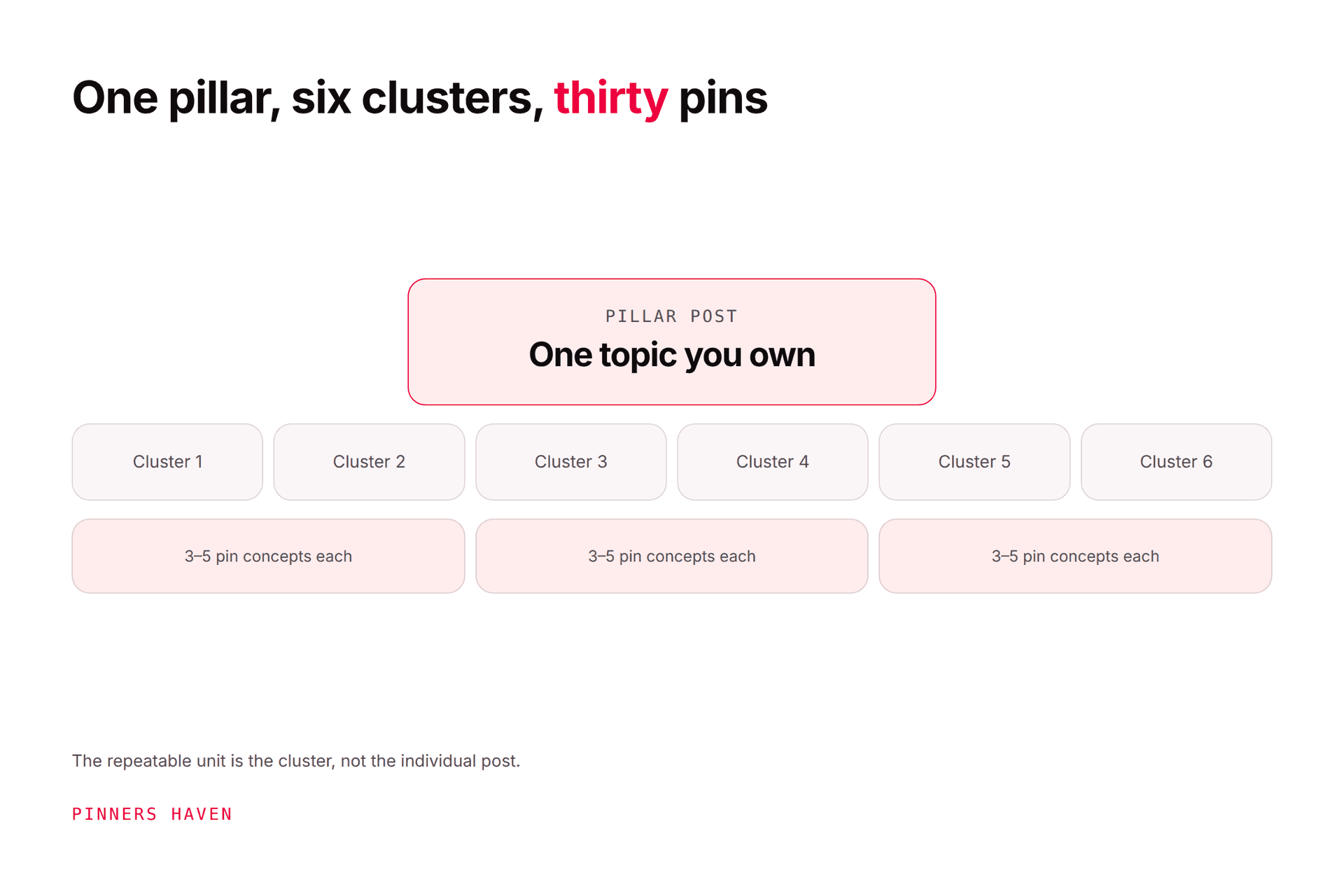
A blog post per topic, each linked from several pins, is the structure that works. Our Pinterest for bloggers guide covers building that cluster properly.
If you have no blog, that's the first job, ahead of any pinning. Pinterest cannot send traffic to a page that doesn't exist.
Practical things photographers get wrong
Heavy watermarks. A large watermark across the centre reduces saves and doesn't meaningfully prevent misuse. A small, discreet mark or none at all performs better. If image theft is a genuine concern, that's a licensing and takedown question, not a design one.
Uploading at print resolution. Pinterest displays around 1000 × 1500. A 12MB file gains nothing and slows everything.
Landscape crops. Your best frame may be horizontal; the pin needs to be 2:3 vertical. Crop deliberately for the format rather than letting the platform decide.
No text on any pin. Photographers resist text overlays on aesthetic grounds, and for a pure portfolio pin that's defensible. For a planning pin, the text is the searchable promise. A small, well-set line at the top costs you very little and does most of the work.
Only pinning recent work. Pinterest notes pins can gain engagement long after publication. A shoot from three years ago answering "what to wear in autumn" is still answering it.
A realistic starting plan
Week 1. Pick six planning questions your clients actually ask. Write them down in their words, not yours.
Week 2. Write one page per question, illustrated from existing shoots. Six pages, no new photography.
Week 3. Build three or four distinct pin concepts per page: the hero image with the promise, a detail or comparison, a checklist or timeline graphic, a behind-the-scenes frame.
Week 4 onward. Publish steadily rather than in a burst. How often to pin covers setting a rate you can hold.
Judge over a full season. Wedding and family enquiry cycles are long, and a fortnight tells you nothing.
Where this gets tedious
Six pages at four concepts each is 24 pins, which is one manageable evening. The problem arrives at page thirty, when each new location guide and seasonal piece needs its own set, and you're a photographer, not a graphic designer, and the design work is nobody's idea of a good use of a Tuesday.
Pinners Haven handles that layer: up to 20 angles per topic, an SEO title with three to five unique descriptions per pin, and paced, account-safe publishing via official OAuth, with nothing going live until you approve it. Solo is $41/mo billed annually for 3 sites and 900 pins a month, with a 14-day trial. No card is needed; when it ends, publishing pauses until you pick a plan.
A straight caveat for this audience specifically. The product generates pin imagery using AI, and plenty of photographers want nothing to do with that on principle. That's a completely reasonable position and we're not going to argue you out of it. If it applies to you, use the copy and scheduling side and supply your own photographs, which is the sensible configuration for a photographer anyway, since your images are the entire point and better than anything a generator would produce. Our AI backlash piece covers where we stand on this honestly.
(Disclosure: we make Pinners Haven, and it can generate AI imagery. We're not affiliated with Pinterest.)
Frequently asked questions
Does Pinterest work for photographers?
It works well for photographers who publish planning content, because Pinterest users are researching decisions rather than browsing portfolios. Pure portfolio pinning generates saves and rarely generates enquiries.
How do photographers get clients from Pinterest?
By answering the questions clients ask before booking, illustrated with their own work, and linking to a page with a clear next step. Timelines, what-to-wear guides, what-to-expect walkthroughs and local location guides are the formats that convert.
Should I watermark my Pinterest images?
Lightly or not at all. Heavy watermarks reduce saves and don't prevent determined misuse. If protecting images is a priority, handle it through licensing and takedowns rather than by degrading the pin.
What size should photographers use for Pinterest?
1000 × 1500 pixels, a 2:3 vertical ratio. Crop deliberately for that shape rather than uploading your landscape hero frame and hoping.
Should I put text on my photography pins?
On planning pins, yes. The text carries the searchable promise and is doing the work the image can't. On a pure portfolio pin it's optional, and those pins were never the ones bringing enquiries anyway.
How do I get local clients from Pinterest?
Publish location-specific content: venue guides, city location lists, regional seasonal timing. Say where you're based and where you travel on every destination page. Local specificity is your strongest advantage and the hardest thing for a distant competitor to copy.
How long before Pinterest brings photography enquiries?
Longer than most channels, because booking cycles are long and seasonal. Judge across a full year rather than a quarter, and note that Pinterest content published now often converts in the following planning season.
Publish the question, not the portfolio
You are in an unusual position on Pinterest: the hard part, having genuinely original, high-quality images, is already done, and it's the part everyone else is struggling with.
What's missing is the framing. Take the work you already have, attach it to the question your client is actually typing at eleven at night, and send them to a page that tells them what happens next.