Free Pinterest Scheduler: The Best Free Options and Their Real Limits
Every scheduler has a free plan, every free plan is advertised as a way to get started, and the caps are almost never on the page you land on. So here they are together.
Joe Nyambura
Founder & operator, Pinners Haven · August 18, 2026
On this page15 sections
- The free tiers, side by side
- Pinterest's own free tools are better than people expect
- Where the free native tools genuinely stop
- What each free tier is actually good for
- Before you upgrade, check what's actually blocking you
- If production is the constraint
- Frequently asked questions
- Does Pinterest have a free scheduler?
- What is the best free Pinterest scheduler?
- How many pins can I schedule free on Tailwind?
- Can I bulk schedule pins for free?
- Are free Pinterest schedulers safe to use?
- When should I pay for a Pinterest scheduler?
- Will scheduled pins get less reach than manual ones?
- Start free, and upgrade for a reason you can name
Every scheduler has a free plan, every free plan is advertised as a way to get started, and the caps are almost never on the page you land on. So here they are together.
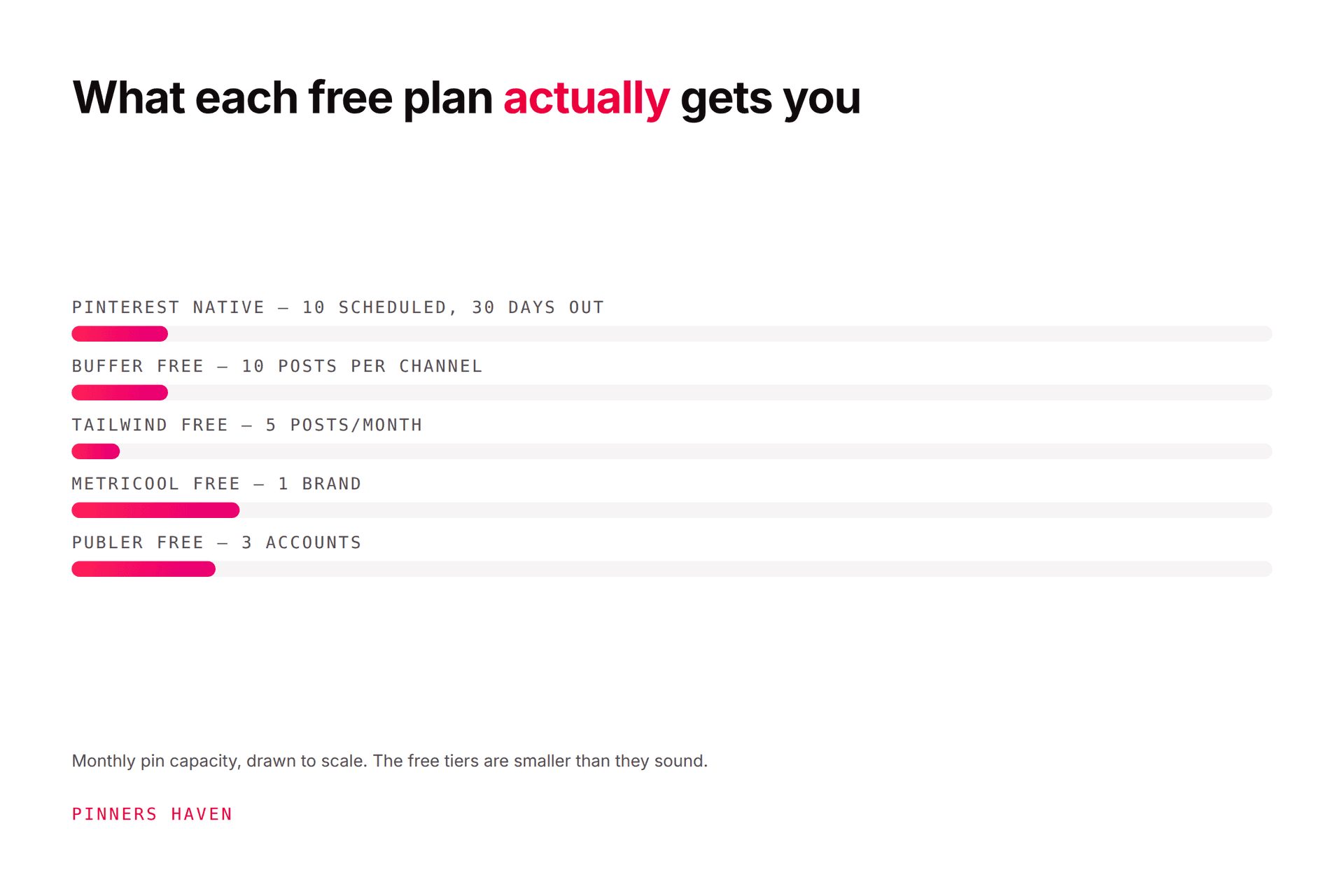
The genuinely unlimited free Pinterest scheduler is Pinterest's own. It caps the queue at 10 scheduled Pins up to 30 days ahead, but there's no monthly limit on how many you publish over time. Among third-party free tiers, Later allows around 30 posts a month across all platforms, Buffer around 10 scheduled posts per channel, and Tailwind's free plan around 5 posts a month with one account per platform. Those numbers are measured differently by each vendor and change without notice, so check before committing. For most people the honest answer is that Pinterest's native tools cover more than they expect, and the paid upgrade is worth making only once you can name the specific thing that's blocking you.
All figures checked 7 August 2026. Free tiers move constantly; verify before relying on any of them.
The free tiers, side by side
Tool | Free monthly capacity | How the limit works | Pinterest accounts |
|---|---|---|---|
Pinterest native | No monthly cap | 10 Pins in the queue at once, up to 30 days ahead | Your own |
Later | ~30 posts | Shared across all connected platforms | 1 |
Buffer | ~10 scheduled per channel | A rolling queue; slots free as posts publish | 1 |
Tailwind | ~5 posts | Counted across Pinterest, Instagram and Facebook combined | 1 per platform |
Checked 7 August 2026. Vendors change free tiers frequently and some run concurrent pricing experiments, so treat these as a snapshot.
Two things fall out of that table immediately.
First, the limits aren't comparable. Pinterest's is a queue depth, Buffer's is a rolling queue, Later's and Tailwind's are monthly counts. A "10" and a "10" mean different things, and vendors are not in a hurry to clarify that.
Second, multi-network tools split their allowance. If a free plan gives you 30 posts across all platforms and you also post to Instagram, your Pinterest allowance is whatever's left. For Pinterest-first users, that's a much smaller number than the marketing suggests.

Pinterest's own free tools are better than people expect
This is the part that saves most readers a subscription.
The native scheduler. Free, built in, no third-party access required. You can hold 10 Pins in the queue at a time, each up to 30 days ahead. You schedule them one at a time, and once scheduled you can't swap the image, only the metadata.
At a sustainable three pins a day, a 10-pin queue is about three days of buffer, which is the real constraint. It's not the monthly volume, it's the depth.
Bulk upload. Free, and the most underused feature in Pinterest marketing. Upload a CSV of image URLs with titles, descriptions, links and boards and Pinterest publishes around 200 pins in one operation, taking up to a couple of hours to process.
No third-party free tier comes close to 200. If volume is your problem, this solves it today for nothing.
RSS auto-publishing. Free, and genuinely automatic: connect a feed and new content publishes without you. Useful for bloggers with a steady output.
Full step-by-step for all three is in how to schedule pins on Pinterest.
Where the free native tools genuinely stop
Being fair about it, the native tools don't give you:
a queue deeper than 10 scheduled pins
the ability to change a scheduled image
multi-account management from one place
approval workflows for teams
reporting beyond Pinterest Analytics
any help making the pins
Those are the reasons to pay. Not "I want to schedule," which is free.
What each free tier is actually good for
Pinterest native. Everyone should start here. It costs nothing, adds no third-party access to your account, and the bulk upload handles volume that paid tools charge for.
Buffer free. Reasonable if you genuinely post to several networks and want one calendar. The rolling queue suits a low, steady cadence.
Later free. The visual calendar is its strength, and 30 posts a month is workable for a single-platform user posting once a day. Shared across platforms, so it shrinks fast.
Tailwind free. At around 5 posts a month, this is a product tour rather than a plan. It exists to show you the interface. Tailwind's paid tiers are a serious Pinterest product; the free one isn't meant to be used. Notably, Tailwind's free tier is genuinely card-free, which not every trial is.
Before you upgrade, check what's actually blocking you
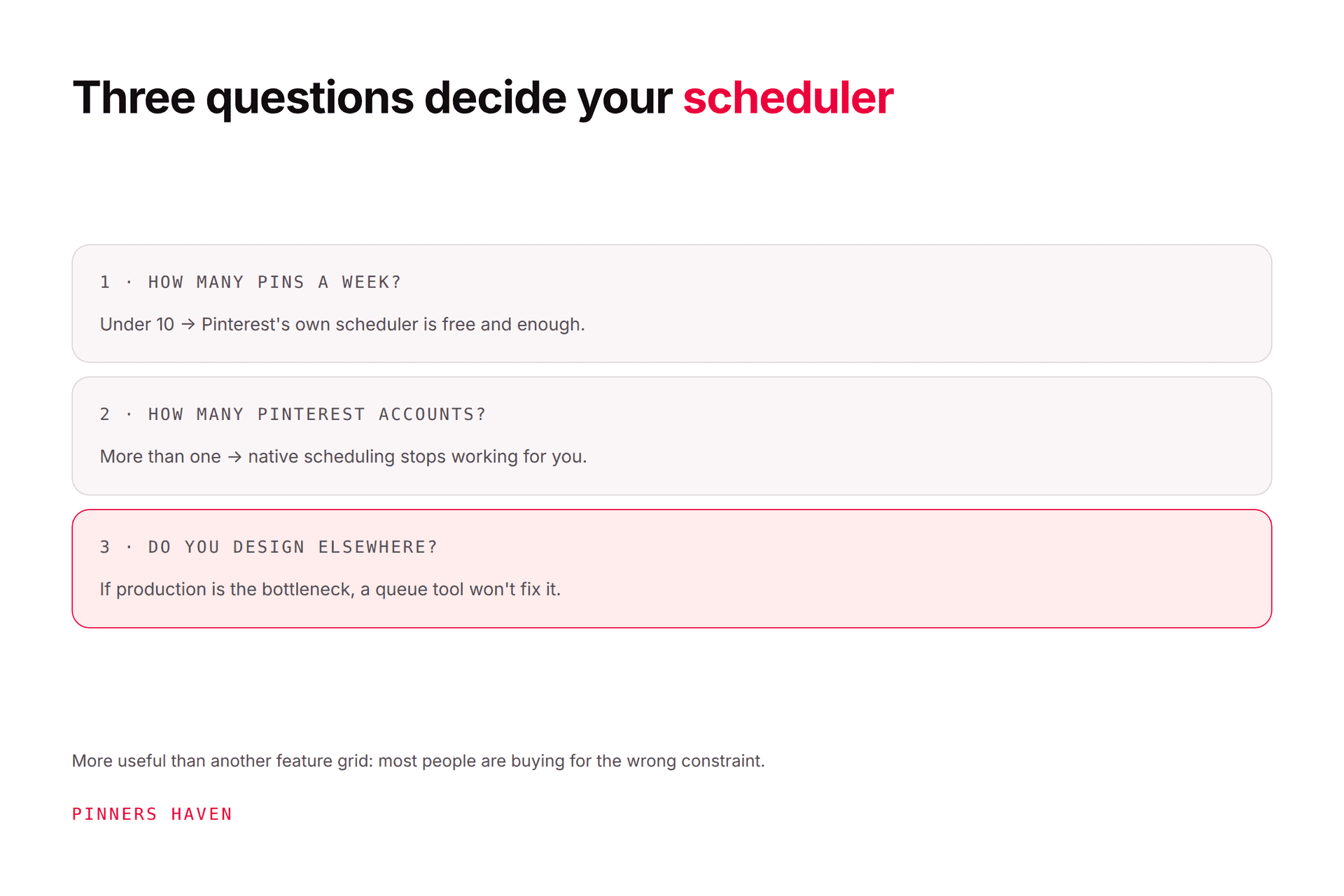
Free tiers stop being enough for one of four reasons, and only two of them are solved by a scheduler.
What's blocking you | Fix |
|---|---|
Queue too shallow to survive a bad week | A paid scheduler, or bulk upload |
Managing several Pinterest accounts | A paid tool with multi-account support |
You can't make pins fast enough | Not a scheduler problem |
You don't know what to publish | Not a scheduler problem |
That bottom half is where most people actually are. They hit a free tier's limit, assume scheduling is the constraint, buy a scheduler, and discover they still only have eleven pins because making pins was always the slow part.
Worth checking honestly before you spend anything. Our scheduler comparison covers the paid options properly if the top half of that table is you.

If production is the constraint
If you've worked out that you can schedule fine and simply don't have enough pins, that's a different purchase entirely.
Pinners Haven is built for that stage. You supply the keywords; it writes up to 20 angles per topic, produces an SEO title with three to five unique description variations per pin, designs original images on human-designed templates, and publishes on a paced, account-safe cadence through official OAuth. The Freshness Meter retires each design after roughly five to ten uses. Nothing publishes until you approve it.
Solo is $41/mo billed annually for 3 sites and 900 pins a month.
To be straight about the comparison this article is making: we do not have a free tier that publishes. Tailwind does, and Pinterest's own tools are free forever. If your requirement is genuinely "schedule some pins at no cost," the honest recommendation on this page is Pinterest's native scheduler, not us. We're the answer to a different problem.
Our 14-day trial needs no card. When it ends you move to a free plan that keeps your projects, pins and boards, and publishing pauses until you pick a plan.
(Disclosure: we make Pinners Haven. We're not affiliated with Pinterest. Competitor free-tier limits were checked 7 August 2026 and change frequently.)
Frequently asked questions
Does Pinterest have a free scheduler?
Yes. Pinterest's built-in scheduler is free with no monthly limit on how much you publish over time. The constraint is that you can hold only 10 Pins in the queue at once, each up to 30 days ahead, and you schedule them individually.
What is the best free Pinterest scheduler?
Pinterest's own, for most people. It has no monthly cap, needs no third-party access, and pairs with free bulk upload for around 200 pins at a time. Third-party free tiers are all smaller than that.
How many pins can I schedule free on Tailwind?
Tailwind's free plan allows roughly 5 posts a month, counted across Pinterest, Instagram and Facebook combined, with one account per platform. It's designed as a trial of the interface rather than a working free plan. Checked 7 August 2026.
Can I bulk schedule pins for free?
Yes, via Pinterest's bulk upload, which accepts around 200 pins from a CSV in one operation. That's more free volume than any third-party free tier offers, and it's the least-known Pinterest feature by some distance.
Are free Pinterest schedulers safe to use?
The reputable ones connect through official authorisation rather than your password, and several appear in Pinterest's partner directory. Anything asking for your Pinterest password is unsafe regardless of price. See auto poster safety.
When should I pay for a Pinterest scheduler?
When you need a queue deeper than 10, several Pinterest accounts, team approvals, or reporting the native tools don't give you. Not simply because you hit a free tier's monthly cap, since Pinterest's own scheduler has no monthly cap at all.
Will scheduled pins get less reach than manual ones?
Pinterest hasn't published anything indicating scheduled pins are distributed differently, and it publishes its own guidance on automating pin scheduling. Where scheduled accounts underperform it's usually repetitive creative rather than the scheduling.
Start free, and upgrade for a reason you can name
The honest summary is that Pinterest gives away more scheduling than most of the tools built on top of it, and the free tiers of the big names are smaller than their reputations suggest.
So run Pinterest's native scheduler and bulk upload until something specific breaks. When it does, you'll be able to name it in one sentence, and that sentence tells you what to buy. If you can't name it yet, you're not ready to pay for anything.