ChatGPT for Pinterest: 10 Prompts for Pin Ideas Without the Slop
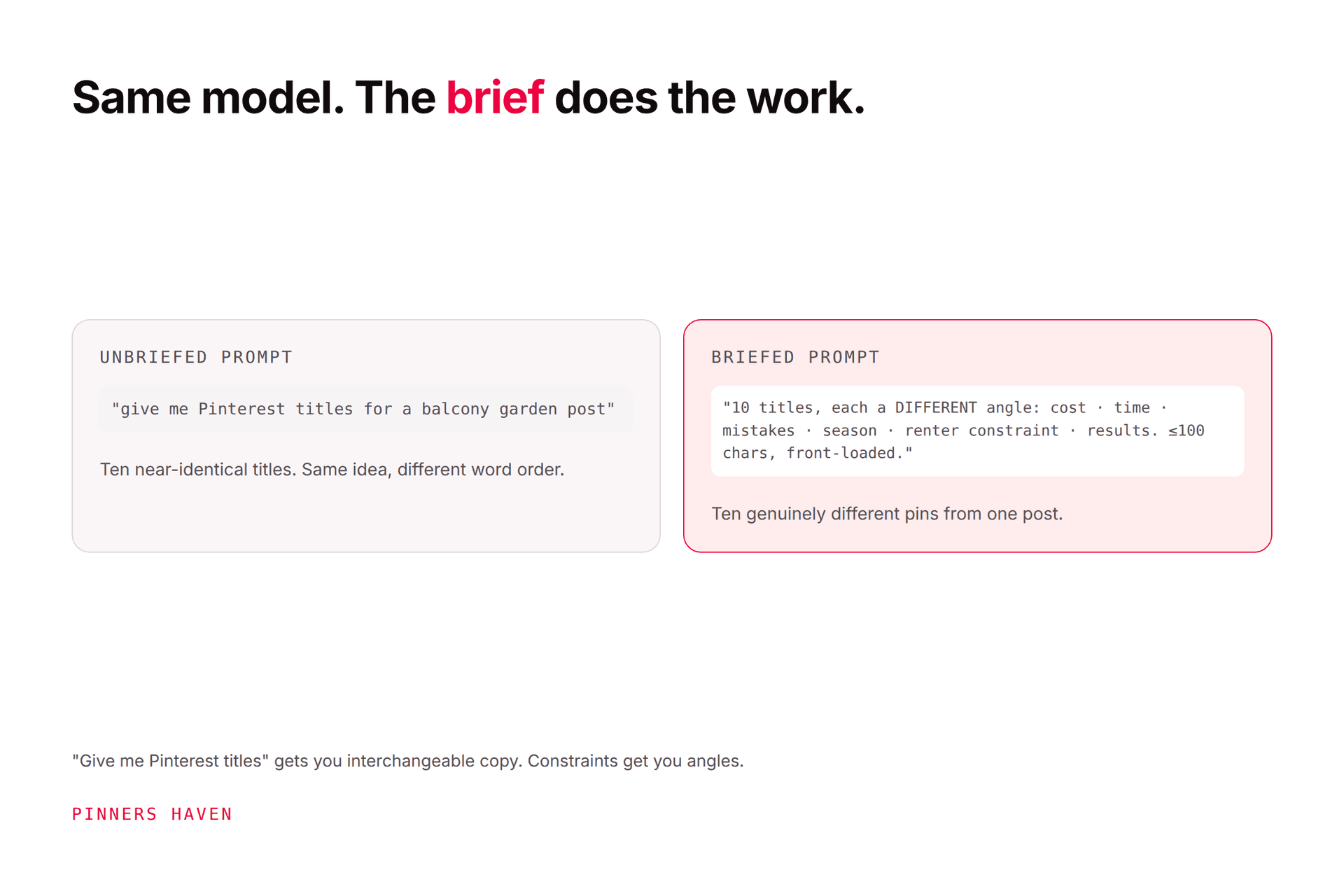
Ask ChatGPT for Pinterest pin ideas and you'll get "Easy Meal Prep Ideas," "Meal Prep Made Simple," and eight more variations of the same non-thought. That output is not the model failing. That's what an unconstrained prompt deserves.
Joe Nyambura
Founder & operator, Pinners Haven · August 18, 2026
On this page22 sections
- The one rule that prevents slop
- The ten prompts
- 1. Expand one page into distinct angles
- 2. Titles that survive thumbnail size
- 3. Description variations that don't repeat
- 4. Find the language your audience actually uses
- 5. Board structure from a content library
- 6. Seasonal timing plan
- 7. Stress-test a pin against the destination
- 8. Rewrite corporate copy into human copy
- 9. Generate the objection, then answer it
- 10. Audit a batch for sameness
- What to never hand to a chatbot
- Where the copy-paste workflow breaks
- Frequently asked questions
- Can I use ChatGPT to write Pinterest pins?
- Will Pinterest penalise AI-written descriptions?
- What's the best ChatGPT prompt for Pinterest?
- Can ChatGPT do Pinterest keyword research?
- Should I disclose that I used AI?
- How do I stop AI pin copy sounding generic?
- The prompt is the product
Ask ChatGPT for Pinterest pin ideas and you'll get "Easy Meal Prep Ideas," "Meal Prep Made Simple," and eight more variations of the same non-thought. That output is not the model failing. That's what an unconstrained prompt deserves.
AI is genuinely useful for Pinterest ideation and genuinely bad at finishing the job. Use it to expand one topic into many distinct angles, to draft description variations, and to find the phrasing real people use. Do not use it to write final copy unreviewed, to invent facts about your product, or to decide what's true. The difference between useful output and slop is almost entirely in how much constraint you put into the prompt: audience, format, what to avoid, and what the destination actually delivers.
The ten prompts below are constraint-heavy on purpose. Swap the bracketed parts.
The one rule that prevents slop
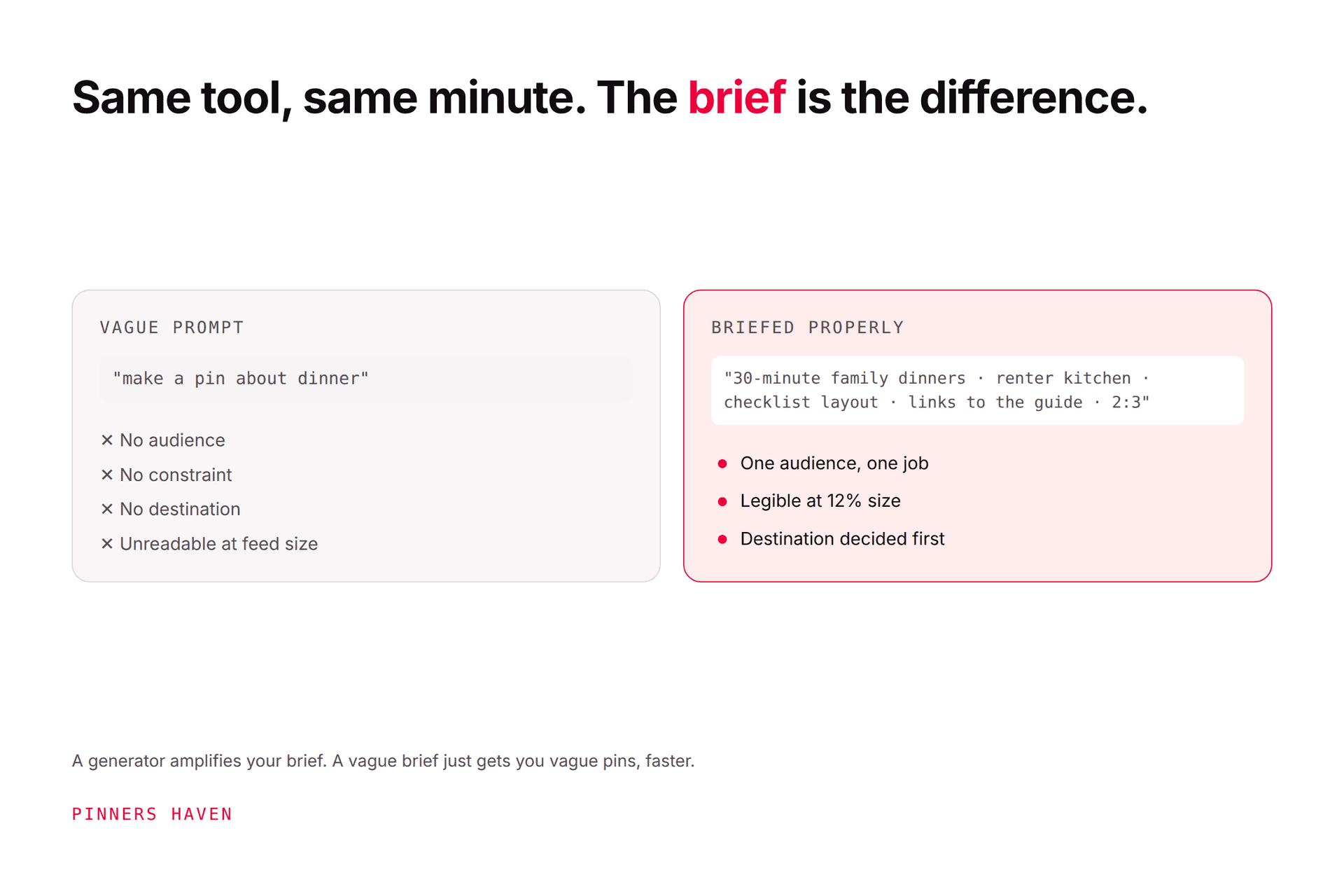
Before the prompts: the reason AI output reads as generic is that a model with no constraints regresses to the average of everything it's seen. "Pinterest pin ideas about meal prep" is the average, and the average is beige.
Every prompt below therefore specifies at least four of these:
Constraint | Example |
|---|---|
Specific audience | "shift workers with no freezer space" |
Specific format | "a checklist, a comparison, a diagram, a mistake-and-correction" |
What the destination delivers | "the page contains 12 recipes with 5-minute prep" |
Banned language | "no 'ultimate', 'game-changer', 'elevate', 'must-have'" |
A real limit | "under 60 characters, must read at thumbnail size" |
What to avoid | "no claims about weight, health outcomes or cost savings" |
Drop those and you get slop. Include them and the same model gets genuinely useful.
The ten prompts
1. Expand one page into distinct angles
I have a blog post: [URL or 2-sentence summary of what's actually on the page]. My audience is [specific person with a specific constraint]. Give me 10 distinct pin angles, where each one makes a different promise and would suit a different image format. For each, give the angle, the promise in one line, and the image format (photo, diagram, checklist, comparison, before/after, process shot). Do not give me 10 rewordings of the same idea. If the page can only honestly support fewer than 10, say so and stop.
That last sentence is the important one. It gives the model permission to tell you the page is thin, which is the single most useful thing it can say.
2. Titles that survive thumbnail size
Write 8 Pinterest pin titles for [angle]. Rules: under 60 characters; lead with the specific benefit in the first 3 words because the rest gets visually cropped; no "ultimate", "game-changer", "elevate", "must-have", "unlock", "transform"; no emoji; no clickbait that the page doesn't deliver. The page actually contains [what's really on it]. Then mark which 2 you'd expect to work best and say why in one line each.
3. Description variations that don't repeat
Write 5 genuinely different Pinterest descriptions for this pin: [pin concept]. Each must use different sentence structure and lead with a different aspect (the outcome, the constraint, the method, who it's for, what's included). Each 150–250 characters, natural language, no hashtag blocks. Include the phrase "[target keyword]" in a way that reads like a sentence, not a keyword insert.
4. Find the language your audience actually uses
Here are 20 real search phrases from Pinterest autocomplete for my topic: [paste them]. Here are comments from my audience: [paste 5–10]. Identify the vocabulary my audience uses that I am not using in my current titles: [paste your titles]. Show the gap as a table of "they say" / "I say."
This is the highest-value prompt on the list and almost nobody runs it. The model is good at spotting vocabulary mismatch and you supply all the real data.
5. Board structure from a content library
Here are the titles of my [n] published pages: [paste]. Group them into 6–10 Pinterest boards named the way a searcher would describe the topic, not the way I'd file them internally. For each board, give the name, a one-line description with the keyword phrase in it, and which of my pages belong there. Flag any page that doesn't fit, rather than forcing it.
6. Seasonal timing plan
My topic is [topic] and my audience is in [region]. Pinterest users plan ahead, so content should publish before interest peaks. Build me a 12-month publishing calendar showing, for each month, what I should be publishing for what people will be planning. State your assumptions about when each season's interest starts rising, and flag which ones I should verify in Pinterest Trends rather than trusting you.
Note the last clause. Models will confidently invent seasonality; make it flag its own uncertainty.
7. Stress-test a pin against the destination
Pin title: [title]. Pin description: [description]. The destination page actually contains: [honest list of what's on the page]. Act as a skeptical reader who clicked this pin. What did I expect that the page doesn't deliver? Is there anything in the pin copy that overpromises, implies a result, or makes a claim the page doesn't support?
The best use of AI in this whole workflow, and the least used. It catches the promise-mismatch that causes bounce and, at the extreme, policy problems.
8. Rewrite corporate copy into human copy
Rewrite this Pinterest description so it sounds like a person who has actually done the thing: [paste]. Keep every factual claim identical. Remove hedging, remove "in today's world", remove "it's important to note", remove any sentence that could appear under any other topic. Shorten by at least 30%.
9. Generate the objection, then answer it
My pin promises [promise] to [audience]. List the 5 objections that audience would silently have before clicking. Then write one description that pre-answers the strongest one in a single clause, without becoming defensive.
10. Audit a batch for sameness
Here are 30 pin titles and descriptions I'm about to publish: [paste]. Identify: (a) any two that make effectively the same promise, (b) any repeated sentence structure appearing more than 3 times, (c) any phrase repeated across more than 5 pins. Output as a list of what to change, not a rewrite.
Run this before every batch. Repetition across a batch is genuinely hard to see by eye, and Pinterest warns that repeatedly uploading content that already exists can get you flagged as spam.
What to never hand to a chatbot
Facts about your own product. Prices, features, limits. It will invent them, confidently.
Claims about results. Income, traffic, health, outcomes. Legally yours, not the model's.
Final copy, unreviewed. Every output goes past a human before it publishes.
Anything about Pinterest's current policies. Models are stale on this and policies move. Read the source.
The decision about what's true.
If you publish AI-assisted content, the AI backlash piece covers why accuracy is now the differentiator, and what "AI modified" means covers Pinterest's labelling.
Where the copy-paste workflow breaks
The prompts above work well and they're a manual loop: prompt, paste, edit, paste into a design tool, paste into a scheduler. That's fine for twenty pins a month and becomes the bottleneck at two hundred.
The steps that break first are 3 and 10, the unique descriptions and the sameness audit, because both scale linearly with volume and neither is visible from outside.
Pinners Haven runs that loop as a system rather than a chat window. It writes up to 20 angles per topic, produces an SEO title with three to five unique description variations per pin so the batch never collapses into repetition, and designs original images on human-designed templates rather than a generator's default look. The Freshness Meter retires each template after roughly five to ten uses. It also supports bring-your-own-key, so you pay your AI provider directly with no markup and hard budget caps.
Nothing publishes until you approve it, which is prompt 7's job, kept as a gate rather than a suggestion. Plans start at $19/mo billed annually with a 14-day trial; no card is needed, and when it ends publishing pauses until you pick a plan.
(Disclosure: we make Pinners Haven, which uses AI to generate pin copy and images. We're not affiliated with Pinterest or OpenAI.)

Frequently asked questions
Can I use ChatGPT to write Pinterest pins?
For ideation, angles and description drafts, yes, and it's genuinely good at it with enough constraint. Publishing unreviewed output is where it goes wrong, because the model doesn't know your product, your page or Pinterest's current policies.
Will Pinterest penalise AI-written descriptions?
Pinterest's guidance targets repetitive, deceptive and low-quality content rather than authorship. The risk isn't that a model wrote it; it's that unreviewed generation at volume produces exactly the repetition Pinterest warns about.
What's the best ChatGPT prompt for Pinterest?
The one with the most constraint. Specify the audience, the format, what the destination actually contains, the character limit and the words to avoid. Prompt 1 above is the highest-leverage starting point because it expands one page into genuinely distinct angles.
Can ChatGPT do Pinterest keyword research?
Not reliably. It has no live search data and will invent plausible-sounding volumes. Use Pinterest's own autocomplete and Trends for the real phrasing, then use the model to spot vocabulary gaps, as in prompt 4.
Should I disclose that I used AI?
Pinterest applies labels to AI-generated and modified images based on its own signals. For text there's no equivalent requirement, but accuracy obligations apply regardless of who wrote it. See what "AI modified" means.
How do I stop AI pin copy sounding generic?
Give it real inputs: actual audience language, the actual contents of your page, and an explicit list of banned phrases. Generic output is almost always a symptom of a prompt that asked for a topic instead of a specific promise to a specific person.
The prompt is the product
The reason most people conclude AI is useless for Pinterest is that they tested it with a prompt containing one noun.
Give it an audience, a format, a real destination and a list of things not to say, and it becomes a fast, tireless ideation partner. Just don't let it be the last set of eyes on anything, because the one thing it can't do is know whether your page keeps the promise your pin made.