Pinterest Video Downloader: 5 Free Options Compared
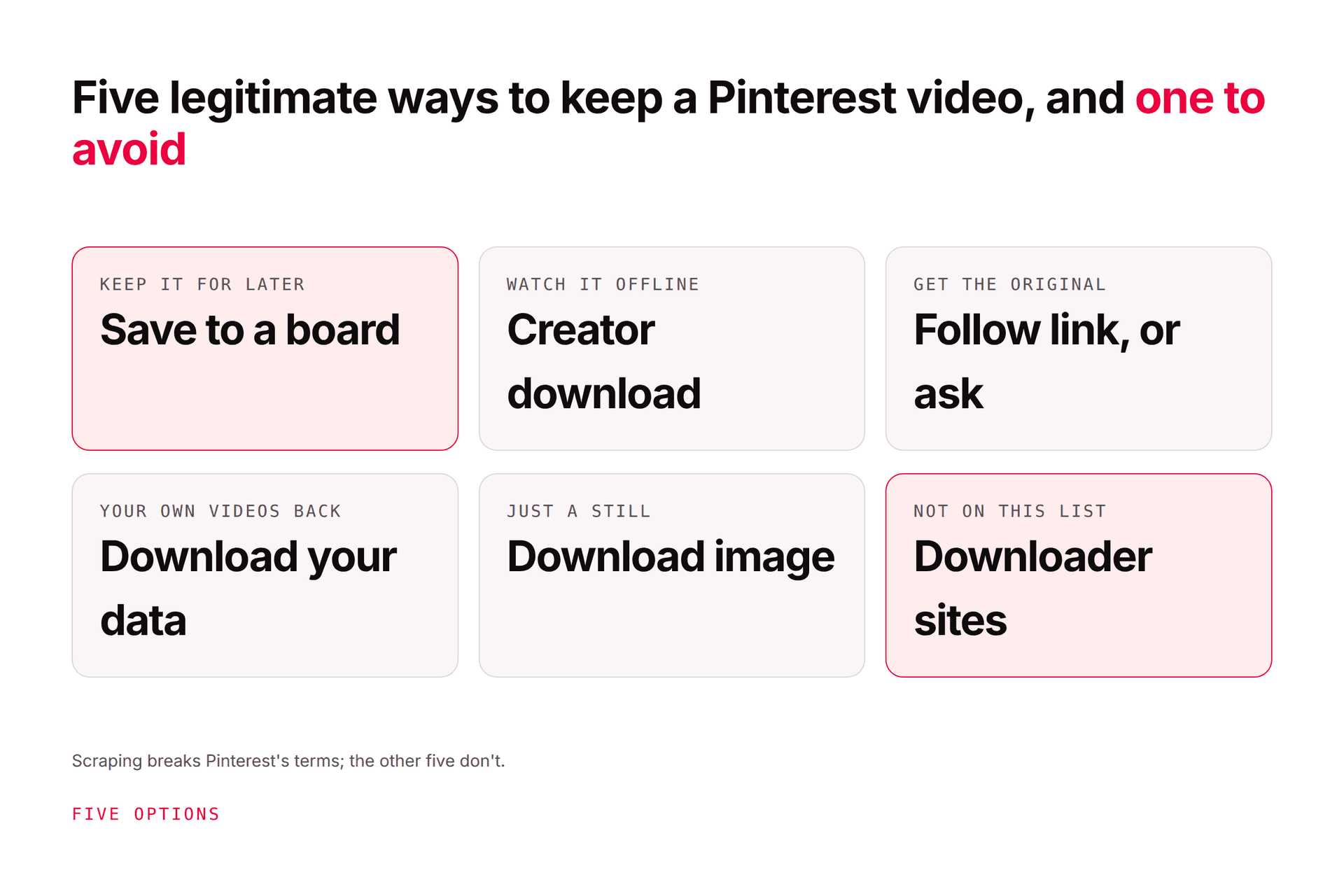
There are five free, legitimate ways to keep a Pinterest video, depending on what you need: save it to a board (keeps it forever, in Pinterest); use Pinterest's own download option on full-screen video pins where the creator has allowed it (the file carries the creator's username as a watermark); follow the pin's link
JN
Joe Nyambura
Founder & operator, Pinners Haven · August 6, 2026
You found a video on Pinterest you want to keep: a recipe, a workout, a tutorial, your own pin you forgot to back up. Search "Pinterest video downloader" and you get a page of near-identical sites promising HD, 4K, no watermark, one click. Let me be honest about what to expect from this page: it's going to tell you the five ways to get what you actually want that don't break Pinterest's rules or someone's copyright, explain what those downloader sites really do, and not link to them. If that's not what you came for, fair, but read the rules section before you paste a link into one.
There are five free, legitimate ways to keep a Pinterest video, depending on what you need: save it to a board (keeps it forever, in Pinterest); use Pinterest's own download option on full-screen video pins where the creator has allowed it (the file carries the creator's username as a watermark); follow the pin's link to the source site or ask the creator for the original; use Pinterest's "Download your data" export to retrieve your own uploaded videos; or, for a still, use the built-in "Download image." Third-party downloader sites work by scraping the video file from the pin's page, which Pinterest's Terms of Service prohibit ("you agree not to scrape, collect, search, copy or otherwise access data or content from Pinterest in unauthorized ways, such as by using automated means"), and downloading doesn't give you any right to reuse someone else's video. Here's each option, when it fits, and the rules that apply to all of them.
First: what do you actually want to do with the video?
You want to…
The free, legitimate route
Notes
Keep it to watch again
1. Save it to a board
Never expires, works on every device, credits the creator
Watch it offline on your phone
2. Pinterest's download option on full-screen video pins (if the creator enabled it)
File carries the creator's username watermark
Get the original, full-quality file
3. Follow the pin's link, or ask the creator
Many video pins link to YouTube, TikTok, or a site where the creator offers it
Get your own uploaded videos back
4. Download your Pinterest data
Pinterest's export of your account content
A single frame, not the video
5. Download image on the pin
Ellipsis menu → Download image
Republish the video on your channel
None of the above without permission
Copyright; see the rules section
Option 1: save it to a board (what most people actually want)
If "download" means "don't lose this," the built-in save is the answer, and it's better than a file in your camera roll. Save it to a board (a secret board if you like), and it's there in a year, on any device, with the link back to where it came from. Pinterest's help centre walks the steps for saving Pins to a board, and how to make a Pinterest board covers organising them. It's free, it's instant, and it's the only option that doesn't depend on a file surviving your next phone.
Option 2: Pinterest's own download on full-screen video pins
Pinterest does have a native video download, with two conditions. It applies to full-screen (9:16) video pins, and only where the creator has turned the download option on. Pinterest's help centre puts it plainly: "If you turn on the download option, your full-screen video Pins can be downloaded and a watermark of your username will appear at the bottom." It applies to full-screen (9:16) video Pins only. On mobile, tap the pin and look for the download icon; if it isn't there, the creator hasn't enabled it, and that's their call.
The watermark is the point: the file credits its maker, which is how Pinterest squares "let people save this" with "it's someone's work."
Option 3: go to the source, or ask
Here's the thing nobody tells you: the video on Pinterest is often a copy of a video that lives somewhere the creator wants you to get it. Open the pin and follow its link. A recipe video frequently leads to a blog with the full clip, a fitness pin to a YouTube channel, a craft tutorial to a site with a downloadable version for subscribers. If there's no link, the creator's profile usually names their other channels, and a message asking "may I download this for X?" gets a yes more often than you'd think, especially if X is personal use or a credited share. That's also the only route that ends with permission you can point to.
Option 4: download your own videos
If the video is yours and you've lost the original, don't run your own pin through a scraper. Pinterest's Download your Pinterest data request exports your account content, and it's the clean way to get your uploads back. Then back them up somewhere that isn't Pinterest; how to download a Pinterest board covers what you may keep and the rights table for everything that isn't yours.
Option 5: download a still image
For a frame rather than the video: open the pin, click the ellipsis (…) next to the image, and choose Download image; on Android and iPhone it's the ellipsis under the pin, and the file lands in your Gallery or Photos. Pinterest documents the steps on its download an image page. Same rule applies: it's for your reference, not your republishing.
What the downloader sites actually do, and why we don't list them
You might be thinking, "but the sites are right there and they work." They do. Here's what's happening when they do.
A third-party Pinterest video downloader takes the pin URL you paste, loads the pin's page or its underlying media, and extracts the video file so you can save it without Pinterest's interface. That's scraping, and Pinterest's Terms of Service are explicit: "you agree not to scrape, collect, search, copy or otherwise access data or content from Pinterest in unauthorized ways, such as by using automated means (without our express prior permission)." Its Developer Guidelines say the same to tool builders: no "automated means or form of scraping or data extraction to access information from Pinterest, except as expressly permitted." Pinterest's own creator-enabled download exists so that "can people save this?" is the creator's decision, not a third party's.
So, to be clear about why there's no list of five sites here:
They operate outside Pinterest's terms, and a page recommending them is a page recommending that. We make software that publishes to Pinterest through its official API and we'd rather not pretend the rules are optional on the download side.
The category is risky. Free downloader sites and apps monetise with ads, redirects, and permissions requests; some have distributed unwanted software. We haven't hands-on tested the current crop, and we're not going to vouch for a site we wouldn't paste a link into ourselves.
The video isn't yours. A downloader strips the creator's watermark and the link back to their work. Pinterest's copyright policy follows the DMCA and says it disables or terminates the accounts of repeat infringers; the downloader doesn't take that risk, you do.
None of that makes you a villain for wanting to save a video. It means the honest options above exist for a reason, and the one you want is almost always option 1 or 2.
The rules, in plain English
Downloading isn't a licence. The creator owns the video. Saving a copy for your own reference is one thing; reposting it on your account, your site, or your client's account without permission is copyright infringement, watermark or not.
Pinterest's terms cover access, copyright covers use. Scraping breaks the former; republishing breaks the latter. You can break either one on its own.
"Free" and "no watermark" are the tells. The watermark is the creator's credit; a tool that advertises removing it is advertising exactly the thing you shouldn't do.
This is a plain-English summary, not legal advice. We quote Pinterest's own terms and help pages and link every one of them so you can read the source; copyright law varies by country and by use, and a specific situation is a question for a lawyer, not a blog post.
If you're a business, don't. A brand account reposting scraped video is a DMCA complaint waiting to happen and, under Pinterest's community guidelines, the kind of repetitive unoriginal content its systems flag. If you want video on your account, make it or license it; faceless Pinterest formats covers five kinds you can produce without appearing on camera.
If what you really wanted was to keep track of videos
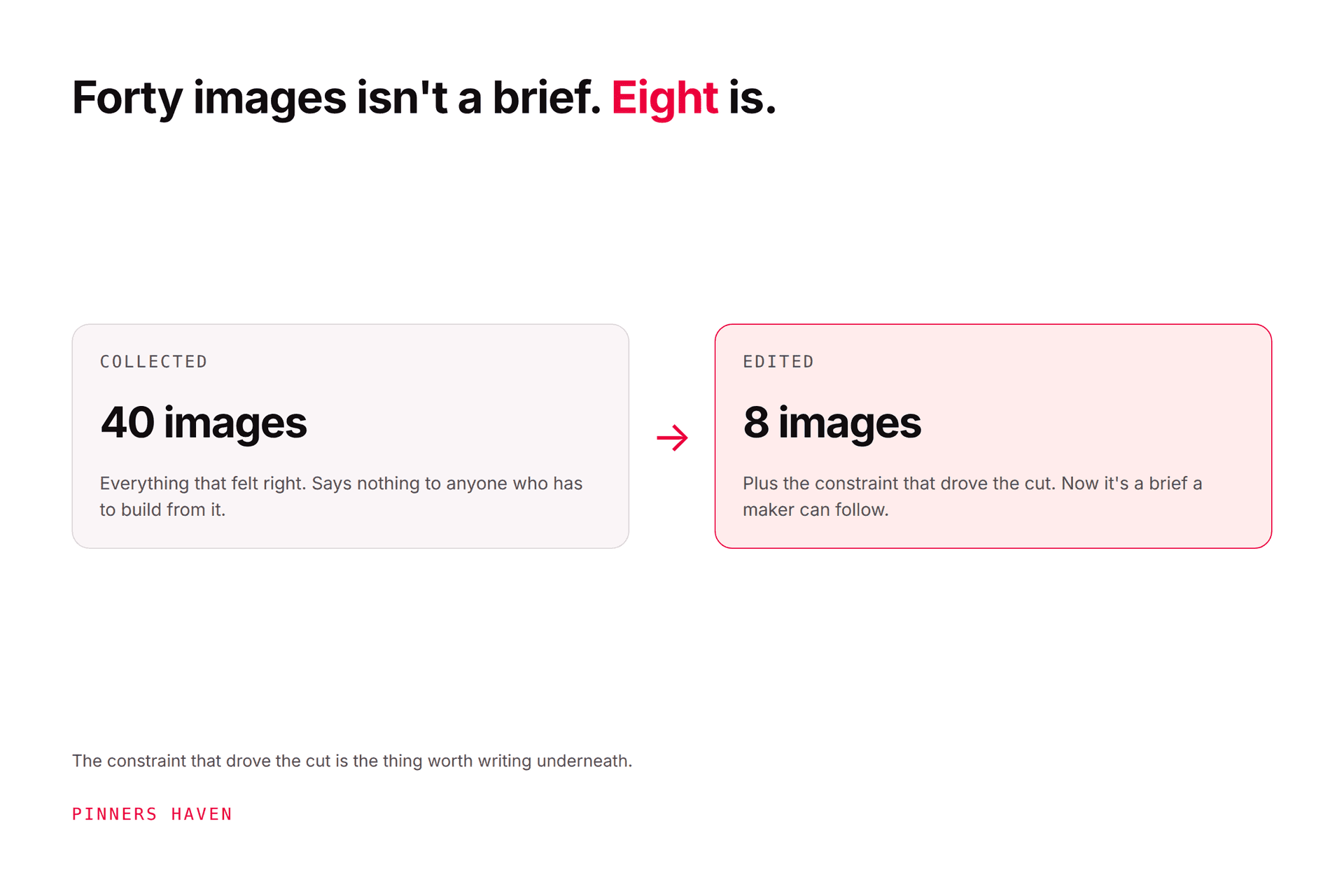
One more honest note, because it's most of the traffic to pages like this: people who "download" Pinterest videos are usually collecting ideas, recipes, and references. Boards already do that better than a downloads folder, with search and the link back. If you're collecting for a project or a mood board, Pinterest mood boards from loose ideas to a usable brief is the method, and it never involves a scraper.
Frequently asked questions
Is there a free Pinterest video downloader?
Pinterest itself offers one, with conditions: on full-screen (9:16) video pins where the creator has turned the download option on, you can download the video and it carries the creator's username as a watermark. For everything else, saving to a board keeps the video without a file, the pin's link often leads to the original, and your own uploads come back via Pinterest's data export. Third-party downloader sites exist but operate outside Pinterest's terms.
Is it legal to download videos from Pinterest?
Two separate questions. Access: Pinterest's Terms of Service prohibit scraping or copying content by automated means without permission, which is how third-party downloaders work; Pinterest's own save and download features are within the terms. Use: the video's copyright belongs to its creator regardless of how you got the file, so downloading for private reference is different from republishing, which needs permission. This isn't legal advice; when in doubt, ask the creator.
Why doesn't my Pinterest video have a download button?
Because the creator hasn't enabled it, or the pin isn't a full-screen video pin. Pinterest's download option for video applies to full-screen (9:16) video pins and is a per-creator setting; when it's on, the downloaded file carries the creator's username watermark. If there's no download icon, save the pin to a board, follow its link to the source, or ask the creator.
How do I download my own videos from Pinterest?
Use Pinterest's "Download your data" request from your account settings, which exports your account content including your uploads, rather than running your own pins through a third-party site. Then store the originals somewhere outside Pinterest. If you still have the source files, you don't need Pinterest's copy at all; the pin is a compressed version.
Can I repost a Pinterest video I downloaded?
Not without the creator's permission. Downloading, by any method, doesn't transfer copyright; reposting someone's video on your account, site, or a client's account is infringement, and Pinterest's copyright policy says it disables or terminates repeat infringers. Ask, credit as they request, or make your own. For a brand account, reposted scraped video is also the kind of unoriginal content Pinterest's systems discount.
Are Pinterest downloader apps and sites safe?
Treat them with caution. They work by scraping, which Pinterest's terms prohibit, and the category monetises with ads, redirects, and permissions; some have distributed unwanted software. We haven't tested the current ones and don't recommend any. If you need a video for yourself, Pinterest's own save and download features and the pin's source link cover almost every legitimate case.
Save it, or ask for it
Wanting to keep a Pinterest video is reasonable; the way to do it is already built in. Save it to a board, use the creator-enabled download where it exists, follow the link to the original, export your own data for your own uploads, and ask before you reuse anything. The downloader sites will still be there. So will the rules.