How to Create a Pinterest Board, Plus 50 Examples That Work
To create a Pinterest board, open your profile, go to Saved, select the plus button, choose Board, enter a name, choose collaborators or secret visibility if needed, and select Create. You can also create a board while saving a Pin. Pinterest boards organize related Pins; public boards appear on your profile and can
JN
Joe Nyambura
Founder & operator, Pinners Haven · August 18, 2026
To create a Pinterest board, open your profile, go to Saved, select the plus button, choose Board, enter a name, choose collaborators or secret visibility if needed, and select Create. You can also create a board while saving a Pin. Pinterest boards organize related Pins; public boards appear on your profile and can appear in search, while secret boards are limited to you and invited collaborators.
Create a board on desktop
For a business account:
Log in and open your profile.
Select the Saved tab.
Select the plus button beneath Saved.
Choose Board.
Enter a board name.
Add collaborators or turn on Keep board secret if needed.
Select Create, choose relevant Pins if prompted, then finish.
Turn on secret visibility if the board is private.
Tap Next or Create, depending on the current app flow.
You can also create a board while saving a Pin: select Save, choose the option to create a board, name it, and set its visibility.
Choose the right board type
Board type
Who can see it?
Best use
Public
Anyone; visible on profile and in search
Business topics, resources, inspiration
Secret
Owner and invited collaborators
Private plans, drafts, gifts, research
Group
Owner and invited contributors; public or secret
Shared projects and curated contributions
Pinterest also lets you create sections inside a board. Use them for subtopics that belong under one parent, such as "Herbs," "Vegetables," and "Flowers" inside "Small Balcony Garden." Pinterest board types
Name and optimize the board
Use one recognizable topic
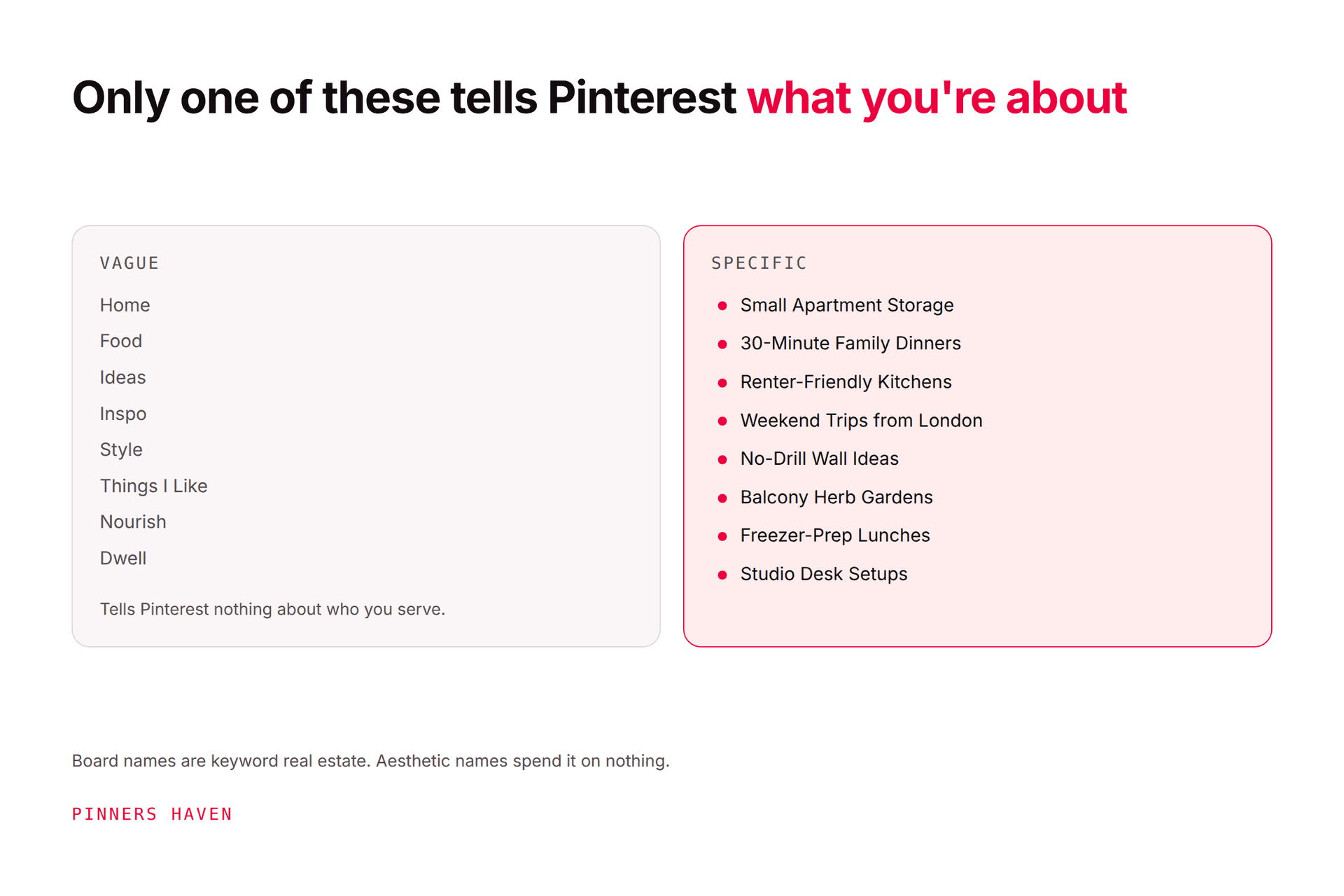
Pinterest's current creator guidance says descriptive, specific board titles can help relevant discovery and give Pins context. Pinterest board fundamentals
Use the phrase a real person would understand:
Weak: Inspo 1
Better: Small Home Office Ideas
Weak: Products
Better: Non-Toxic Kitchen Cleaning Products
Write a short description
Explain the audience, ideas, and scope in one or two natural sentences. Example: "Space-saving desk layouts, cable management, lighting, and storage ideas for compact home offices." Avoid repeating variants as a keyword list.
Choose a representative cover
Select a clear Pin that represents the whole topic and works at thumbnail size. Do not use a beautiful but unrelated image merely to maintain a color palette.
Add closely related Pins
A board should fulfill its title. Save original, useful Pins and carefully chosen resources that stay within scope. For a business, prioritize content that supports the audience and connects naturally to your pages.
If filling the boards is the part that stalls — a good structure with three pins in each and no realistic way to make more — that's what Pinners Haven handles: twenty angles per topic, SEO copy and an original design per pin, routed to the board you choose and held for approval. From $19/mo billed annually.
(Disclosure: we make Pinners Haven. We're not affiliated with Pinterest.)
50 Pinterest board examples
Use these as patterns, not names you must copy.
Home and interiors
Small Living Room Layouts
Renter-Friendly Wall Decor
Warm Neutral Bedroom Ideas
Tiny Kitchen Storage
Modern Entryway Organization
Budget Bathroom Updates
Home Office Lighting Ideas
Balcony Furniture for Small Spaces
Sustainable Home Materials
Weekend DIY Home Projects
Food and cooking
30-Minute Family Dinners
High-Protein Vegetarian Lunches
Freezer Meals for New Parents
One-Pan Weeknight Recipes
Beginner Sourdough Guides
Budget Meal Planning
School Lunchbox Ideas
Dairy-Free Dessert Recipes
Holiday Cookie Decorating
Small-Batch Baking
Business and content
Pinterest Marketing Guides
Email Welcome Sequence Ideas
Product Photography at Home
Freelance Proposal Templates
Small Business Packaging Ideas
Content Calendar Examples
Etsy Listing Photography
Creator Media Kit Tips
Local Business Marketing
Digital Product Launch Ideas
Style and beauty
Petite Workwear Outfits
Minimal Capsule Wardrobes
Protective Styles for Natural Hair
Fragrance-Free Skincare
Wedding Guest Outfits
Beginner Nail Art
Linen Summer Outfits
Curly Hair Wash Day
Travel Makeup Essentials
Secondhand Style Ideas
Travel, events, and hobbies
Nairobi Weekend Itineraries
Carry-On Packing Lists
Backyard Wedding Ideas
First Apartment Checklists
Beginner Watercolor Projects
Container Gardening Plans
Reading Journal Ideas
Family Camping Meals
Handmade Gift Ideas
Monthly Photo Challenges
The strongest title depends on the actual account. A bakery does not need all ten food boards. It may need "Beginner Cake Decorating," "Buttercream Color Ideas," and "Birthday Cake Designs by Age." Depth beats a profile filled with disconnected categories.
Board or section?
Create a section when the subtopic serves the same audience and intent as the parent board. Create a new board when it can support a distinct collection and someone might reasonably search or follow it on its own.
But "Indoor Seed Starting" may deserve another board if it has its own audience, season, and substantial content library.
Make a board private
Pinterest calls these private boards, and the toggle is offered twice: when you name a new board, switch on Keep this board private. To convert one you already have, open the board, click the ellipsis, choose Edit info and settings, and switch on Make this board private, then Done. The same path works in the app under the ellipsis at the top-right. You can switch it back to public whenever you like.
Know what you give up before you do it. A private board cannot be promoted through Pinterest ads, and saves from it do not add to a Pin's count or notify the person who created the Pin. You can still invite collaborators to a private board, so client work does not have to be public to be shared. Private boards
That makes private boards excellent for planning, competitor research, and client work in progress, and a poor choice for anything you eventually want found.
Turn a board into a group board
Open the board and click the plus-circle icon under the board name, then search by name, username, or email and click Invite. There is also a Copy link option if it is easier to send the invitation yourself. Removing someone runs through the same place: click the row of profile pictures under the board name, then Remove. The app mirrors both flows.
You control what collaborators can do. Pinterest offers permissions covering adding, moving and deleting Pins and sections, saving and commenting only, inviting other people, and accepting board requests. Set these deliberately, especially on a board carrying client or brand work. Create and manage group boards
One honest note, because this is where a lot of old advice is still circulating: Pinterest does not document any ranking or distribution advantage for group boards. Treat a group board as what it is — a shared workspace for people genuinely creating together. It is a collaboration feature, not a reach tactic, and the boards that still work are the small, tightly-moderated ones rather than the hundred-contributor free-for-alls.
Common board mistakes
Creating dozens of empty boards.
Using clever titles nobody understands.
Mixing unrelated personal and business topics publicly.
Saving the same Pin across every board.
Choosing a secret board for content meant to be discovered.
Treating group boards as an automatic reach shortcut.
Leaving old boards full of broken or off-topic Pins.
Frequently asked questions
How many Pinterest boards should I have?
There is no ideal universal count. Create only the focused boards you can populate and maintain. A smaller coherent profile is more useful than dozens of thin boards.
Are Pinterest boards public?
Public boards are visible on your profile and in search. Secret boards are visible only to you and collaborators. Group boards can be either public or secret.
Can I make a board private later?
Pinterest provides board visibility controls, but changing a business resource to secret removes it from public discovery. Review current settings and collaborator effects before changing an established board.
Can other people add Pins to my board?
Yes, if you invite them as collaborators. Set a clear scope and remove access when it is no longer needed.
Do board titles help Pinterest SEO?
Pinterest recommends descriptive, specific titles and relevant keywords in board titles and descriptions. Write for clarity and topical accuracy, not keyword repetition.
Create the board your audience expects
The best board name is not the cleverest. It is the one that accurately predicts every Pin inside. Start with a narrow, durable topic, write a helpful description, add closely related Pins, and expand only when your content library justifies it.