Quick disambiguation first, because this search term means two different things and you're probably here for one of them.
"Pinterest business manager" is either Pinterest's own product for managing multiple profiles, ad accounts and team permissions from one place, or it's the job title of a freelancer who runs Pinterest accounts for clients. This article covers the product. If you're researching the career, that's a different piece.
The product exists to let a business give employees and outside partners access to profiles, ad accounts and catalogs without anyone sharing login credentials. You group assets, assign people to those groups, and set permission levels per asset type. It's most useful once you have more than one profile or more than one person, and it's overkill for a single operator with one account.
Do you actually need it?
Honest answer for most readers: probably not yet.
Situation
Use Business Manager?
One person, one Pinterest account
No. Adds admin, solves nothing
One account, occasional freelancer
Probably not; Publisher access on the profile may be enough
Several brands or regions
Yes
An agency managing client accounts
Yes, via partner access
In-house team with an ads budget
Yes, for permission control
Portfolio operator with many sites
Yes, or a tool that handles multi-account publishing
If you're a single operator whose real problem is producing enough pins, Business Manager will not help with that and the answer is further down.
What it actually does
Organic access without shared logins
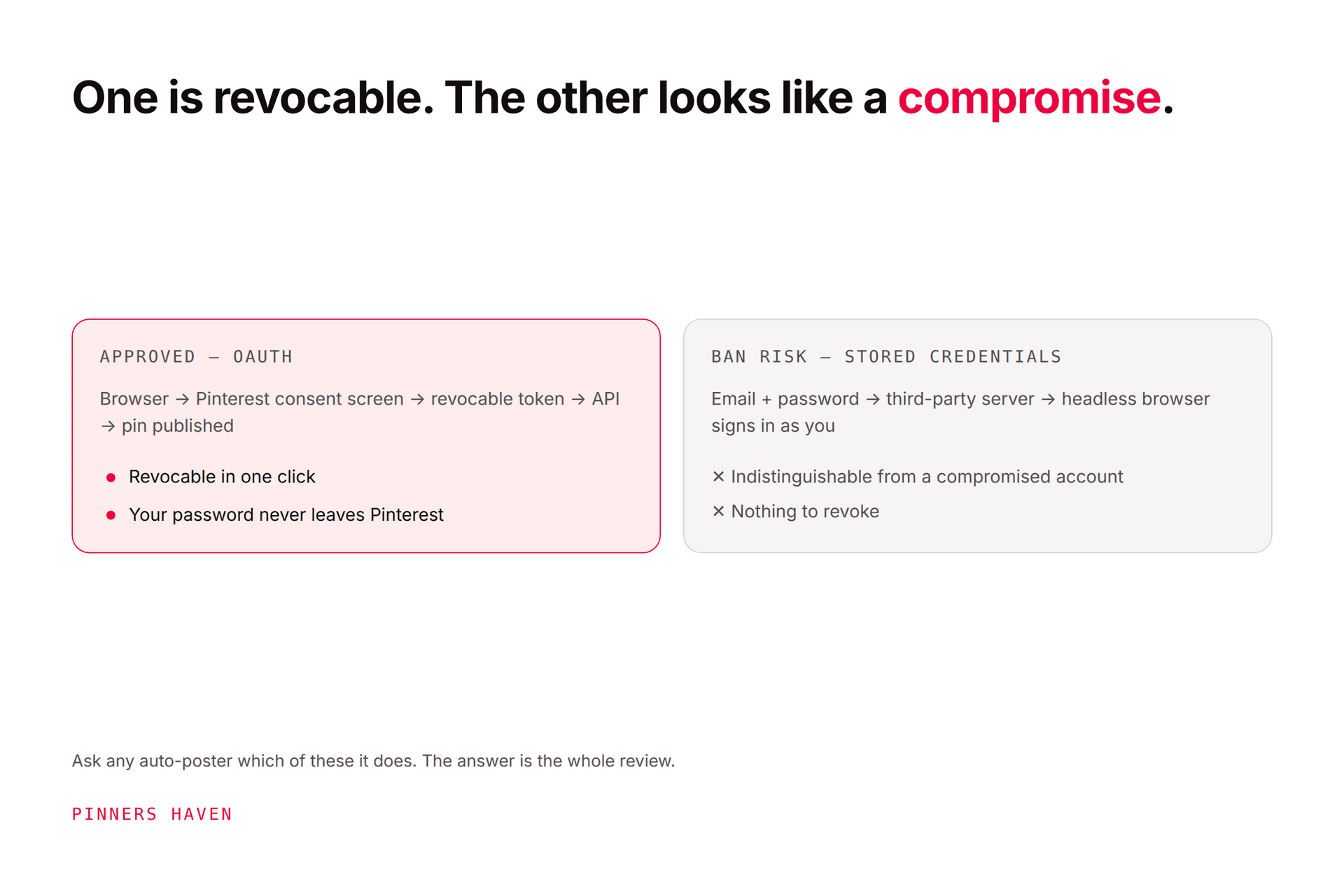
The headline benefit. Publisher access lets employees and partners work on organic assets, your profile, boards and Pins, without sharing login credentials, and once assigned they can create, edit and organise Pins and boards.
That matters for more than convenience. Sharing a password means you can't revoke one person's access without changing it for everyone, and it produces login patterns that look like account compromise. The same principle applies to third-party tools, which is covered in auto poster safety.
Asset Groups
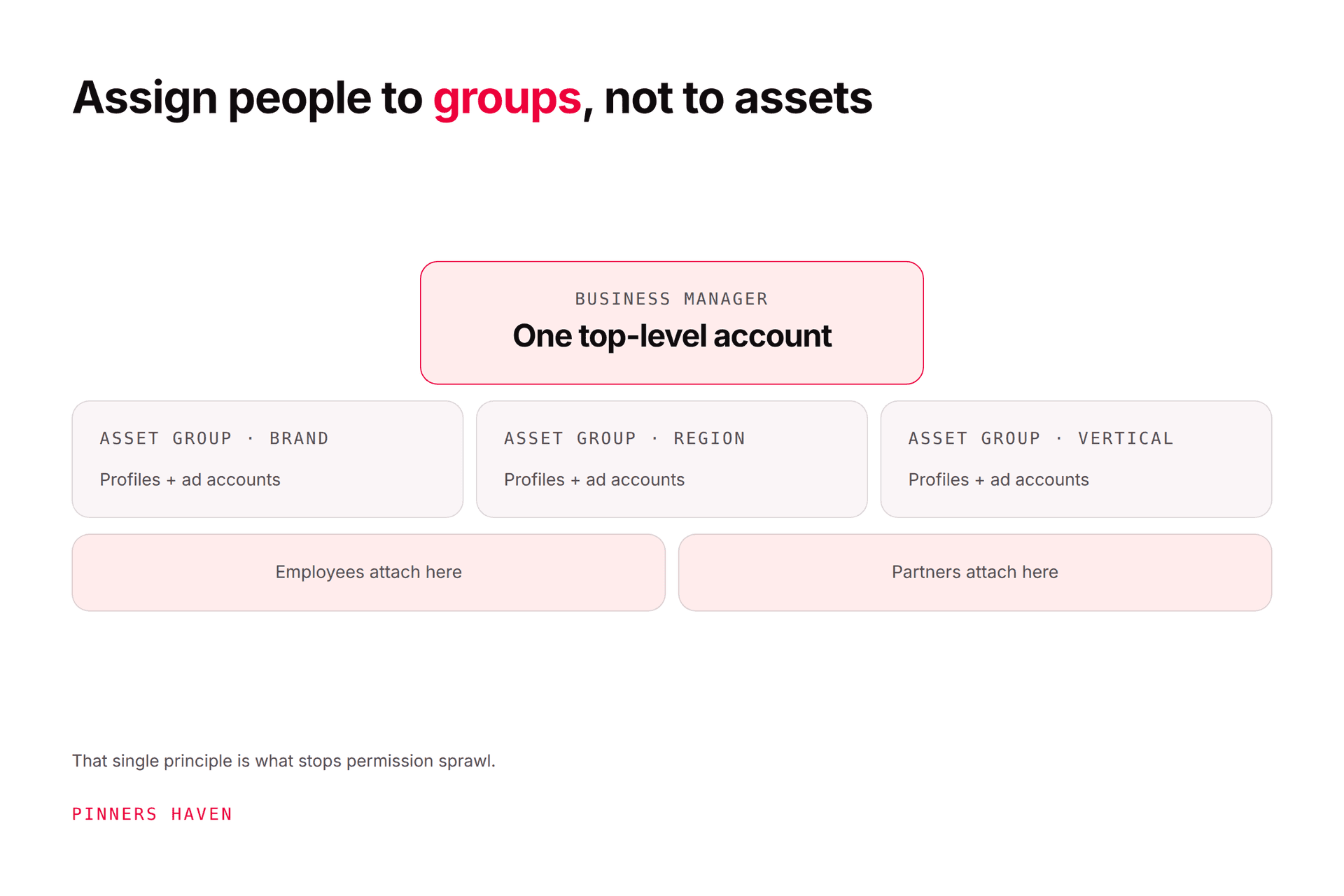
Rather than assigning individuals to individual assets, you build custom groups of assets based on how you want to manage them, across geography, brand or vertical. Add profiles and ad accounts to a group, then grant employees and partners permissions on the group.
The principle worth internalising: assign people to groups, not to assets. Doing it the other way round works fine at three assets and becomes unmanageable at thirty, and untangling it later is genuinely tedious.
Ad account permissions
Pinterest documents seven ad account permission levels, edited per employee under the Employees tab, Ad accounts subtab.
Grant the minimum that lets someone do their job. An analyst reading reports does not need the ability to spend money, and the gap between "can view" and "can publish campaigns" is a real financial control.
Catalog permissions
Separate from ads, and often overlooked. Roles include Catalog Admin, who can create, edit and delete product groups and data sources, and Catalog ad creator, who can build ads from product groups but not restructure the catalog itself.
For an ecommerce operation this separation matters, because catalog structure is upstream of everything. Someone able to delete a data source can break your entire shopping presence. See Pinterest for ecommerce for what depends on that catalog.
Partner access
Distinct from employee access, and the right mechanism for agencies, contractors and consultants. It lets you share access between businesses rather than adding an outside person as an employee.
Use partner access for anyone who isn't yours, and put an end date in your own calendar.
Setting it up sensibly
List your assets first. Every profile, ad account and catalog. Do this before touching the interface.
Decide the grouping axis. Brand, region or vertical. Pick one; mixing axes is what creates sprawl.
Create the asset groups, then add assets to them.
Add employees, assign them to groups, and set the minimum permission per asset type.
Add partners separately, with an explicit scope and a review date.
Document who has what, outside Pinterest. A one-tab spreadsheet is enough and it's the thing that saves you in an audit.
Schedule a quarterly access review. Ten minutes, and it catches the departures nobody told you about.
Step 7 is the one that gets skipped, and stale access is the most common security problem in agency-managed accounts.
Common mistakes
Assigning people directly to assets instead of to groups, then losing track.
Granting admin because it's quicker than working out the right level.
Using employee access for an outside agency, which conflates two different relationships.
Never removing access when someone leaves the team or the contract ends.
Mixing grouping axes, so some groups are regional and others are by brand.
Assuming Business Manager solves publishing. It manages access, not workload.
That last one matters. Business Manager is a permissions layer. It does not make pins, schedule them, or tell you what to publish.
If the real problem is volume, not access
Plenty of people arrive at Business Manager because they're managing several accounts and everything feels unmanageable. Worth separating the two problems, because they have different answers.
Access sprawl is a Business Manager problem, and it's the right tool.
Not enough pins across too many accounts is a production problem, and no permissions system touches it.
For that second one, Pinners Haven publishes across multiple Pinterest accounts through official OAuth, writes up to 20 angles per topic, produces an SEO title with three to five unique descriptions per pin, and designs original images on human-designed templates. Nothing publishes until you approve it, on every plan.
Operator covers 25 sites and 11,250 pins a month at $124/mo billed annually; Portfolio covers 50 sites and 30,000 pins at $291 with a priority publishing queue. There's a 14-day trial; no card is needed, and when it ends publishing pauses until you pick a plan.
To be clear, it is not a replacement for Business Manager. It doesn't manage ad account permissions, catalog roles or partner access, and if you run ads you'll want both.
(Disclosure: we make Pinners Haven. We're not affiliated with Pinterest.)
Frequently asked questions
What is Pinterest Business Manager?
Pinterest's tool for managing multiple profiles, ad accounts and catalogs, and for granting employees and outside partners scoped access to them without sharing login credentials.
Is Pinterest Business Manager free?
Access to Business Manager itself isn't a paid product; it's part of Pinterest's business tooling. Ad spend is separate and unrelated.
Do I need Business Manager for one Pinterest account?
No. With a single account and a single person it adds administration and solves nothing. It becomes useful at multiple assets, multiple people, or when an outside agency is involved.
How do I give someone access to my Pinterest account safely?
Through Business Manager roles rather than by sharing your password. Publisher access lets someone create and edit Pins and boards without credentials, and can be revoked individually.
What's the difference between employee and partner access?
Employee access is for people inside your business. Partner access shares assets between businesses and is the correct mechanism for agencies and contractors. Keeping them separate makes offboarding clean.
What are Asset Groups?
Custom groupings of profiles and ad accounts, organised by whatever axis suits you, usually brand, region or vertical. You assign permissions at group level, which is what keeps access manageable as you grow.
Is a "Pinterest business manager" a job?
Yes, and it's a separate meaning of the phrase: freelancers who manage Pinterest accounts for clients, typically handling strategy, pin production, scheduling and reporting. Those people often use the product described here to access client accounts.
Group the assets, scope the people, review it quarterly
Business Manager is unglamorous infrastructure, and it earns its keep the day someone leaves, an agency contract ends, or you need to prove who could touch what.
Set it up with one grouping axis, grant the minimum permission that lets people work, keep partners separate from employees, and put a quarterly review in the calendar. That's the whole discipline, and it takes less time than untangling it later.